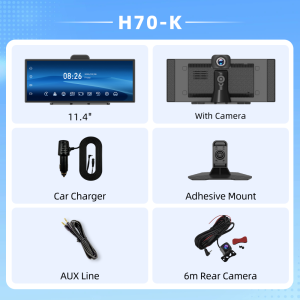
11.4" Imagebon H70-K 4K Dashcam Wireless CarPlay Android Auto Car DVR AI Car Display Split Screen Multitasking Smart Monitor
Unlike traditional models, the H70-K offers a multi-core processor and more advanced display technology while remaining affordably priced, providing a significantly superior experience in terms of in-car connectivity and dashcam functionality. To meet the growing demand among customers for a high-performance in-car entertainment ecosystem at an affordable price, Imagebon has launched the H70-K (Dashcam Edition) and the H70 N (Smart In-Car Display Edition).High-Definition Display TechnologyQLED offers a wide color gamut for more vibrant colors.In-Cell technology provides greater light transmission and higher color saturation, resulting in more vivid images.The 1920×720 resolution delivers sharper images than 1440×540.Exceptional Video Recording Quality1. 4K Ultra HD front-facing camera with night vision (H70-K only) + 1080p 150° wide-angle rear-facing camera with waterproof design.2. Loop Recording and Time-Lapse Photography (H70-K only): Automatically overwrites old video files to capture only the latest and most critical footage in a continuous loop; offers four selectable time-lapse intervals. This fully covers the functions of a dashcam.3. Intelligent Driving Assistance: Adjustable, high-precision backup camera.Smart Wireless Connectivity1. Features wireless CarPlay and Android Auto connectivity. Once connected, it enhances the in-vehicle infotainment ecosystem, allowing for seamless access to video, music, navigation, and incoming calls.2. The product features a dual-core chip that handles background tasks, delivering smooth AI voice control and a variety of split-screen modes.Voice Control: No manual operation required—use voice commands to switch apps, make and answer calls on your car's infotainment system, making it more convenient for drivers and enhancing driving safety.Split-screen functionality: Not only can you use different CarPlay apps simultaneously, but you can also split the screen between CarPlay and the dashcam feed. This provides an engaging in-car entertainment experience while ensuring driving safety, and is extremely easy to use.3. Traditional AirPlay and Miracast screen mirroring allow you to project videos directly from your phone.Enhanced Auxiliary Features1. Four audio playback channels for a variety of playback options.2.Dual-band Wi-Fi (2.4 GHz + 5 GHz) , provides a more stable connection. The connection won’t easily drop even if your phone moves a short distance away from the car.3. H.265 encoding technology enhances video playback clarity.4. Simplified installation.Product List1 x H70-K host / H70N host1 x Car charger1 x Installation bracket1 x User Manual1 x 1080P rear camera (optional)Q&A1.Why does it get stuck in the "welcome" interface after booting up?Please use our standard car charger(included in the package),Don't use USB cable or other car charger.2.Why does a restart occur after booting up?(1) Please use our standard car charger(included in the package),Don't use USB cable or other car charger.(2) Please use U3 high speed TF card.3. Which rear cameras are compatible with the product?The device is compatible with 2.5mm,4 pin,AHD 1080P Rear Camera.4.How to do the Upgrade?(1) Download the firmware via below link:https://drive.google.com/drive/folders/1AYti2WEuObgKGuRzH-U1W1F-JGd6YXVm?hl=zh-cn(2) Follow the video instructions to complete the version upgrade.5.Why can't CarPlay connect?Please forget the connected Bluetooth and try to reconnect.(1)If the connection is still unsuccessful, try restarting the phone and the device, wait for 15 seconds, and then restart and try again.(2)If only the pop-up windows "Bluetooth Pairing Request" and "Allow Contacts and Favorites Sync" appear when connecting, but the pop-up window "Use CarPlay with "CarPlay" does not appear, please check whether the phone's "Settings > General > CarPlay" has a connected CarPlay, if yes, delete it and try again.6.Why can't Android Auto connect?(Update the Android Auto program on your phone and turn on wireless connection in the Auto settings)(1) Disconnect the Bluetooth connection of other devices on the phone, ignore the Bluetooth of the device, and try to connect again.(2) Restart the device and try to reconnect the Bluetooth of the phone.(3) Restart the phone and turn off the device for 15 seconds, then try to connect the Bluetooth again.Pls search for "Android Auto" on the phone(If the above methods still cannot connect), select "Settings > Android Auto > Connection Help", and follow the prompts in the connection help to operate. Then restart the device (turn it off for 10 seconds).

Prime Supply_Play Life
You May Also Like
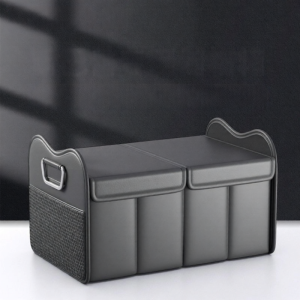
DELIHUA | Subaru Car Storage Box
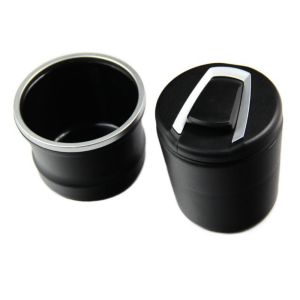
GEANAN Portable Mini Car Trash Can Multi-functional Removable Garbage Coin Storage Cup Container Car Styling Universal Size Car Cup Holder Car Garbage Storage
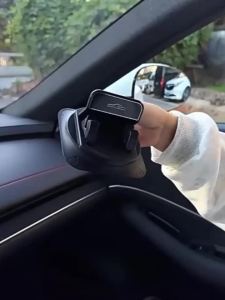
Car Dashboard Phone Holder 360° Rotation Self-Adhesive Anti-Slip Automotive Mount Vibration-Free & One-Handed Operation
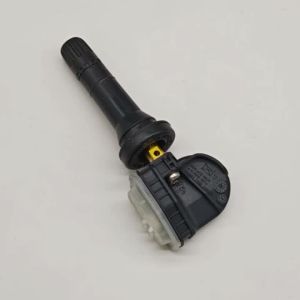
4PCS For 2022 2023 2024 LYNK&CO 01 03 05 09 MHEV E-Wagon EV TPMS Tire pressure sensor 433MHz 8889081697
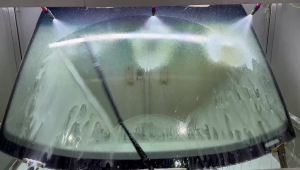
Lanke Wiper Fit For Mercedes Benz C-Class W204 (2007-2014) Natural Rubber Strip Boneless Silent Car Windshield Wiper Auto Parts

10 Car Radio Panel for 2004-2014 SKODA OCTAVIA Android Stereo Player Casing Frame 2Din Head Unit Fascia Frame Dash Cover Trim
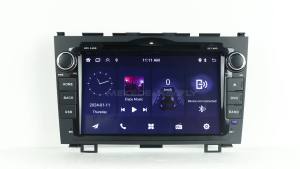
MEKEDE Android Auto Wireless Carplay for Toyota RAV4 Rav 4 2005 - 2013 Car Radio Multimedia GPS Player Autoradio Stereo WIFI BT
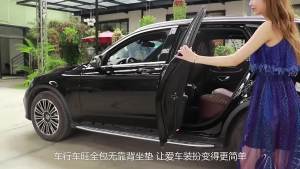
Luxury PU Leather Car Seat Cover Comfortable And Breathable All Year Round Protector The Car Seat Auto Cushion Accessories
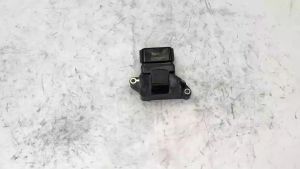
Car/Automobiles Electric Ignition Module RSB-56 for Nissan Pathfinder Sentra Pickup Quest QX4 Frontier Xterra Infiniti RSB56
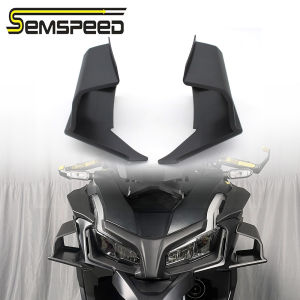
SEMSPEED Motorcycle Side Wind Winglet Aerodynamic Spoiler Fairing Cowling Cover For Honda ADV160 ADV 160 2022-2025
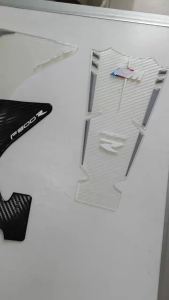
For BMW F900R F 900R F 900 R Motorcycle Stickers Anti-slip Tank Pad Side Tank Pad Fuel Tank Protective Tank Grip Knee Pads TKPAD