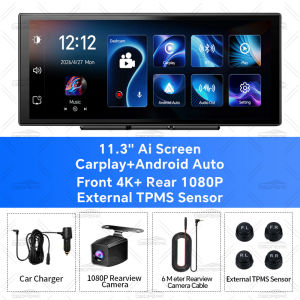
K5 Pro 11.3 External TPMS Sensors Dash Cam 4K DVR Camera Wireless Carplay Android Auto Dual Len Video Recorder GPS Navigation
NOTE: The charger in the package must be used to connect to power in the car, the device will not work using a USB cable. Wireless Carplay and Android AutoSimply connect wirelessly via WiFi to enjoy a full screen CarPlay/Android Auto experience on this 11.3-inch high-definition screen. Whether it's precise navigation or massive online music, the vast majority of mobile phone functions can be perfectly adapted, making every driving experience easy and intelligent. Technology makes travel easier, upgrade your in car experience immediately! Front 4K 2160P + Rear 1080P Record 11.3 Inch ultra wide-angle full view touch screen, capturing license plates, road signs, and other critical details on the road. Very clear and smooth images display as like a stream flowing on the excellent WDR streaming mirror. Supports simultaneous 1:1 display of front and rear cameras. (The rear camera and cable require purchasing the dual lens option.) Intelligent TPMS Car Tire PressureOptional car TPMS external sensor, through wireless connection, monitors pressure and temperature data simultaneously for 4 tires, simple and reliable. When pressure/temperature data is abnormal, it will promptly warn and protect your driving safety. GPS navigation By connecting Carplay or Android Auto to the navigation program on your phone, you can display the map in full screen on a 11.3-inch screen, bigger and clearer!11.3-inch Plus touch screenRegarding the screen, we have also upgraded to a larger screen, which is a significant improvement compared to the other 10.26-inch. A larger screen is beneficial for navigation viewing, and it is more high-end, bringing you unprecedented enjoyment! 1920*720P HD In-Cell Screen OBDPEAK has once again made significant breakthroughs in automotive screen display technology. The resolution of K5 Pro is 1920 * 720P, using In Cell technology, with a 150% increase in color, narrower borders, thinner and lighter screen, clearer images, and more sensitive touch control;60Hz Screen Refresh RateThe screen is upgraded again, refreshing 60 times per second, and the static images are displayed very clearly, greatly reducing latency. Especially in Carplay mode, it can easily handle navigation/video screensMoving cameraK5 Pro front camera segmented adjustment, up and down/left and right rotation. When the field of view is too low, the camera can be raised; When you want to record the scene inside the car, you can even rotate the camera 180 to read into the car.GPS Tracking After connecting the GPS module, the DVR will display the speed, and record the speed, coordinates, and track. Dedicated player, more detailed playback display. You can view your speed, coordinates, track in detail. (need to purchase GPS antenna version)24/7 Comprehensive Vehicle ProtectionEnjoy peace of mind with continuous parking monitoring and a versatile, detachable rotatable camera. The OBDPEAK K5 Pro Dash Cam is dedicated to safeguarding your vehicle around the clock, supported by reliable customer service for your complete satisfactio.(Additional purchase of parking monitoring hardware kit is required)OBDPEAK Hardware Kit (need buy)For Parking Surveillance Mode+Time capture videoEnsures power for the dash cam to continue operating while the car parked.High Fidelity Audio OutputAre you concerned about the sound quality of the product?You don't need to worry at all, because K5 Pro Build in multi chip audio output mode, allowing K5 Pro to seamless connect to car audio,Wireless Bluetooth or FM output or wired AUX audio output can be selected, and high fidelity audio output can be retained (Include AUX Cable) In-app video download & real-time viewing The scenery of a journey is always beautiful. K5 Rro records exciting scenery at any time. When you need images or videos, you can connect to the device through the app to export them, share them on social media in a timely manner, or provide evidence for insurance Full Screen ReversingAre you worried about the safety behind the car when reversing?When reversing, the system will automatically turn on the high-definition reversing camera at the rear of the car and clearly display the state of the rear of the car on the reverse IPS screen, so that you can accurately grasp the road conditions at the rear. It also performs well in rainy and dusty weather.(Need to purchase version with rear camera) Q: How to connect Carplay?A: It is recommended to have a mobile version of IOS7 or above, open the Carplay device, connect the Bluetooth of the phone, connect the Bluetooth of the device, and automatically jump to Carplay Q: How to connect to Android Auto?A: It is recommended to use Android 11 or above on mobile phones, select the device Android Auto, then connect the Bluetooth of the phone, connect the Bluetooth of the device, and automatically switch to Android Auto Q: How to connect Airplay?A: Select the device Airplay, open the mobile WIFI, connect the device's WIFI, scroll down the phone settings, and select the device screen mirroring Q: How to connect to Android Mirror?A: Select the Android Mirror device, scan the QR code to download the dedicated software, then connect to the device's WIFI and select the device screen mirroring option in the software

Prime Supply_Play Life
Review

You May Also Like

KEYECU 95440-S1570 95440-S1530 95440-S1670 95440-S1630 Smart Remote Key Fob for Hyundai Santa Fe 2021 2022 2023 2024
For Ducati SuperSport 939 939S SuperSport 959 959 S Motorcycle Stickers Fuel Tank Anti-Slip Pad Side Stickers Tank Pad Knee Pads
Car Seat Headrest Cushion 3D Memory Foam Pillow Head and Neck Pain Relief Travel Neck Support Breathable Memory Foam
For Skoda Octavia Mk3 A7 5E 2014-2019 ABS Carbon fiber Glossy Black Car Rearview Mirror Covers Side Wing Mirror Caps
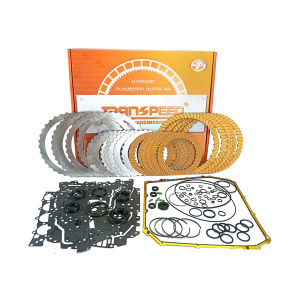
TRANSPEED 0B5 DL501 Automatic Transmission Master Rebuilding Overhauling Friction Steel Ring Gasket Kit 7 speed for AUDI Q5 A4 A5 A6L A7

HUAYUQIANYU | Universal Car Organizer Hook for 26 Models
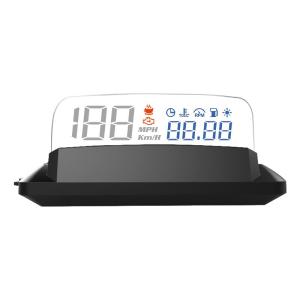
ZIANPINGXIAN | OBD Connected Car HUD High-definition Suspended Projection Display H400S
RYSJM | HD OBD2 HUD C1 Auto Head Up Display Projection on Windshield Projector OBD+GPS Speed Water Tempe Driving Mileage Oversized Font

ALLKODO | Long-lasting Car Freshener for Men Fragrance 2026 New Model
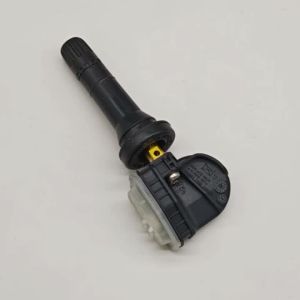
Set of (4) TPMS 3641100XKR02A 433MHz Tire Pressure Sensor for Great Wall Hover H6 HAVAL H9 Hover F7 F7X
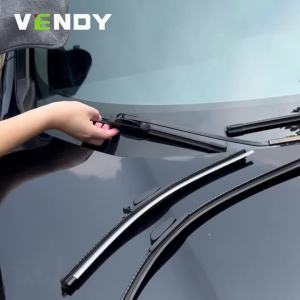
For Chevrolet Bolt EV 2016-2023 2017 2018 2019 2020 2021 2022 2pcs Front Windshield Wiper Blades Windscreen Wipers Carbon Fibre