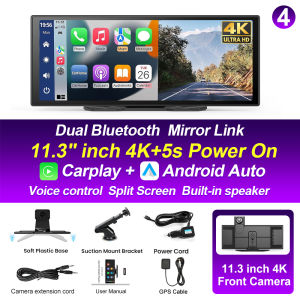
XIMA 10/11.3 inch Dash Cam 4K Car DVR Wireless Carplay Android Auto GPS Navigation Video Recorder Dashboard Dual Lens Reversing
Description Supports Four Screen Projection Modes: For Iphone: Carplay/AirPlay For Android Phone:Android Auto/Miracast T322 Front Or Cabin: UHD 4K 3840*2160P; Back:AHD 1080P Language Support: English, Chinese, Korean, Japanese, Portuguese, Polish, Spanish, Arabic, French, German, Italian, Hebrew, Russian, Turkish, Czech, Dutch,Vietnamese,Malay. Memory Card Support: 32G/64G/128G/256G Due to the fact that DVR is a 4K high-definition recording high-speed storage, please make sure to use high-quality U3 grade C10 high-speed brand memory cards. Some ordinary and inexpensive memory cards may not function properly.About Formatting The Memory Card: When installing a memory card for the first time, be sure to format the memory card on the DVR. After formatting, the DVR can correctly match the memory card. Formatting Steps: After installing the memory card, please enter the DVR menu, find the format option, and click to format the memory card(Important: Formatting the memory card on the computer is an incorrect operation. Please be sure to format the memory card on the DVR's menu option.) About The Connection Of Carplay And Android Auto:(1) If it is an Apple phone, the DVR needs to choose the Carplay connection method as the connection method, and the Carplay software installed on the Apple phone can directly connect to the DVR through the Carplay function;(2) If it is an Android system phone, the DVR needs to select Android Auto as the connection method, and then use the Android Auto software downloaded from the Google App Market on the phone to connect to the DVR. About WIFI Connection: Before connecting to the DVR on the phone, it is necessary to install the WIFI connection app "Viidure" in advance.You can search for "Viidure" installation in the Apple App Store or Google App Market. Steps:(1) In standby mode, enter the DVR menu and enter the WIFl setting menu;(2)In the wifi menu of the DVR, check to obtain the wifi SSID name and password; (3)Open the "Viidure" APP on your phone, enter the configuration mode, turn on the wifi function of the phone, follow the prompts to find the SSID wifi signal of the DVR and enter the password to connect;(4)After successful configuration, you can connect and operate the DVR through the "Viidure" APP. About The Reversing Assist Function: If the kit you ordered includes a rearview camera and you need to implement the reversing assist function, you need to connect the red signal wire of the rearview camera to the car's reversing light (the light will come on when reversing). If you don't need the reverse assist function, just disconnect the red signal wire and leave it unconnected. T322 About 24-Hour Parking Monitoring:If you need the 24 hour parking monitoring function, you can order the corresponding Buck Line accessories to replace the car charger.Through Buck Line, the DVR power can be obtained directly from the car battery or car ACC, so that the DVR can maintain normal recording work even when the car is turned off.(Since different car models have different battery interfaces or ACC interfaces, it is not recommended to install it by yourself. It is recommended to find a professional to install the Buck Line.) About The Installation And Use Of GPS(Optional): 1. Connect the GPS module to the DVR and turn on the GPS function in the DVR menu settings; 2. Install the DVR on the car and start the recording mode. Start the car outdoors and drive for a certain distance. The GPS module will automatically capture the satellite signal and the DVR will automatically record the video with the GPS driving track.T322 Video Playback Of GPS Tracks: 1. Install the GPS dedicated video player "Hit GPS Player" on your computer. Please enter the link below in your computer browser to download and install; Download link: https://pcgps.ce2ce.com/hit/hitplayer.html2. Open the recorded DVR video with GPS track information on the computer through "Hit GPS Player" to play back the GPS driving track.11.3 Inch Car DVR Carplay Steteo

Prime Supply_Play Life
You May Also Like

Carrying Tool Box Sturdy Portable Screw Tool Box Hardware Organizer Transparent Detachable Section Storage Box Workbench

ZUZG 3.0 Wireless CarPlay Adapter USB for Factory Wired CarPlay Cars (Model Year: 2015 to 2024) Wireless CarPlay Dongle Convert Wired to Wireless CarPlay
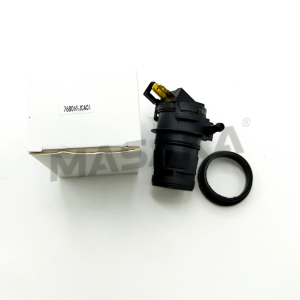
76806‑SJC‑A01 Windshield Washer Pump for HONDA CIVIC VIII Hatchback RIDGELINE 06-14 76806SJCA01
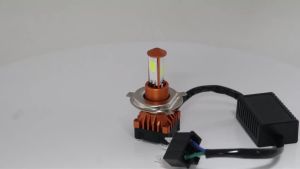
KEVANLY | 1PC H4 COB Motorcycle Driving Light 3 Side LED 75W 6000K white Hi/Low Beam High Brightness Headlight Bulb Lamp For UTV ATV 12V
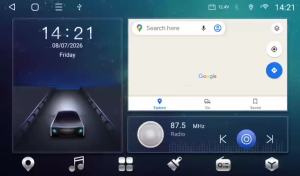
9/10 inch Universal Android 15 Car Radio 128G Autoradio 2 Din Navigation GPS Car BT Central Multimedia Smart System Carplay DSP

Rayhong Car Wheel Scratch Repair Pen Auto Rim Dent Scratch Surface Damages Repair Tools Automobile Wheel Hub Renovation Paint Kit Repair Marker Pen Non-toxic Car Paint Refresh Car Wash Maintenanc Car Scratch Filler Repair Cover Pen Waterproof Wheel Paint
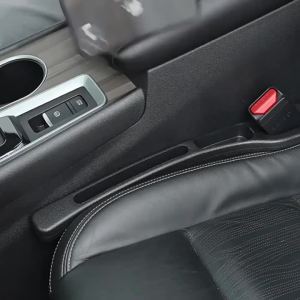
2PCS Black Car Seat Gap Filler Side Seam Plug Strip Leak-proof Filling Strip For All Car Model Wallet Phone Holder Accessories

FONKEN Car Phone Holder MagSafe 360° Adjustable Foldable Magnetic Car Mount for iPhone 16 15

For BMW E92 E93 M3 2006-2009 Front Bumper Kidney Grill Glossy Black Dual Line Grille Car Styling Racing Grilles Replacement Part

Car Radio Stereo Multimedia Player For BMW E90 E91 E92 E93 2005-2013 2 Din 9 Inch Host Navigation GPS Car Play Android Auto WIFI

🇯🇵JAPAN IMPORTS🇸🇬 Soft99 Kiwami Extreme Gloss Wax Light and Dark Colored Cars