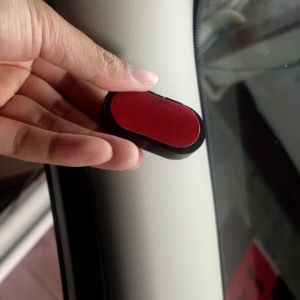
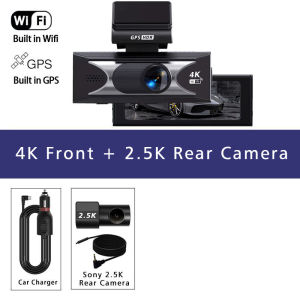
Dash Cam 4K+2.5K Dual Lens ADAS Channel Car Dvr Support 5G WIFI GPS Speed Display 24H Parking Loop Record Night Vision Black Box
Front Camera: UHD 4K 38402160P; Back Camera: UHD 2.5K 25601440PSupported Memory Card: Up to 512GImportant reminder: Due to the high-speed storage requirements of high-definition DVR, please ensure to use high-quality U3 grade branded memory cards with C10 speed. Some low-quality low-priced memory cards on the market may not support DVR to function properly.About WIFI Connection:1. Before connecting to the DVR on the phone, it is necessary to install the WIFI connection app "Viidure APP" in advance.You can search for "Viidure" installation in the Apple App Store or Google App Market.2.Open the "Viidure" APP on your phone, enter the configuration mode, turn on the wifi function of the phone, follow the prompts to find the SSID wifi signal of the DVR and enter the password(12345678) to connect;3.After successful configuration, you can connect and operate the DVR through the "Viidure" APP.About 24-Hour Parking Monitoring:If you need the 24 hour parking monitoring function, you can order the corresponding Buck Line accessories to replace the car charger.Through Buck Line, the DVR power can be obtained directly from the car battery or car ACC, so that the DVR can maintain normal recording work even when the car is turned off.(Since different car models have different battery interfaces or ACC interfaces, it is not recommended to install it by yourself. It is recommended to find a professional to install the Buck Line.)About The Use Of GPS:1. Enable GPS module function through DVR menu options;2. Install the DVR on the car and start the recording mode. Start the car outdoors and drive for a certain distance. The GPS module will automatically capture the satellite signal and the DVR will automatically record the video with the GPS driving track.Video Playback Of GPS Tracks:1. Install the GPS dedicated video player "Hit GPS Player" on your computer. Please enter the link below in your computer browser to download and install;Download link: https://pcgps.ce2ce.com/hit/hitplayer.html2. Open the recorded DVR video with GPS track information on the computer through "Hit GPS Player" to play back the GPS driving track.

Prime Supply_Play Life
You May Also Like
Remote Car Key Shell Case 2 3 Buttons For Renault Wind Clio Modus Kangoo Master Twingo Trafic Symbol Duster Logan Sandero Vivaro

MINI COUNTRYMAN PETROL U25 [2024 - PRESENT] - 3D® ROYAL Car Mat
Premium 24X1.95/2.125 Straight Mouth Inner Tube Ideal Tire Accessory For Bicycles And Mountain Bikes
WANSLO | Universal Large Capacity Motorcycle Trunk

For KAWASAKI Z900RS Z 900RS Z900 RS 2PCS Motorcycle Pannier Bags Luggage Saddle Bags Side Storage Fork Travel Pouch Box
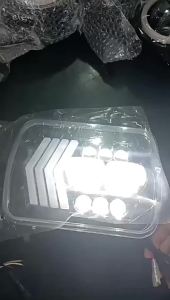
5X7 Car H4 Headlamp Signal Light 7 Square Led H4 Work Light Headlamp DRL Daytime Lamp Headlight For XJ YJ Jeep Wrangle SUV
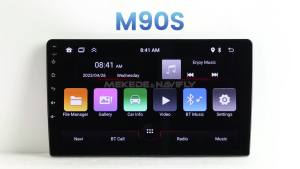
Android Auto Car Radio Stereo 7 Inch WIFI GPS RDS Wireless CarPlay Retain SWC For Ford F150 F250 F350 Escape Explorer Edge E150

150 PSI Portable Air Compressor 3X Faster Wireless Tire Inflator with Pressure Gauge LED Display One-Touch USB Rechargeable
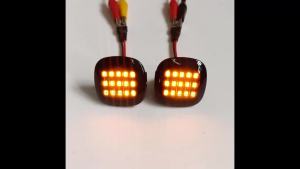
2pcs LED Amber Side Marker Turn Signal Lamp Fender Light For Skoda Fabia Octavia MK1 Mk2 For Audi A3 A4 B5 A8 For SEAT
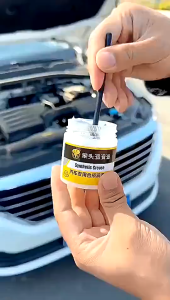
Car Synthetic Grease Multi-Purpose High Performance Grease Automotive Doors Grease Sunroof Track Lubricant Caton Squeak Curative 50g 多用途高性能合成润滑脂润滑脂
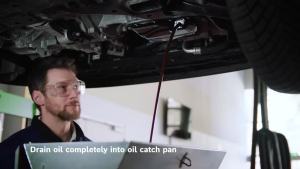
Bosch | Bosch Oil Filter AF0046 Suitable for Citroën C8 DS4 DS5 C4 C5 C6 for Ford Galaxy S-Max Grand C-Max Transit for Peugeot 407 807