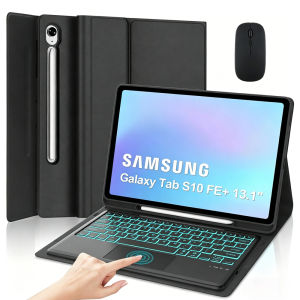
Case for Samsung Galaxy Tab S10 FE Plus 13.1 lnchDetachable 7-color Backlit Keyboard for Tab S10 FE+13.1" with Pencil Holder
The tablet case in this link is only compatible with models:Samsung Galaxy Tab S10 FE Plus 13.1-inch(SM-X620/X626B)How to verify tablet model1. Go to the back and find your specific model.2. Find "Settings" - Click "About" - Find "Model"3. Please purchase the correct compatible model case according to the tablet after viewing.Note:The digital tablet and stylus are not included in the package. The detailed description is for reference only. Please refer to the actual product for the color of the product.How to connect keyboard and mouse?1. Connect the mouse first, then the keyboard.2. Mouse: Push the switch to the "Bluetooth" icon and find the Bluetooth connection with the "mouse" in the device Bluetooth list.3. Keyboard: Push the switch in the upper right corner to "ON", press "Connect", and find the Bluetooth connection with "Keyboard" in the device Bluetooth list.4. Touchpad keyboard: Open the keyboard, press Fn+C, and then find the Bluetooth connection with "Keyboard" in the device Bluetooth list.FAQQ:What should I pay attention to when connecting the mouse for the first time?A:When the mouse is connected for the first time, you need to press the left button, the right button and the scroll wheel at the same time for about 3-5 seconds.Q: Is the scroll direction of the mouse USB connector and Bluetooth connection the same?A: No, they are different. When using the USB connector, the scroll wheel slides in the same direction as the computer mouse. Bluetooth connection is the opposite.Q: How to switch between different systems?A: Fn+Q=Android, Fn+W=Windows, Fn+E=IOS.Please note that please switch the system before connecting the tablet.Q:The bluetooth keyboard letters are messy?A: Please check the settings according to the prompts,a. Check whether the keyboard language set on the device is English.b. Disconnect the keyboard Bluetooth, click Ignore the connected device, reopen the Bluetooth keyboard, select system, Fn+E (IOS system).Note: Fn+Q=Android, Fn+W=Windows, Fn+E=IOSc. Press the L S Z buttons at the same time to reset the keyboardQ:How to configure the input method for different languages keyboard?A:Take the samsung tablet as example,open "Settings--"ystem"--"Language & input"--"Add New Keyboard". (For other systems, please set them in the system settings according to the tips of the iPad example.)Q:How does the mouse change teh scroll wheel sliding direction on the device?A: The mouse is connected, open "General" - "Trackpad & Mouse" - close "Natural Scrolling".

GlobalTechMart
Review

You May Also Like

JAYQQ Cartoon Cat Pattern Rubber Mouse Pad Large Size Non-slip Laptop Table Mat Lock Edge Keyboard Mice Mat Home
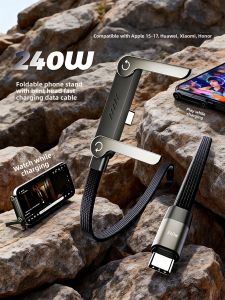
LINGKEN | 240W Fast Charging Cable Data and Charging Line for Multiple Phone Models with Dual Type-C Interface Bendable Head and Stand Feature

JIJI.SG Viam Mini Portable USB Rechargeable Bladeless Outdoor Fan SG

Ringke Fusion-X Magnetic Hybrid Case for OnePlus 15 – Shock-Absorbing TPU Bumper Anti-Slip Grip Clear PC Back Enhanced Corner Protection Built-in Strap Holes - Black
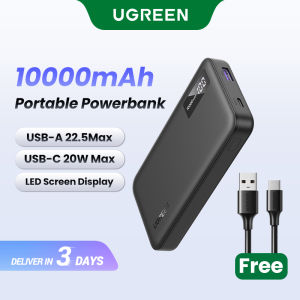
UGREEN 10000mAh/20000mAh Power Bank PD 20W SCP 22.5W QC 18W Powerbank USB Type C Portable Charger Compatible for iPhone 17 16 Pro Max iPhone 17 Air Samsung S26 Ultra iPad 10th Generation Pixel Huawei Model: PB311
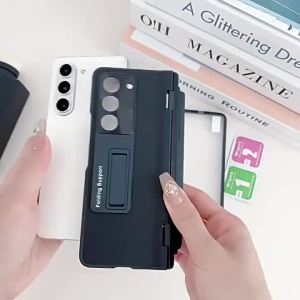
szhaiyu | Premium Leather pattern Bracket Case For Samsung Galaxy Z Fold 8 Ultra With Pen With Hinge protector Hard Folding Case

TELESIN Metal Cage Housing Vertical Protector Frame Case for GoPro HERO 13 12 11 10 9 BLACK
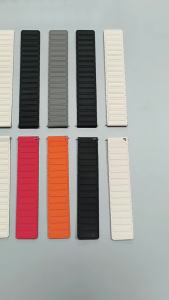
22mm Magnetic Strap for Samsung Galaxy Watch 3 45mm 46mm/Gear S3 Classic Silicone Band Bracelet for Huawei Watch 5 GT6 Pro 46mm

Hagibis Vertical Stand for MacM4/M4 Pro Aluminum Alloy Laptop Desktop Stand Anti-Slip Adjustable Computer Holder for Mini

Toocki 100W Type C To Type C LED Digital Displaying Cable Quick Charging Data Wires For Phone Zinc Alloy Type C lOS Cable

CrashStar 360° Rotating Stand MagSafe Matte Skin-friendly Transparent Hard Shockproof Phone Case For iPhone 17 16 15 14 Pro Max Air 13 12 Pro Max 11 Wireless Charging Phone Casing Cover With Full Cover Lens Camera Protection