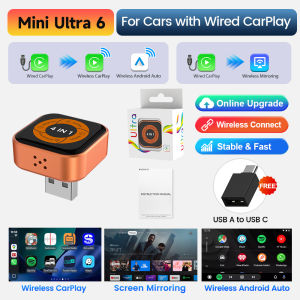
CarlinKit | Mini Ultra 6 4-In-1 Wireless Adapter Wireless Screen Mirroring Android Auto CarPlay Adapter For Wired CarPlay Cars Easy Connect
Mini Ultra 6 -------4 In 1 Wireless CarPlay & Wireless Android Auto Adapter with Wireless MirroringThis product is compatible with vehicles equipped with factory-installed Apple wired CarPlay. By simply connecting via the vehicle's USB port, it upgrades the wired CarPlay system to wireless CarPlay/Android Auto, enabling wireless smartphone mirroring. This provides users with a more convenient and efficient driving experience during their journeys.Product Feature:1. Plug and play, seamless connection—say goodbye to wired constraints.2. Retains the original vehicle's buttons, knobs, and other controls for instant familiarity.3. Online feedback and problem resolution are fast and efficient.4. Compatible with the original vehicle microphone, maintaining the original sound quality.Conditions of Use :Work for Car With Wired CarPlayBefore order it ,please confirm your car support wired CarPlay ,,thanks.Warm reminder :if your car only support wireless CarPlay or wired Android Auto ,it will not work for your car .Wireless CarPlay&Wireless Android Auto,Wireless Auto connectWireless direct connection to CarPlay+Android Auto, no more cable constraints, automatic connection in seconds when you get in the car, seamless flow of navigation/music/calls, more focused drivingWireless Screen Mirroring for a Freer Driving ExperienceNo wired connection required. It supports wireless phone mirroring, synchronously projecting navigation and media screens onto your car display. Free from messy cables, it delivers a more convenient and efficient in-car operation experience.Smart Split-Screen DisplayIntelligent split-screen mode splits the car screen into two parts. View navigation and play media concurrently for driving and entertainment without compromise.Support Online Upgrade/FeedbackMethod 1: When CarPlay is connected iPhone uses Safari/Chrome to visit the URL 192.168.50.100Method 2: When CarPlay is not connected and the product is powered on/signal light is on, iPhone connects to the product's WiFi (WiFi name:VehiConn-XXXX,password:12345678)after WiFi connection, iPhone uses Safari/Chrome to visit the URL192.168.50.100)On the webpage, you can perform operations such as firmware updates and submitting feedbackEasy to connect ,just simple 3 steps1.Click the "CarPlay/Android Auto" icon to enter tne connection interface2. Turn on the Bluetooth and WiFi of the iPhone/Android phone3. Search the bluetooth name displayed on th ecar screen in the Bluetooth list of the mobile phone, and click pairing

Prime Supply_Play Life
Review

You May Also Like
AUTOABC Wireless Carplay Android Auto Module Adapter For PCM3.1 System Porsche Panamera Cayenne Macan Cayman Boxster 911 991 718

Suitable forCOOPER PACEMAN S R61 car window sunshade front and side door sun baffle sunscreen insulating visor curtain mesh curtain front block glass sunshade.

WANSLO | Adult Waterproof Raincoat for E-bike Riders
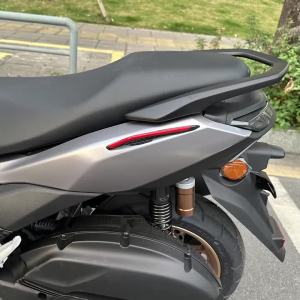
FOR YAMAHA NMAX155 TURBO 2025/NMAX155 2020-2024 Motorcycle Spoiler Scooter Dynamic Wing Winglet Fairing Decoration Stickers

TAOKOU | Fog-Resistant Car Wipes
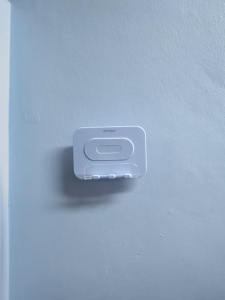
OATSBASF Multifunction Adjustable Organizer Rack Wall Bracket Self Adhesive Mounted Holder Stand For Mobile Phone Cellphone Key Gadget Remote Control Organizer
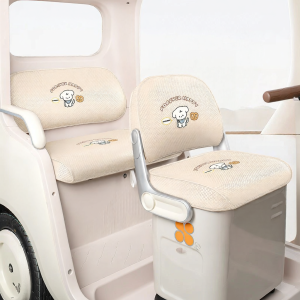
Universal Seat Pad Accessories

Motowolf | Impact Resistant Waterproof Breathable Racing Jacket
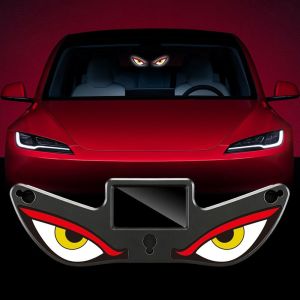
OKL9 Suction Cup Solar Powered Car Neon Light Dynamic Display Vibration Lights on Cool EYE Ambient Lights Gifts Wireless Car Interior Decor Light
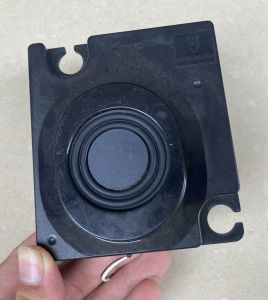
Compact Bass Compensated Full Range Speaker
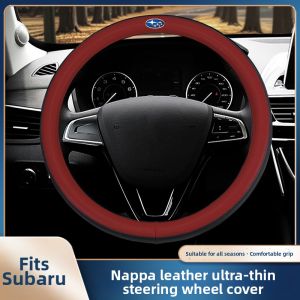
MENGDAO | All Season Steering Wheel Cover