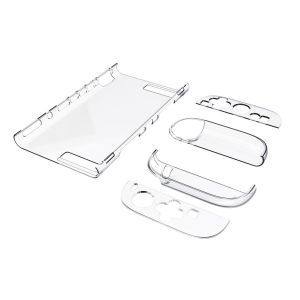
✅【SG】Switch 2 Clear Case | Dockable Split Protective Hard PC Cover | Joy-Con Controller Case | Anti-Scratch Shockproof Transparent Shell | Kickstand Compatible Slim Crystal Case for Switch 2 Console | Easy Installation Gaming Accessories
Local seller with ready stock Orders placed before 14:00 will be shipped on the same day / orders placed after that will be shipped on the next day✉️ If you have any questions, please feel free to leave us a message. We can answer questions in Chinese and English. We will reply you as soon as we see it (if it is during non-working hours, the reply may be slow. Hope you can understand) Follow our shop to get exclusive vouchers! Please kindly leave us a positive feedback, if you are satisfied with our items.Thanks If there is any problem with the product or use, please contact us and we will give you a satisfactory solution Our products are carefully selected and reasonably priced. Product Description✅ Full Access & Hassle-Free OperationPrecisely aligned with all buttons, ports, and the console’s stand slot. No need to remove the case for charging, inserting game cards, or opening the stand—buttons press smoothly without resistance.✅ Dual Protection: Scratch & Drop ResistantMade with an upgraded scratch-resistant clear coating, it shields your Switch 2 from daily wear, key scratches, and dust. The anti-shock bumper design absorbs impact from accidental drops, effectively protecting the console’s corners and screen edges.✅ Dockable & Built-In Stand CompatibilityDesigned to fit the Switch dock without removing the case (note: it may feel slightly tight when docking). Fully compatible with the console’s built-in stand—enjoy hands-free gaming anytime.✅ Ergonomic Joy-Con GripThe case features an ergonomic design for the Joy-Con controllers, enhancing grip comfort. Even during intense gameplay, your hands won’t feel fatigued easily. Note→Compatibility: This case is only for Switch 2 (not compatible with Switch OLED, Normal Switch, or Switch Lite).→Secure Locking: Please lock the crystal case properly to avoid looseness. The correct way is to push the bottom of the case until you hear a "click" sound.→Docking Note: It may feel slightly tight when inserting into the Switch dock—this is normal, and it won’t damage the console or dock.

MushroX
You May Also Like

Spigen Samsung Watch 9 / Samsung Watch 8 Case (44mm) Liquid Air Protective Case for Galaxy Watch 9

AMBITFUL AL-16 Focalize Conical Snoot Optical Condenser Art Special Effects Shaped Beam Light Cylinder with Shape and Color Gel
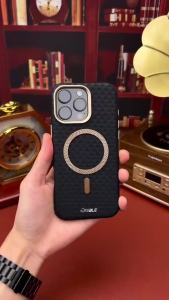
Luxury Leather Carbon Fiber Texture Phone Case For iPhone 13 14 15 17 16 Pro Max For Magsafe Wireless Charging Shockproof Cover
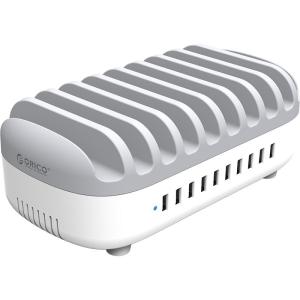
ORICO | Multi-device Charging Station Built-in Wires
GGUU | Phone Protective Case Universal Mount Soft Silicone Full Protection Shockproof
Creality | Creality Ender 5 Max Ceramic Heating Block Kit - High Thermal Conductivity for High Flow Printing 300°C Temperature Resistance
LiitoKala Lii-PD2-Pro intelligenc Battery Charger for 3.7V Li-ion 18650/18500/16340/26650/21700 /20700/18350/CR123A 1.2V battery
ZHENGEGE | Luxury Crystal Rhinestone Multifunctional Phone Lanyard
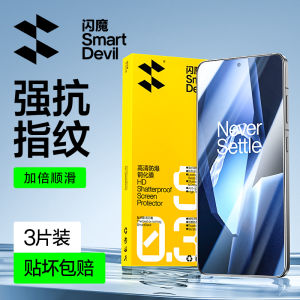
SmartDevil Tempered Glass Film For OnePlus 15 ACE 6 Ace 5 Pro ACE5 OnePlus 13 OnePlus Ace 3 Ace 2 Ace Racing Ace Pro OnePlus Nord 3 Nord CE4 OnePlus Turbo 6 Turbo 6V OnePlus ACE 2V OnePlus ACE 3V OnePlus 9 9R 9RT Screen Protector Anti-fingerprint Film
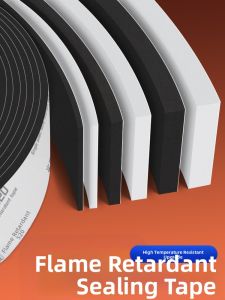
Mileqi | Flame Retardant High-Temperature Resistant Sealing Protection Pad
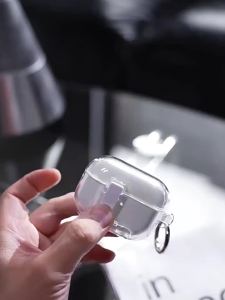
NUOPUCHI | Drop-proof Simple Locking Stand Transparent Earphone Case