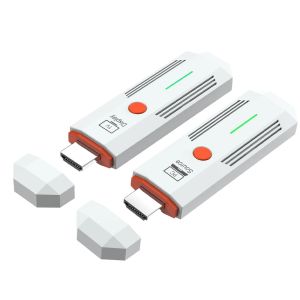
50M 1080P HDMI-Compatible Wireless Transmitter and Receiver Wireless Video TV Stick Display Extender For Camera Laptop PC to TV
Connection instructions1. USB power cable, one end connected to the TYPE-C power port of the transmitter, and the other end connected to the signal sourceEquipped with USB port power supply2. USB power cable, one end connected to the TYPE-C power port of the receiver, and the other end connected to the display deviceComes with USB port power supply3. Transmitter HDMI port, insert signal source HDMI output port,4. Receiver HDMI port, insert into display device HDMI input port,5. After all display devices are connected, wait for 30 to 40 seconds for the image to appear, including the receiver and transmitterThe indicator light flashes rapidly;Matching method(1) One on one pairing method1. Long press the pairing button on the transmitter without releasing it, then connect the power supply port to the power supply and wait for the green indicator light to turn on quicklyFlash, the transmitter enters pairing mode and then releases the pairing button;2. Press and hold the pairing button on the receiver without releasing it, then connect the power supply port to the power supply and wait for the green indicator light to turn onFlash, the receiver enters pairing mode and then releases the pairing button;3. Wait for a few seconds, when the receiver's green light changes from flash to steady, it is considered a successful pairing.After pairing is completed, both the transmitter and receiver need to disconnect and reconnect the power supply;(2) One to two pairing method1. Use a one-to-one pairing method to pair the first transmitter and the first receiver;2. Pair the first transmitter with the second receiver;3. After all the receivers that need to be connected are paired with the same transmitter, the transmitter and the receiverAll receivers need to be disconnected from the power supply and reconnected;Precautions and common problem1. Connect the transmitter/receiver to the TYPE-C power supply and HDMI interface sequence: Connect the power supply first, then the HDMI interfaceHDMI;2. If an HDMI adapter is used for input/output, the maximum length is less than 1.5 meters3. Under what circumstances do we need to switch to using a power supply(1) When the receiver is connected to the display device and no signal appears on the display device, confirmAfter selecting a display device with no issues with the HDMI channel, switch to using a phone charger for receptionDevice power supply;(2) When the connection interface "Connecting..." is displayed for a long time on the TV or projector, the transmitterThe indicator light keeps flashing (slow flashing);(3) The transmitter and receiver are successfully connected but no image is displayed;4. What situations require re pairing(1) Within a close range of 1 meter, there is no image displayed on the TV or projector;(2) Within 1 meter of close range, the connection interface "Connecting..." is displayed for a long time on the TV or projectorThe transmitter indicator light keeps flashing (slow flashing);5. Under what circumstances is it necessary to move the distance between the transmitter and receiver closer(1) When the connection interface "Connecting..." does not display an image for a long time on the TV or projectorOr if the TV or projector display is not smooth or the sound is stuck;6. How to handle images without sound(1) Small speaker in the bottom right corner of the computer (Figure 1)(2) Move the mouse to the small speaker icon and right-click to "Open Sound Settings" (Figure 2)(3) Move the mouse to the "Sound Control Panel" (Figure 3) and open the Sound Control Panel.(4) Take it 1080@60 Change the option to default settings (Figure 4).(5) If there is still no sound, please restart the computer.SpecificationsWireless standard: 802.11a/nWorking frequency band: 2.4GHz/5.8GHz dual bandVideo encoding: H.264Transmission power: 13dBmSupporting resolutions: 640 * 480720 * 480800 * 6001024 * 7681152 * 864,1280600,1280720,1280768,1280600,1280960,12801024,13607681366768, 14001050,1440900,1600900,16801050,1920*1080;Function: Supports 1 transmitter to 1 receiver/1 transmitter to 2 receiversWireless transmission distance: open distance of 60m; indoor accessible distance of 50mPower supply: DC 5V/1APower: Receiver maximum 1.4W, transmitter maximum 1.7WWorking temperature: -5 ℃~70 ℃Working humidity: 5% to 90%Attachment List1. Transmitter: 1 unit2. Receiver: 1 unit3. USB to TYPE-C power cord -2 pieces4. Quick operation guide -1 book

Prime Supply_Play Life
Review

You May Also Like
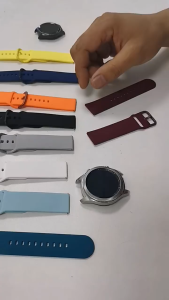
Silicone Strap for Huawei Watch GT 6 Pro 46mm GT6 41mm Quick Release Soft Sports Strap Watchband Bracelet
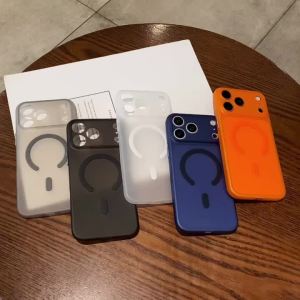
Ultra Thin Matte Translucent For Magsafe Wireless Charge Case for iPhone 17 16 14 15 Plus 13 12 18 Pro Max Air 11 TPU Soft Cover
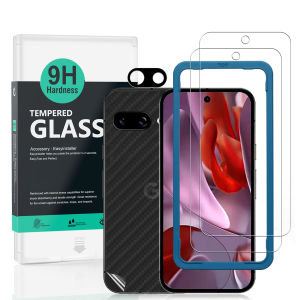
Ibywind For Google Pixel 9a 5G Screen Protector(Pack of 2)with 1pc Metal Lens Protector1pc Carbon Fiber Back FIlmEasy Install Kit
BASEUS | Baseus 30W GaN Charger PD Charger For iPhone 17 16 15 14 13 12 Max Fast Charger PD3.0 QC3.0 Phone Charger Type C Tablets Charger
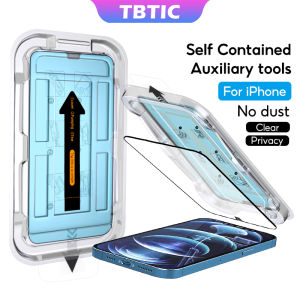
TBTIC Tempered Glass For iPhone 16 15 14 13 12 11 Pro Max Plus XR X Xs Screen Protector HD Matte Privacy Green Light With Auto Alignment Easy Install Full Coverage
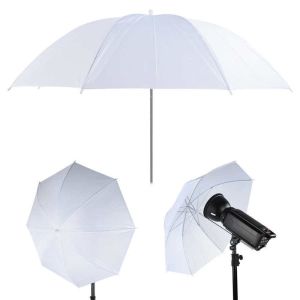
XUNJIE White Soft Photography Umbrella Metal Handle 50cm/ 20Inch Photography Light Reflector Durable Light Cloth Lighting Umbrella Diffuser Photo Studio
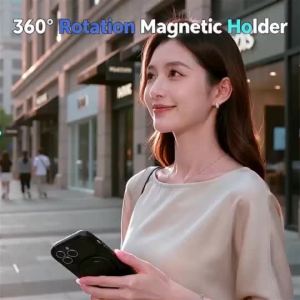
360 ° Rotating Stand Magnetic Phone Case Compatible With Phone Case For OPPO A54 A55 4G Phone
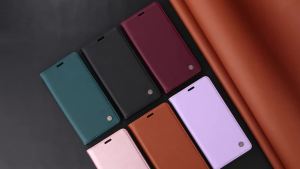
Magnetic Leather Wallet Flip Case for iPhone 18 17 Air 16e 16 15 14 13 12 11 Pro XS Max 8 7 Plus Ultra Silm Design Premium Case
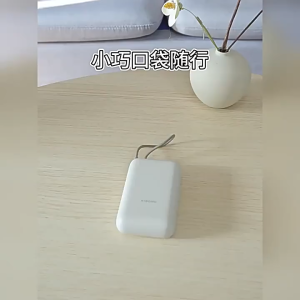
【CCC Certification】Xiaomi Power Bank 10000mAh (Integrated Cable)fast charging portable and compact with 3C

Roadfisher Metal Brass Camera Hot Shoe Cover Protect Cap For Hasselblad X1D X2D
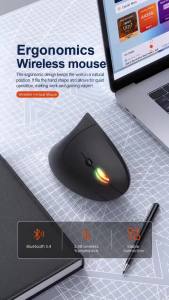
NexusClick 2.4G Wireless Vertical MouseErgonomic Adjustable 1600DPI Office Mice 6Buttons AA Battery for Laptop Computer Desktop