


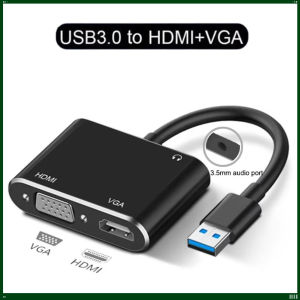
USB 3.0 to HDMI‑Compatible VGA Adapter 3‑in‑1 1080P USB to HDMI‑VGA Video Converter with Audio Output for PC Laptop Windows 7/8
Description:USB3.0 to HDMI and VGA allows you to connect from your USB3.0 Windows Computers or Graphic Card to your external Displays with HDMI and VGA Female Port(Including HDTV,Projectors,Monitors) by a HDMI or VGA cable.HDMI and VGA Can be connected at the same time,but these two monitors can only display same view. Features:1×USB3.0 Male port, max data transfer rate up to 5Gbps, backward compatible with USB2.0 for high‑speed transmission.1×HDMI Female port: supports resolution up to 1920×1080@60Hz. Note: When connected to USB2.0 port, maximum resolution is limited to 800×600.1×VGA Female port: supports resolution up to 1920×1080@60Hz. Note: When connected to USB2.0 port, maximum resolution is limited to 800×600. USB3.0 to HDMI and VGA Cable Converter: 【USB3.0 to HDMI VGA Dual Output Adapter】 USB 3.0 adapter support HDMI & VGA ports to work Simultaneously, to implement the synchronization and extend display,convenient for you to do work/entertain at two different external displays,which is super practical for meeting and family entertainment. 【5 GBPS SUPER SPEED USB 3.0】 Make use of the high-bandwidth (5 Gbps) SuperSpeed USB 3.0 interface. And also compatible with USB 2.0. Support for hot-pluggable devices(Only USB 3.0 interface can achieve resolution up to 1920x1080 p, if use USB 2.0 port,just can be 800 x 600p).【LIGHTWEIGHT AND PORTABLE】 Portable USB3.0 adapter is lightweight to carry into your laptop bag on a business trip.You can extend the computer screen to a large screen display or projector, set up duplication (mirroring), use it for presentation with a projector etc, work in a large screen workspace, or use USB to VGA adapter to mirror display movies in the classroom. 【SUPPORT FOR WINDOWS 7/8/10】 The USB 3.0 Converter can support MAC OS system and Windows7/8/10. Our USB 3.0 to HDMI adaptor need to install the driver.How to use USB 3.0 to HDMI +VGA Adapter?1. Please plug this usb3.0 vga hdmi adapter to your computer/laptop directly.2. While plug this adapter into your computer, you'll see there is a new USB device folder in your computer, then double clicks to install the driver.Note : if the driver does not showed, please close your Firewall Settings on your computer.

Prime Supply_Play Life
Review

You May Also Like
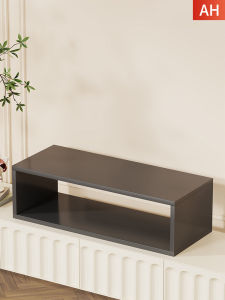
Elevating TV Stand
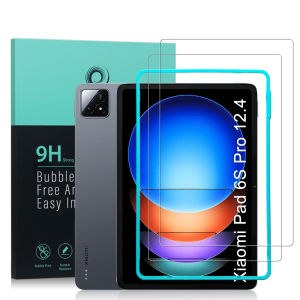
Ibywind For Xiaomi Pad 6S Pro 12.4 Screen Protector(Pack of 2)with Easy Install Kit
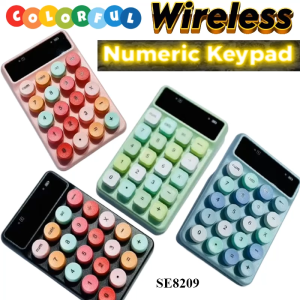
Mixed Wireless Numeric Keyboard Small Cute Colourful Laptop PC Office Decorate Table
beige hand drawn floral Luxury Fashion Full Lens Protective Case for Samsung Galaxy S26 S25 S24 A56 A36 Plus Ultra
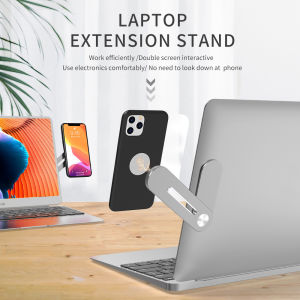
Multifunctional Bracket Phone Stand Holder Magnetic Stand Laptop Stand Universal Holder Aluminum Alloy Foldable Notebook Stand Laptop handphone stand
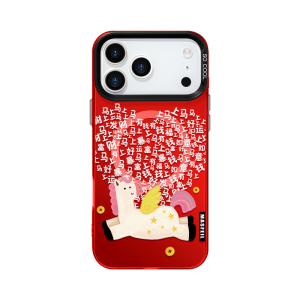
MASFEIL | New Magnetic Stand Protective Case Full Enclosure Cute Red for iPhone
AU Customizable double-sided design for corporate gifts and charging cables logo Suitable for the Handy Gift retractable 3-in-1 data cable
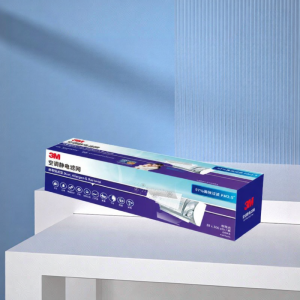
3M | Efficient Dust PM2.5 Bacteria Virus Filter Air Conditioner Filter
Pop Art For Samsung Galaxy S26 S25 S24 A56 A36 Dual Layer Luxury Fashion Full Lens Protective Case
Stand Flip Wallet Case For Samsung Galaxy S23 S24 S25 S26 Ultra S24 S25 S26 FE S25 PLUS S25 Edge Leather Protect Cover
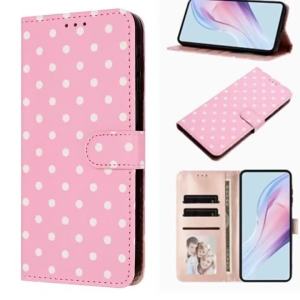
Wave Dot Pattern Leather Flip Case for IPhone Air 17 16 E 15 14 13 11 Pro Max Plus 12 Mini 17E 16E Wallet Card Bag Phone Cover
![[SG STOCK] 15W MAGSAFE WIRELESS POWER BANK 5000/10000/20000 MAH](https://img.lazcdn.com/g/p/944b8617853291146f2e081554f1d331.png_300x300q80.png)










