HXSJ | T200 Transparent Dual-mode Wireless Mouse Built-in 400mAh Lithium RGB backlight Battery Office Mouse For PC and eed Notebook
T200 dual-mode wireless mouse selling points:1. Dual-channel 2.4G+Bluetooth connection, supports simultaneous connection to 2 devices, allowing for easy switching between them.2. Made of transparent PC material, with a clear and luminous appearance, showcasing a high-end texture, making you stand out in the office.3. Built-in 1600 three-speed adjustable sensor, precise operation, smooth scrolling, enhancing work efficiency.4.5 million times micro switch, mechanical keycap design, matte texture, fast rebound, and fast response.5. Multiple RGB lighting modes, full of personality, creating a cool desktop atmosphere, making your workspace more vibrant.6. Supports TYPE-C charging interface, fast and convenient charging, eliminating the hassle of tangled charging cables, making usage more convenient.7. Built-in 400mAh large-capacity lithium battery, strong endurance, no need for frequent charging during long-term use, making your office life more convenient and worry-free.Product parameters:Product model: T200 dual-mode wireless mouseIC model: PixArt3065Return rate: 125HZConnection method: 2.4+BT5.0Lighting mode: RGB backlight (11 lighting modes)Mobile speed: 28IPSRefresh rate: 3000FPSAcceleration: 10GNumber of buttons: 4keysKey lifespan: 5 million times Operation mode: photoelectricBattery type: Built in 400mAh rechargeable lithium batteryMovement speed: 800-1200-1600Mouse material: fully transparent PC materialRoller material: siliconeBattery display: 4-bar battery display key can be switchedWireless distance: 10 metersCharging interface: Type-C interfaceCharging cable length: 30cmProduct size: 11.3x5.8x2.5cmProduct weight: 72gPackaging size: 12.3x7.5x3.5cmPackaging weight: 115 gPackage includes :1 x 2.4G+BT5.0Wireless Mouse1 x USB Receiver1 x Type-C Charge Cable(30CM)1 x Instruction manualOperating systems: Windows Vista, Win7/8/10/11, ac OS X10.5 or LaterLight operation:1.Open the mouse switch,after successful connection, Press bottomof mouse Lighting mode switch key turn on the light mode.“11 + 1” lighting modes can switch the light effect. Press and holdto turn off the light mode. Press and hold to switch “11” light effects.2.When there is no action on the mouse within 10 minute, the mousewill enter st and by mode and all lights will be turned off.3. After entering sleep mode, press any key to enter reconnection andthe lights will automatically turn on.Installation and use steps: (lower schematic):1)2.4G wireless connection method:2.4G-switch button to 2.4G mode, plug usb receiver ,Blue light is flashing, mouse can use .Power off when Switch is in the center of position.2)BT5.0 wireless connection method:BT mode-switch button to BT,blue light is flashing,pc will search BT5.0automatically, and confirm it, then it can use; if you wanna connect another pc, pls switch BT mode again and press left and middle key 3 seconds at the same time, pc search BT singal and choose to connect.Dear buyers, we appreciate your business, if you are satisfied with our service,please leave us a positive feedback and rate the details of the transaction (Detailed Seller Ratings) with a"PERFECT 5 STARS".If you have any problems, broken, quality problems, please don't worry, and don't leave bad feedback.Please send us an email first, we will reply you as soon as possible, please allow us to respond within 12 hours.We understand your mood, and will provide you with the best solution for your problem,please give us the opportunity to solve the problem,For any case,please feel free to come to us,we are always here.look forward to and thank you for your trust.

Prime Supply_Play Life

Review

You May Also Like

Earthed Universal Grounding Mat - Large Computer Mouse Pad and Grounding Foot Mat Reduce Pain and Inflammation Relieve The Stress and Keep Healthy (39.4x11.8 Inch)
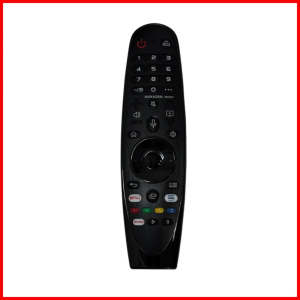
LG Magic Remote Control AN-MR19BA - Google Assistant Alexa & Mouse Pointer - For LG Smart TV

Professional Earpads Cushions for Logitech G733 G335 Headband Replacement Ear Pads and Headband for Logitech G733 G335

Phone Case For Vivo Y04 S Y04S Y29S Y29T 4G 5G 2025 Casing Multifunctional Magnetic Ring Stand Protective Shell Matte Back Cover

SFHDF Cartoon Dragon Mobile Phone Holder Metal Foldable Folding Phone Stand Chair Stand Portable Table Phone Holder 2024 New Year Gifts
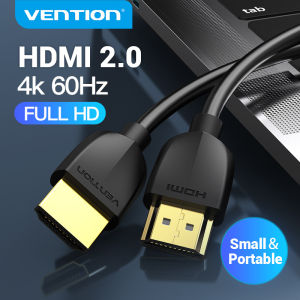
Vention HDMI Cable 4K Ultra Slim HDMI 2.0 Extender Male to Male High Speed HDMI Adapter for TV Laptop PS3/4 Pro Nintendo Projector mini thin short cables HDMI 1m 2m 3m hdmi to hdmi cable

Ulanzi TT91 Auto-Open Tripod Selfie Extension Pole with 1/4" Mount (T192)

NETGEAR Nighthawk RS700S WiFi 7 BE19000 10G Tri-Band 19Gbps Router

JJC | JJC TP-T3A Mini Selfie Stick Tripod For DJI Osmo Action 5 Pro 4 3 For Insta360 Ace Pro 2 Two Claw Interface Selfie Stick Stand

Sanwa Supply | Non-Slip Washable Mouse Pad
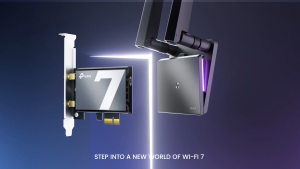
TP-Link Archer TBE550E BE9300 Wi-Fi 7 Bluetooth 5.4 PCIe Adapter (3 YEARS WARRANTY)