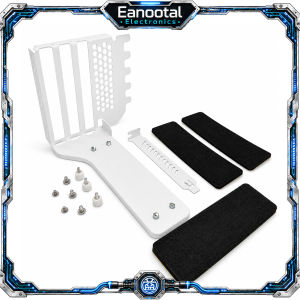
PCIe 3.0 4.0 x16 Riser Cable 15cm 20cm with 3 Slot Vertical GPU Mount Bracket Option
Product Description:Upgrade your PC build with this PCIe x16 GPU riser cable, designed to extend the connection between your motherboard PCIe slot and graphics card. It is ideal for vertical GPU mounting, compact ITX cases, open-frame chassis, test benches, and custom gaming PC builds.This listing includes PCIe 3.0 x16 and PCIe 4.0 x16 options. PCIe 3.0 x16 is a stable and practical choice for mainstream Gen3 systems, while PCIe 4.0 x16 provides up to 2× the bandwidth of PCIe 3.0 when used with a compatible Gen4 motherboard and GPU.Please note that the actual operating speed is determined by the lowest PCIe generation supported by your motherboard, GPU, and riser cable. For full PCIe 4.0 performance, all three components must support PCIe 4.0.Whether you are building a gaming PC, workstation, open-air frame, or small form factor system, this flexible GPU extension cable helps improve installation flexibility and cable routing.Please note:1.The PCIe4.0extension cable will notturn the PCIe 3.0 motherboard intoPCIe4.0. 2.The actual speed depends on the lowest version of the motherboard, graphics card, and extension cable.3.If you want to run full PCIe4.0, the motherboard, graphics card, and extension cable must all support PCIe 4.0.4.PCIe 3.0 users can use it if they buy 4.0,but the speed is stillGen3. 5.Buyerswho are not sure which generation of PCIe their computer supportsshould first check the official parameters of the motherboard and GPU.The differencebetween PCIe3.0x16andPCIe4.0x16 : Feature PCIe 3.0 x16 PCIe 4.0 x16 Transfer Rate 8 GT/s per lane 16 GT/s per lane Effective Bandwidth / Lane ~985 MB/s each direction ~1.969 GB/s each direction Total x16 Bandwidth ~15.75 GB/s each direction ~31.5 GB/s each direction Speed Difference Standard Gen3 speed Up to 2× PCIe 3.0 bandwidth Recommended System PCIe 3.0 motherboard / GPU PCIe 4.0 motherboard + PCIe 4.0 GPU Best For Mainstream gaming PCs, office PCs High-performance gaming PCs, workstation builds Compatibility Backward compatible Backward compatible Which Version Should You Choose? Your System Combination Recommended Version What to Expect Gen3 motherboard + Gen3 GPU Choose PCIe 3.0 x16 Runs at Gen3 speed Gen3 motherboard + Gen4 GPU Choose PCIe 3.0 x16 Runs at Gen3 speed Gen4 motherboard + Gen3 GPU PCIe 3.0 x16 is usually sufficient Runs at Gen3 speed Gen4 motherboard + Gen4 GPU Choose PCIe 4.0 x16 Full Gen4 performance Want more future-ready bandwidth Choose PCIe 4.0 x16 Better for newer high-performance builds The riser cable does not upgrade your motherboard or graphics card speed. The actual operating speed is determined by the lowest PCIe generation among the motherboard, GPU, and riser cable: Motherboard GPU Riser Cable Actual Speed PCIe 4.0 PCIe 4.0 PCIe 4.0 PCIe 4.0 speed PCIe 4.0 PCIe 3.0 PCIe 4.0 PCIe 3.0 speed PCIe 3.0 PCIe 4.0 PCIe 4.0 PCIe 3.0 speed PCIe 3.0 PCIe 3.0 PCIe 3.0 PCIe 3.0 speed

Prime Supply_Play Life
Review

You May Also Like
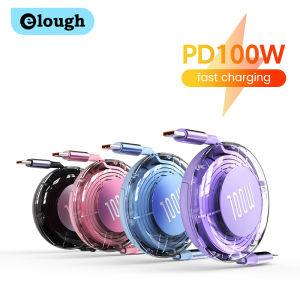
Retractable PD 100W Cable USB Type C to Type C Fast Charging USB C to USB C Cable for iphone 15 Huawei Tablet Laptop
Compatible For Roidmi EVE CC SDJ12RM Replacement Parts Accessories Filter Main Side Brush Mop Cloth Dust Bag
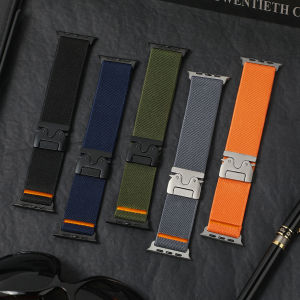
Nylon Straps For Apple Watch ultra 3 band 49mm 44mm 46mm 42mm 40mm 45mm 41mm Elastic Bracelet IWatch Series 11 10 9 8 SE ultra2
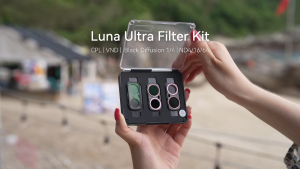
TELESIN S5-FLT-85-TIS 3pcs CPL + VND 2-32 + Black Diffusion 1/4 Filter Lens Kit for Insta360 Luna Ultra Camera
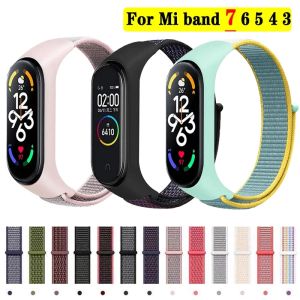
Bracelet for mi band 6 7 Strap Nylon Sport loop watch Belt pulsera correa Mi band 4 Wristband for xiaomi Mi band 5 4 3 Bracelet

Zoyu | Ultra Thin Dual-Sided Magnetic Edgeless Anti-Bend Rotatable iPad Pro Case 11 inch
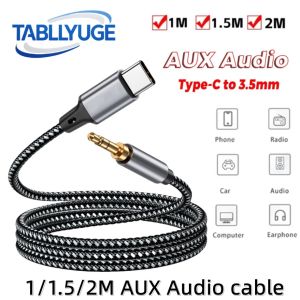
TABLLYUGE USB Type-C to 3.5mm Jack Aux Cable USB-C Audio Adapter 1m/1.5m/2m for Phone Headphones Car Audio Connector Aux Cable

Suitable For OPPO Reno 12F Leather Phone Case Folding Bracket Shockproof Casing With U Magnetic Suction
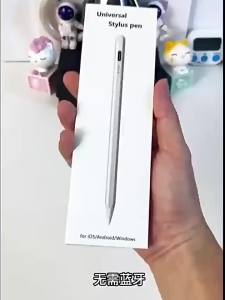
Writing Drawing Capacitive Stylus Pen
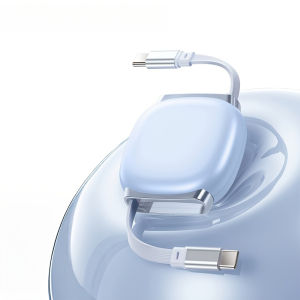
PD100W USB C to USB C Fast Charging Retractable Data Cable For IPhone15 16 Samsung Single Head Telescopic Car Charger Data Wire
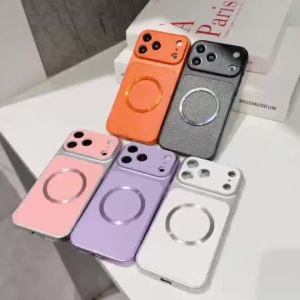
Simple For OPPO A6X A6C A6T A6 Pro A6K A6S A6i Plus Magnetic Back Cover Soft Leather Veneered Phone Silicone Casing