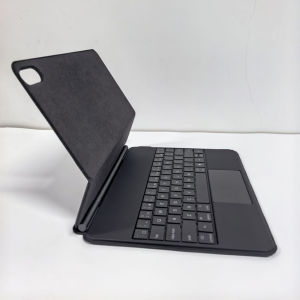
AJIUYU | Magic Keyboard For OPPO Pad 4/4 Pro 13.2" Pad 5 Pro 2026 Case For OnePlus Pad 3 OnePlus Pad 2 Pro 13.2 Inch Trackpad Keyboard
Magic KeyboardMagnetic separation, backlight, touch panel, multi angle support、Wireless Bluetooth connectionNote 1:You need to upgrade the system to version 14.5 or higher to use the touchpad.Note 2:Please check in the size and detail model of your Tablet. it is very importtant ! ! !Note 3:After Open the Power, Please Click "Fn" and "C" 【Fn+C】Button Together to Open the Keyboard's Bluetooth. It is Very Important.Product Details:1. Number of buttons: 642. Battery: Lithium battery 500mAh3. Stand-by time: 150 days4. Working Time: 5 hours (with backlit on),120 hours (with backlit off)5. Working Voltage: 3.0 - 4.2V6. Charging current:7. Effective distance: 10 meters8. Backlit Light: 7 colors backlit9. Charge Port: Type-c10. Material: Anti fouling and durable PU material11. Key life:3 million12. Charging times: 3 hours13. Color: BlackHow To Verify Your Tablet Model1.Find the "Settings"--Click the "About"--Find the "Model"2.Please select the correct model number for your tablet purchase after viewing it.Applicable Models:For OnePlus Pad 3 13.2 inch 2025.For OnePlus Pad 2 Pro 13.2 inch 2025.For OPPO Pad 4 Pro 13.2 inch 2025.For OPPO Pad 4 13.2 inch 2025.For OPPO Pad 5 Pro 13.2 inch 2026 .The above 5 models of keyboard covers are universal !!! [ Note:Only the corresponding machine model can be magnetically attracted!!! ]Attention PleaseEnglish versionkeyboard : There are English letters on the keyboard only.Multi-language versionkeyboard : English letters and carved language letters together .【For example, if you choose French, the keyboard will display English and French letters. Please note that the same letters will not be engraved repeatedly】(Due to the difference in the number of keyboard keys compared to a normal office keyboard, some special character engraving positions are the same, which is a normal phenomenon)The keyboard Core defaults to English, and the characters engraved on the keyboard are only a Surface display.so in some countries, even if the input method is switched, the special symbols do not necessarily match the keyboard function layout(You can hold down the Shift or option combination).If you mind, please do not purchase!!.【1】Method to connect Bluetooth: Turn on the keyboard switch, press the Fn+C button for about 2-3 seconds, the blue light on the keyboard indicator will flash, and then search for your tablet's Bluetooth connection keyboard.【2】Switch language:Xiaomi tablet language settings: After connecting the keyboard - Open settings - Pen and keyboard - Physical keyboard - Set keyboard layout - Select desired language【3】Input method switching: ctrl+spacebar.(Choose the language you need)【4】Type-C charging interface .【5】For detailed instructions, please read the user manual. If you have any questions, you can contact "Online Services" for consultation .The resolution of the machine is different, and there may be color differences in the images, which is a normal phenomenon. The actual product received shall prevail..Note:Due to the large size of the tablet, if the keyboard angle is adjusted too much during use, the keyboard may tilt. This is a normal situation, please do not panic, just adjust the keyboard amplitude, and it will not affect use.After receiving the keyboard, fully charge it before use (approximately 4 hours) !The language template is for reference only

Prime Supply_Play Life
You May Also Like
Embossing Magnetic Flip Leather Cover Wallet Case For iPhone 13 12 11 X Xr Xs 8 7 6 6s SE Mini Pro Max Plus
Band for Samsung Galaxy Watch 7/6/5 Pro/4 classic 40mm 44mm Sport Silicone No Gaps Correa Bracelet for Galaxy Watch 7 Straps

ATTACK SHARK | ATTACK SHARK R85HE Keyboard Wired Connection 8000Hz Polling Rate 0.005mm Rapid Trigger Adjustment PBT Keycaps RGB Lighting
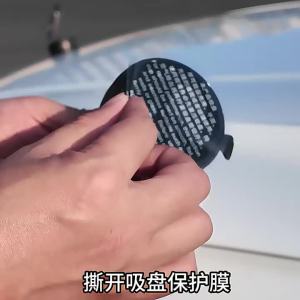
Suction Cup Camera Car Mount for Insta360 X3 X4 X5 GO Ultra ACE PRO 2 GO 3S Vehicle Windshield Holder 360 Adjustable Accessories

SHENJUE |Dual Size Smoke Purifying Filter Disposables
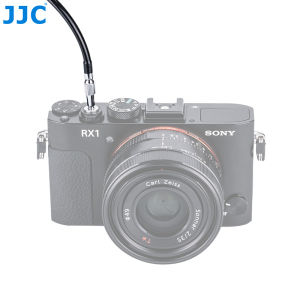
JJC Mechanical Shutter Release Cable with Bulb-Lock for Fuji Fujifilm X-T3 X-T4 X-T30 X-PRO3 X100V X-T2 X-T20 X-PRO2 X100F X-T10 X-E4 X-E3Sony DSC-RX1R II RX10 IV IIILecia M10 M9Nikon Df F3
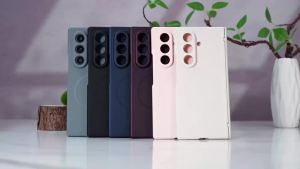
Luxury Center Axis Protective Foldable Hinge Magnetic Metal Paint Lens Protection Phone Case For Samsung Galaxy Z Fold7 6 5 4

Creality | Creality K2 Plus Filament Cutter 5pcs Set High Durability Quick Cut 3d Printer Parts For K2 Plus Fast Replacement
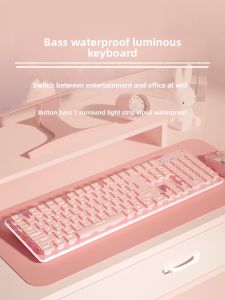
Microstep | Quiet Typing Pink Cute Keyboard and Mouse Set
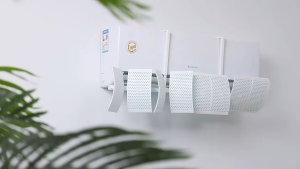
SG RumahHome® Adjustable Aircon Windshield - Air Conditioning Anti-Direct Blowing Universal Fit for Wall-Mounted AC Prevent Direct Wind & Chill
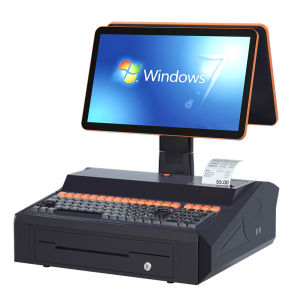
AOKIA | Small Retail POS Terminal Scanner Payment Software