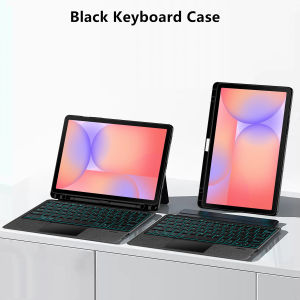
AJIUYU | Magic Keyboard For Samsung Galaxy Tab S11 S10 Plus S10 Lite S8 S9 S7 FE 11 12.4 inch Case Smart Trackpad Backlit with Pen Holder
This is an detachable keyboard case, TPU soft shell protective case, which can effectively protect your tablet. The keyboard and protective case can be separated .Keyboard with Backlight and TouchPad.Bluetooth connection, with touch pad, with backlight.,Horizontal and vertical support.How To Verify Your Tablet Model1.Turn Samsung tablet to the back find your specific model,Par exemple: SM-****2.Find the "Settings"--Click the "About"--Find the "Model"3.Please select the correct model number for your tablet purchase after viewing it.Compatible models and codes:For Samsung Galaxy Tab S10 Lite 10.9 inch(SM-X400 SM-X406B SM-X406F)2025.For Samsung Galaxy Tab S10 FE 10.9 inch(SM-X520 SM-X526B)2023.For Samsung Galaxy Tab S9 11 inch(SM-X710 SM-X716B SM-X718U)2023.For Samsung Galaxy Tab S9 FE 10.9 inch(SM-X510 SM-X516 SM-X516B)2023 .The above four models of keyboard covers are universal.For Samsung Galaxy Tab S7 11 inch(SM-T870、SM-T875)2020.For Samsung Galaxy Tab S8 11 inch(SM-X700、SM-X706)2022.The above two models of keyboard covers are universal.For Galaxy Tab S10 Plus (S10+) 12.4 inch (SM-X820 /SM-X826B)For Galaxy Tab S9 FE Plus (S9FE+) 12.4 in (SM-X610 /SM-X616/616B/X616C)For Galaxy Tab S9 Plus (S9+) 12.4 inch (SM-X810 / SM-X816B / SM-X818U)The above two models of keyboard covers are universal.For Galaxy Tab S8 Plus(S8+) 12.4 inch SM-X800 / SM-X806For Galaxy Tab S7 FE 12.4 inch SM-T730/ SM-T736 / SM-T735For Galaxy Tab S7 Plus (S7+) 12.4 inch SM-T970 / SM-T975The above two models of keyboard covers are universal.For Samsung Galaxy Tab S11 11 inch(SM-X730/SM-X736 )2025 .(Not compatible with other models)Please confirm your machine model before purchasing~Attention PleaseEnglish versionkeyboard : There are English letters on the keyboard only.Multi-language versionkeyboard : English letters and carved language letters together .【For example, if you choose French, the keyboard will display English and French letters. Please note that the same letters will not be engraved repeatedly】(Due to the difference in the number of keyboard keys compared to a normal office keyboard, some special character engraving positions are the same, which is a normal phenomenon)(The keyboard Core defaults to English, and the characters engraved on the keyboard are only a Surface display.so in some countries, even if the input method is switched, the special symbols do not necessarily match the keyboard function layout.If you mind, please do not purchase)Note: You need to upgrade your tablet to version 15.0 or higher to use the touchpad.【1】 Method of connecting Bluetooth: Turn on the keyboard switch, press the Fn+C button, and then search for your iPad Bluetooth connection keyboard.【2】 Please keep your For iPad up to date with the latest system upgrades, and the mouse function is turned on. Please open the following steps: Settings - Accessibility - Touch - Accessibility Touch【3】Switch language: Open Settings - Language and Input Method - Physical Keyboard - Add Language Layout..【4】Input method switching: control+spacebar.(Choose the language you need)【5】Type-C charging interface, with switch button, 【6】For detailed instructions, please read the user manual. If you have any questions, you can contact "Online Services" for consultation .Note: Tablets and pens are not included in the packaging .Note: Please purchase according to your machine model, don't worry about the hole position in the picture. We will send the correct model according to your order, and the hole position of the protective cover will correspond to your machine hole position.Note that the S11 11 inch keyboard cover does not have a pen slot on the back, while other models do

Prime Supply_Play Life
Review

You May Also Like
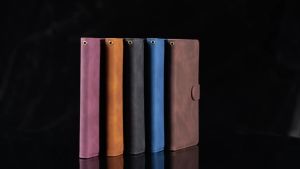
High-quality Wallet Skin-friendly With Card Slot Magnetic Flip Leather Case For Xiaomi Poco X8 Pro Shockproof Protective Cover
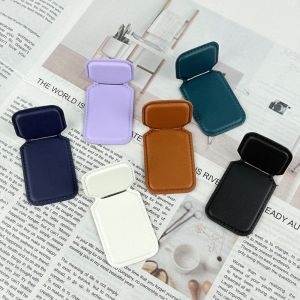
BELLERY Adhesive-backed Mobile Phone Holder Small Waist Shape Multi-angle Leather Phone Holder Mini Folding Design Folding Bracket Use
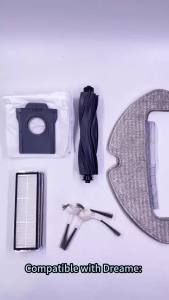
Replacement Side Brush Compatible With Dreame D10 Plus Gen 2 / L10s Pro Ultra Robot Vacuum Cleaner Spare Parts
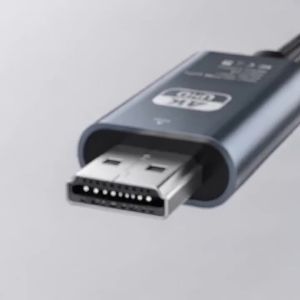
Kebidumei | KEBIDUMEI Type C To HDMI Adapter Cable Type C 4K 60Hz HDMI-Compatible Converter Cable For Projector PC Laptop Tablet

LS | Wallet Flip Leather Case For Google Pixel 11 Pro XL 10 9 8 7 Pro XL 10A 9A 8A 7A With Card Slots Strap RFID Blocking Phone Bag

Logitech | Logitech M750 Long Battery Life Wireless Mice Support Extended CS Game Time And Heavy Contract Office Daily Workload
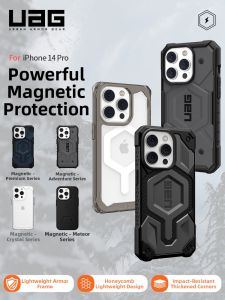
UAG丨Anti-drop Magsafe Phone Case Lightweight Carbon Fiber Transparent Hard Case for iPhone
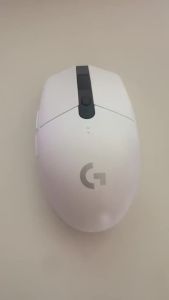
Logitech | Logitech G305 E‑Sports Wireless Gaming Mouse 6 Customizable Buttons For CS2 PUBG LOL Valorant FPS Game Mice For PC Laptop

Tempered Glass For Moto Edge 70 Fusion Plus Fusion+ 5G Protector Film HD Clear 9H Hardness 3D FM0008
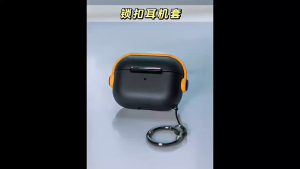
(SG seller) Lavette AirPods Pro Gen 2 AirPods 4/3/2 Case Soft TPU Protective Cover with Invisible Bracket
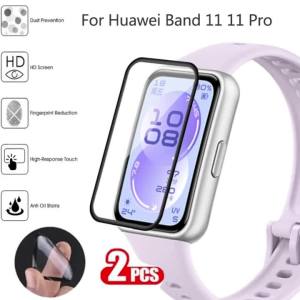
2PCS Soft Screen Protector For Huawei Band 11 3D Curved Full Cover Protective Film for Huawei Band11 Pro Anti-scratch Films