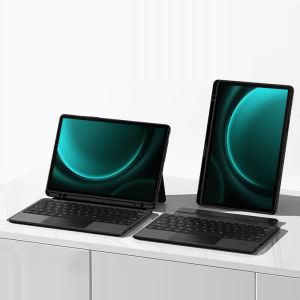
AJIUYU | Keyboard Case For Samsung Galaxy Tab S10 Plus S9 FE Plus S7 FE S7+ S8 Plus 12.4 Inch Protective Cover Removable TouchPad Backlit
This is an detachable keyboard case, TPU soft shell protective case, which can effectively protect your tablet. The keyboard and protective case can be separated .Keyboard with Backlight and TouchPad.Bluetooth connection, with touch pad, with backlight,Horizontal and vertical support.How To Verify Your Tablet Model1.Turn iPad tablet to the back find your specific model,Par exemple: SM-****2.Find the "Settings"--Click the "About"--Find the "Model"3.Please select the correct model number for your tablet purchase after viewing it.Compatible Model :For Samsung Galaxy Tab S7 FE 12.4 inch 2021(Model code: SM-T735、SM-T730)For Samsung Galaxy Tab S7 Plus 12.4 inch 2020(Model code: SM-T970、SM-T975)For Samsung Galaxy Tab S8 Plus 12.4 inch 2022(Model code: SM-X800、SM-X806)The keyboard covers of the above three models are universal !!For Samsung Galaxy Tab S9 Plus 12.4 inch 2023(Model Code:SM-X810 、SM-X816B 、SM-X818U )For Samsung Galaxy Tab S9 FE Plus 12.4 inch 2023 (Model Code:SM-X610 、SM-X616B)For Samsung Galaxy Tab S10 Plus 12.4 inch 2024(Model Code:SM-X826B 、SM-X820)The keyboard covers of the above three models are universal !!Please rest assured that we will send the correct protective sleeve hole position based on the model you have selected!!!Please confirm your machine model before purchasing~Note: the tablet and pencil computer in the figure is a prop, not included .Attention PleaseEnglish versionkeyboard : There are English letters on the keyboard only.Multi-language versionkeyboard : English letters and carved language letters together ..【For example, if you choose Spanish, the keyboard will display English and Spanish letters. Please note that the same letters will not be engraved repeatedly】(Due to the difference in the number of keyboard keys compared to a normal office keyboard, some special character engraving positions are the same, which is a normal phenomenon)The keyboard Core defaults to English, and the characters engraved on the keyboard are only a Surface display.so in some countries, even if the input method is switched, the special symbols do not necessarily match the keyboard function layout(You can hold down the Shift combination).If you mind, please do not purchase!!.【This image is for reference only and is not the keyboard for this link】【1】Method to connect Bluetooth: Turn on the keyboard switch, press the Fn+C button for about 2-3 seconds, the blue light on the keyboard indicator will flash, and then search for your tablet's Bluetooth connection keyboard.【2】After connecting Bluetooth,Take the samsung tablet as example,open Settings--ystem--Language & input--Add New Keyboard. (For other systems, please set them in the system settings according to the tips of the iPad example.)【3】Input method switching: ctrl+spacebar.(Choose the language you need)【4】Type-C charging interface,Wireless Bluetooth connection、Adjustable bracket Stand.【5】For detailed instructions, please read the user manual. If you have any questions, you can contact "Online Services" for consultation .The resolution of the machine is different, and there may be color differences in the images, which is a normal phenomenon. The actual product received shall prevailThe back bracket needs to be manually opened~~

Prime Supply_Play Life
Review

You May Also Like
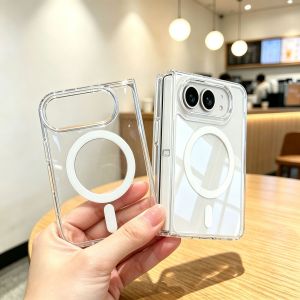
Magnetic Wireless Charging Phone Case For iPhone Duo Ultra Clear Protective Cover For iPhone 18 Fold
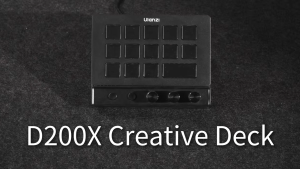
Ulanzi D200X Creative Deck Desktop USB Hub Controller
✅【SG】Samsung Camera Lens Protector | S26 S25 S24 S23 Ultra Plus | Full Cover HD Clear Transparent Camera Protective Film | Anti-Scratch Anti-Fingerprint Dustproof Lens Cover | Slim Clear Protection for Galaxy Phone Camera
Nylon Strap+Frame for Whoop 5.0 Straps Elastic Stretchable Sports Correa Magnetic Bracelet for Whoop 5 Accessory
ANVORO Rollable Silicone Phone Tablet Stand Foldable Portable Multi-Angle Holder for Smartphone Tablet E-Reader Switch Desk Travel
UAG iPhone 16 Pro Case Plasma Translucent Casing with Rugged Lightweight Slim Shockproof Protective iPhone Cover
Logitech | Logitech Signature M650 Multi Device Wireless Mouse SilentTouch Custom Side Buttons Desktop Computer Work Mouse
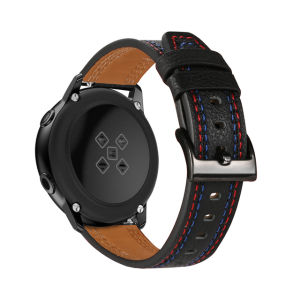
Leather Watchband For Amazfit T-REX 3 Pro 48mm Strap Sport Bracelet Smart Watch Wristband
![[SG] Tempered Glass Canon EOS R50 V R50V Camera Body LCD Display Screen Protector DSLR Mirrorless](https://img.lazcdn.com/g/ff/kf/Sda2b5918166d4720a4920fba82b4e0f28.png_300x300q80.png)
[SG] Tempered Glass Canon EOS R50 V R50V Camera Body LCD Display Screen Protector DSLR Mirrorless
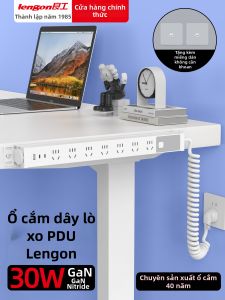
lengon | Retractable Gaming Desk Spring Wire Power Strip with USB
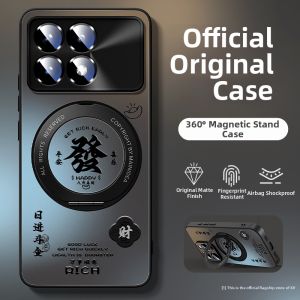
Premium Lightweight Acrylic Shockproof Magnetic Rotating Stand Case for Redmi K90/K90 Pro Max