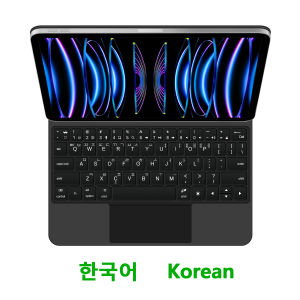
AJIUYU | Magic Keyboard For iPad Air 4th 5th 10.9" Smart Case For iPad Pro 11 1/2/3/4세대 Air 11 형 Multi-Touch Trackpad 키보드 영어 한국어 레이아웃
For iPad Pro / Air Magic KeyboardMagnetic separation, backlight, touch panel, multi angle support、Wireless Bluetooth connectionA keyboard and protective case in oneOne product ,dual uses,when unfolded , it is a Tablet Keyboard,and when closed,it is a protective Case,non-removable,enabling it to meet the needs of more scenariosNote 1:You need to upgrade the system to version 17.0 or higher to use the touchpad.Note 2:Please check in the size and detail model of your Tablet. it is very importtant ! ! !Note 3:After Open the Power, Please Click "Fn" and "C" 【Fn+C】Button Together to Open the Keyboard's Bluetooth. It is Very Important.Product Details:1. Number of buttons: 642. Battery: Lithium battery 500mAh3. Stand-by time: 150 days4. Working Time: 5 hours (with backlit on),120 hours (with backlit off)5. Working Voltage: 3.0 - 4.2V6. Charging current:7. Effective distance: 10 meters8. Backlit Light: 7 colors backlit9. Charge Port: Type-c10. Material: Anti fouling and durable PU material11. Key life:3 million12. Charging times: 4 hours13. Color: Black 、White、Pink、 PurpleNote: If there is a delay in the touchpad or unstable Bluetooth connection while using the keyboard, there are two solutions: 1. Upgrade the iPad to the latest system, 2. Turn off Bluetooth and reconnect.iPad 키보드 사용 중 터치패드 지연 또는 블루투스 연결 불안정이 발생하는 경우 두 가지 해결 방법이 있습니다 1 iPad를 최신 시스템으로 업그레이드하세요 2 블루투스를 끄고 다시 연결하세요How To Verify Your Tablet Model1.Turn iPad tablet to the back find your specific model,Par exemple: A ****2.Find the "Settings"--Click the "About"--Find the "Model"3.Please select the correct model number for your tablet purchase after viewing it.Compatible models and codes:This style of keyboard cover is compatible with these 9 models. Please confirm your machine model before purchasing to avoid purchasing errors!The camera holes on the keyboard cover have been upgraded to square holes. If you mind, please do not purchaseFor iPad Air 11 inch M4 2026(Model Code:A3459、 A3460、 A3463 )For iPad Air 11 inch M3 2025 (Model code :A3266、A3267、A3270)For iPad Air 11 inch M2 2024 (Model code: A2902、A2903、A2904)For iPad Pro 11 2018 1st Generation (Model Code :A1980 、A1934 、A1979 、A2013)For iPad Pro 11 2020 2nd Generation (Model Code :A2228、 A2068、A2230 、A2231)For iPad Pro 11 2021 3rd Generation (Model Code:A2377、A2459、A2301、A2460)For iPad Pro 11 2022 4th Generation(Model Code:A2759 、A2435、 A2761、 A2762)For iPad Air 5th generation 10.9 inch 2022(Model Code:A2588、 A2589 、A2591)For iPad Air 4th generation 10.9 inch 2020(Model Code:A2316、A2324、A2325、A2072)Note: Tablet and stylus are not included in the packaging!![Note: Only the corresponding machine model can be magnetically attracted. If your machine is not of the above model, please do not purchase!!! ]해당 기기 모델만 자기적으로 흡착됩니다 귀하의 기기가 위 모델이 아닐 경우 구매하지 마십시오Attention PleaseEnglish versionkeyboard : There are English letters on the keyboard only.Multi-language versionkeyboard : English letters and carved language letters together ..【For example, if you choose Korean, the keyboard will display English and Korean letters. Please note that the same letters will not be engraved repeatedly】(Due to the difference in the number of keyboard keys compared to a normal office keyboard, some special character engraving positions are the same, which is a normal phenomenon)The keyboard Core defaults to English, and the characters engraved on the keyboard are only a Surface display.so in some countries, even if the input method is switched, the special symbols do not necessarily match the keyboard function layout(You can hold down the Shift combination).If you mind, please do not purchase!!.Note: Due to the material of the white / Pink / Purple keyboard, the engraved letters are dark gray.【1】Bluetooth connection method: Turn on the keyboard switch, then hold down Fn+C for about 2-3 seconds to start Bluetooth, then turn on your tablet Bluetooth device, search for"BT Keyboard",and click connect to connect 。Note: If you do not use the keyboard for a long time, the keyboard will enter sleep mode and Bluetooth will automatically disconnect.【2】Open iPad Settings - Keyboard - Keyboard - Add New Keyboard - (Select the language you need) - After switching, press and hold the keyboard Control+Spacebar to switch to the input method you have selected and use it normally.【3】For detailed instructions, please read the user manual. If you have any questions, you can contact "Online Services" for consultation .The resolution of the machine is different, and there may be color differences in the images, which is a normal phenomenon. The actual product received shall prevail .

Prime Supply_Play Life
Review

You May Also Like

Bandai | Anime Mouse Pad DBZ Laptop Computer Gamer Desk Mat Dragon Ball E-sports Players Mousepad Large XXL Keyboard Pad Gaming Mausepad
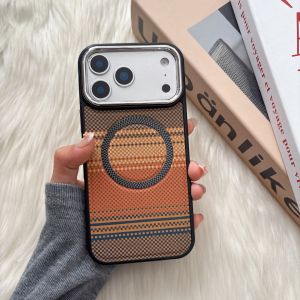
Magnetic Retro Woven Plaid Phone Case For iPhone 15 16 17 18 Pro Max iPhone 11 12 13 14 Pro Max Carbon Fabric Hard Cover Support Wireless Charging Shockproof Protective Casing
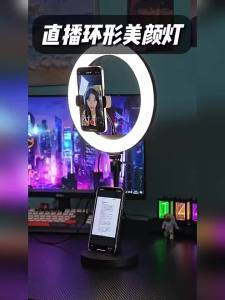
CRENOV | For Live Streaming & Selfie Beauty Ring Light

Choseal | Home Digital Optical Audio Cable 5.1 Channel SPDIF
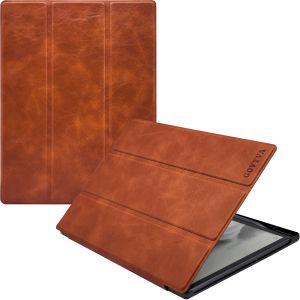
Case for iFLYTEK AINOTE Air 2 Ultra-Thin Lightweight Trifold Protective Folio Cover with Built-in Pen Holder Auto Sleep/Wake
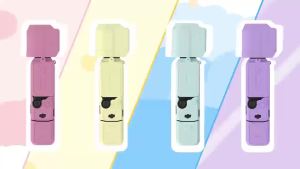
DJI OSMO Pocket 3 Silicone Case scratch-resistant lens protection cover suitable for DJI OSMO Pocket 3 outer shell accessories
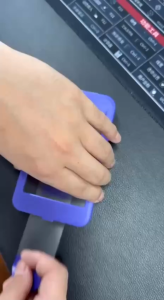
TREEM InstaShield+ iPhone Duo Tempered Glass Screen Protector (with Self-Paste installation Kit)
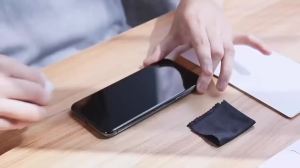
4PCS For Xiaomi 17T Pro HD Tempered Glasses For Xiaomi 17 Pro Max 15 15T 14T 13T 12T 11T Pro Clear 9H Hardness Screen Protector
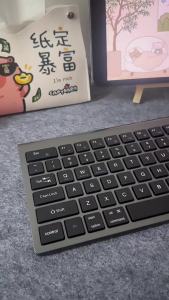
NexusClick 104 Keys Wireless Tri-Mode Keyboard Mouse Ofiice Combo Type-C Rechargeable Ergonomic silent For Notebook Laptop iPad

jeagutt | Wind Blocking Deflector for Standing Air Conditioner
Divi | Fast Charging USB Type-C Cable 45W