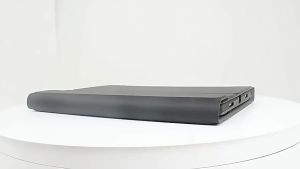
LFOIQN Magic Keyboard Folio for Samsung Galaxy Tab S10 Plus S9 FE+ S7 FE S8 S9 Plus S10+ 12.4"Magnetic Case Floating Multi-Touch
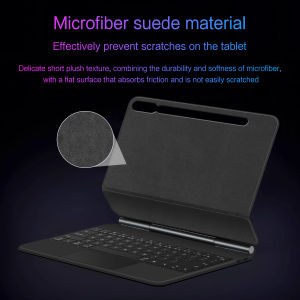
Book Cover Magic Keyboard Colorful backlight, intelligent touch control,Magnetic levitation,Wireless Keyboard connection,Anti fouling and durable PU materialSome tablet keyboards support one-click Galaxy AI functionality This feature is only supported on Samsung tablets with screen sizes of [14.6 inches] and [13.1 inches]. Other sizes and models do not support this featureCompatible models and codes:For Samsung Galaxy Tab S7 Plus 12.4 inch(SM-T970、SM-T975)2020.For Samsung Galaxy Tab S7 FE 12.4 inch(SM-T735、SM-T730、SM-T736、SM-T738、SM-T733)2021 .For Samsung Galaxy Tab S8+ / S8 Plus 12.4 inch(SM-X800、SM-X806)2023 .For Samsung Galaxy Tab S9+ / S9 Plus 12.4 inch(SM-X810、SM-X816B、M-X818U )2023 .For Samsung Galaxy Tab S9 FE+ / S9 FE Plus 12.4 inch(SM-X610、 SM-X616B)2023 .For Samsung Galaxy Tab S10+ / S10 Plus 12.4 inch (SM-X820、SM-X826) 2024The above Six models of keyboard covers are universal .Due to multiple model options available on this link, please make sure to confirm your machine model or code before making a purchase in order to select the correct option. If you make a wrong purchase, you will be responsible for it yourselfMethod for connecting a Samsung tablet to a keyboard: Turn on the keyboard switch to [ON], press [fn] + [C] simultaneously for 3 seconds until the blue indicator light comes on. Open the Samsung tablet - [Settings] - [Connections] - [Bluetooth] - turn on the switch to search for [BT Keyboard], click to pair and connect successfully.Product Details:1. Number of keys: 64 keys2. Battery: Lithium battery 500mAh3. Stand-by time: 150 days4. Working Time: 5 hours (with backlit on), 120 hours (with backlit off)5. Working Voltage: 3.0 - 4.2V6. Charging current:7. Effective distance: 10 meters8. Backlit Light: 7 colors backlit9. Charge Port: Type-c10. Material: PU Leather11. Key life:3 million12. Charging times: 3 hours13. Color: Black,WhiteProduct includes: keyboard cover x1, charging cable x1, instruction manual x1-[The highest productivity accessory]:Turn your tablet into a lightweight workstation, allowing you to work anywhere. We have optimized the Pro key and equipped it with accessories to enhance tablet functionality, making it easier to use and more efficient.-[Portable style key]:Our new professional key frame design provides the best key travel for clean and accurate keys, as well as a comfortable and easy writing experience.-[Reliable protection and lightweight design]:The durable polycarbonate shell features a rigid core, rubber edges and button covers, as well as corner bumpers, all of which provide fall protection.The lightweight design is easy to put in your bag.Supports for Samsung Tablet touchpad shortcut gesture function, the button function is very user-friendly, the material feels very good, and typing and input are very comfortable,It is very worthwhile for you to purchase and wait for an excellent keyboardRegarding the layout of keyboards in various languages, please read the following before purchasing. If you cannot accept it, please do not purchase!1. Our keyboard language layout is based on the English US layout with added features such as Spanish, Portuguese, Arabic, German, French, Japanese, Korean, Russian, Hebrew, etc. Its physical layout is the same as the picture below, and your keyboard will have two language layouts.(Due to material reasons, the characters carved from the white keyboard are dark gray)2.If there are some characters on the keyboard you receive that cannot be implemented, you need to switch to English layout before you can use them. If there is a conflict between adding burned language and English US layout, please refer to the actual picture below.3. Some special characters in certain countries, such as @ # ¥%&, require a combination of 【 shift 】 or 【 option 】 【Alt】on the keyboard to be inputted and displayed.4.To connect a Bluetooth keyboard, you need to switch the keyboard language. Open the Samsung tablet's "Settings" - "General Management" - "Samsung Keyboard Settings" - "Language and Type" - "Manage Languages" to add the language layout you need. To switch input method settings, press the "control" + "spacebar" buttons to switch to the desired language

Prime Supply_Play Life
Review

You May Also Like

TORRAS Ostand Spin VegSkin Case for iPhone 17 Pro/Pro Max 360° Magnetic Kickstand Durable Slim Protective Cover
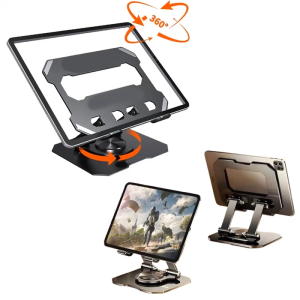
Metal Tablet Stand Adjustable 360° Rotation Tablet Holder

NexusClick Vertical Ergonomic Mouse 2.4G Bluetooth Wireless Rechargeable Office Mice Adjustable DPI 6 Mute Buttons For Computer

Bandai | Two-dimensional Animation Leather Mouse Pad ONE PIECE Series Animation Peripheral Luffy Zoro Large Size Non-slip Cute Table Mat

For Oppo A3 Pro 5G a3pro a3 pro 2024 3 Piece Anti-Spying Tempered Film Anti Spy Full Coverage Screen ProtectorsAnti Spying Privacy Screen Protectors 9H Hardness
![[SG Stock]Home desk study desk bedside table portable lifting small desk writing desk bedroom computer desk](https://img.lazcdn.com/g/p/a6bd784c123929826064e29e41f0b2dd.jpg_300x300q80.jpg)
[SG Stock]Home desk study desk bedside table portable lifting small desk writing desk bedroom computer desk
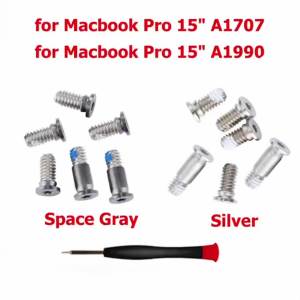
New Silver Space Gray Bottom Case Screw Screws For Macbook Pro 15" A1707 A1990 2016-2019 Year

Semiconductor Refrigeration Laptop Cooler with RGB Ambient Light 8-Level Height Adjustment & Phone Holder for 14-21" Laptops
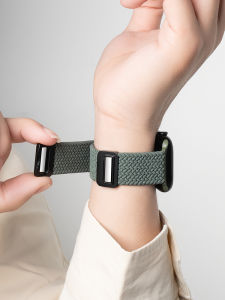
CRAFTSMAN DAI | Magnetic Braided Nylon Sports Watch Strap
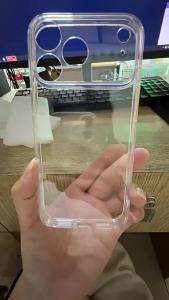
Ultra Thin Transparent Phone Case for OPPO Find X9 X8 X7 X6 X5 X3 Lite Pro Soft Back Cover for OPPO Find X9 Pro X8 X7 Ultra Capa
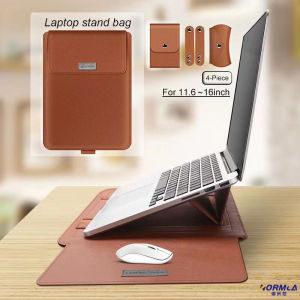
5 in 1 Laptop Stand Bag/Pouch Leather Laptop Sleeve Case magnets Waterproof Bag Cover With Holder Function for Laptop notebook matebook xiaomi huawei macbook Air 13.3/11/12/14/15 inch Laptop Bag & iPad case Bracket Cooling Protection