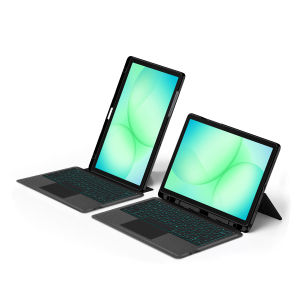
LFOIQN Wireless BT Keyboard Case For Samsung Galaxy Tab A8 10.5" SM-X200 A9 Plus A9+ A11 Plus 11 Inch 2025 Smart Case Detachable
【The main video is for reference only.】This is an detachable keyboard case, TPU soft shell protective case, which can effectively protect your tablet. The keyboard and protective case can be separated .Keyboard with Backlight and TouchPad.Bluetooth connection, with touch pad, with backlight,Horizontal and vertical support.How To Verify Your Tablet Model1.Turn iPad tablet to the back find your specific model,Par exemple: SM-****2.Find the "Settings"--Click the "About"--Find the "Model"3.Please select the correct model number for your tablet purchase after viewing it.Compatible Model :For Samsung Galaxy Tab A9 Plus / A9+ 2023 11-inch(Model code:SM-X210/ SM-X216B /SM-X218U)For Samsung Galaxy Tab A11 Plus /A11+ 2025 11-inch(Model Code:SM-X230 、SM-X233、SM-X236)The above two models of keyboard covers are universal, and regardless of which one you choose, they can be compatible with each other!For Samsung Galaxy Tab A8 10.5 inch 2021(Model code: SM-X200、SM-X205 )Please rest assured that we will send the correct protective sleeve hole position based on the model you have selected!!!Please confirm your machine model before purchasing~Note: the tablet and pencil computer in the figure is a prop, not included .Attention PleaseEnglish versionkeyboard : There are English letters on the keyboard only.Multi-language versionkeyboard : English letters and carved language letters together ..【For example, if you choose French, the keyboard will display English and French letters. Please note that the same letters will not be engraved repeatedly】(Due to the difference in the number of keyboard keys compared to a normal office keyboard, some special character engraving positions are the same, which is a normal phenomenon)The keyboard Core defaults to English, and the characters engraved on the keyboard are only a Surface display.so in some countries, even if the input method is switched, the special symbols do not necessarily match the keyboard function layout(You can hold down the Shift combination).If you mind, please do not purchase!!.【Keyboard French layout for reference only】【1】Method to connect Bluetooth: Turn on the keyboard switch, press the Fn+Z button for about 2-3 seconds, the blue light on the keyboard indicator will flash, and then search for your tablet's Bluetooth connection keyboard.【2】After connecting Bluetooth,Take the samsung tablet as example,open Settings--ystem--Language & input--Add New Keyboard. (For other systems, please set them in the system settings according to the tips of the iPad example.)【3】Input method switching: ctrl+spacebar.(Choose the language you need)【4】Type-C charging interface,Wireless Bluetooth connection、Adjustable bracket Stand.【5】For detailed instructions, please read the user manual. If you have any questions, you can contact "Online Services" for consultation .The resolution of the machine is different, and there may be color differences in the images, which is a normal phenomenon. The actual product received shall prevailThe back bracket needs to be manually opened~~

Prime Supply_Play Life
Review

You May Also Like
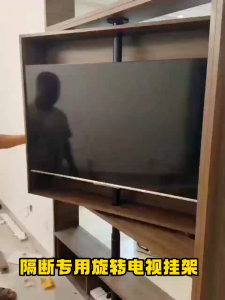
LCD/LED TV 360 Degree Rotating Frame Floor Stand Partition Wall Rotating Rack Rotating TV Cabinet Rotating Base Fits 32-75inch Display Tilt Swivel TV Ceiling Mount height adjustable

AJAZZ | AJAZZ AK820/Pro Wireless Mechanical Keyboard Bluetooth 5.1 2.4G USB-C Wired Hot Swappable RGB Gaming Keyboard Gasket Mount with
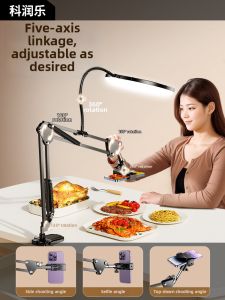
CRENOV | Live Streaming Phone Stand with Lighting and Beautifying Multifunctional Video Recording Shelf
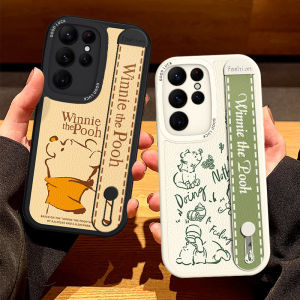
Honey Bear Wristband Phone Case for Samsung S26 S25 Ultra S24+ Soft Silicone S23FE Stand Full Cover S21 Leather Protective Case Womens New S22 Simple
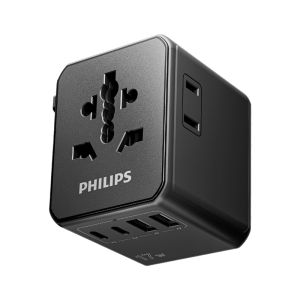
Philips | Universal International Travel Plug Adapter
PULUZ | POM Plastic Battery Side Interface Cover For GoPro MISSION 1 / 1 PRO /HERO13 Black/12 Black/11 10 Black/9 Black Cover Shell Cap
Bandai | Roronoa Zoro Anime One Piece Gaming Mouse Pad Gamer Computer HD printing Mousepad Keyboard Carpet Non-Slip Office XXL Desk Mat
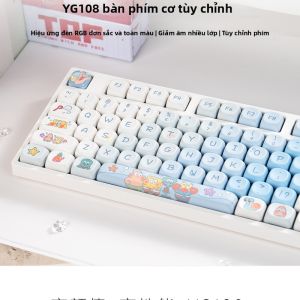
TUMAO | Three-Mode Mechanical Keyboard Office Quiet Full-Key Anti-Ghosting Cute
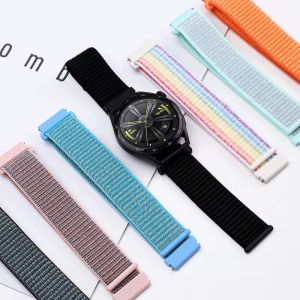
Nylon Loop Strap For Huawei Watch GT Runner 2 Smartwatch band Replacment Bracelet Sport Watchband
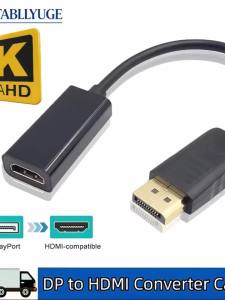
4K 1080P DP to HDMI Adapter DisplayPort to HDMI-Compatible Video Audio Adapter Cable for PC TV Laptop
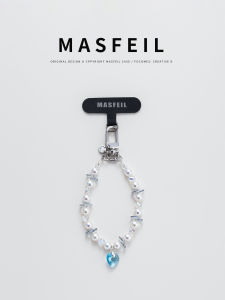
MASFEIL | Fashionable Decorative Short Phone Lanyard