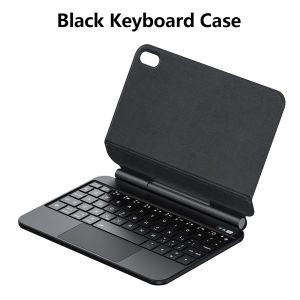
LFOIQN Magic Keyboard Case for iPad Mini 7 A17 Pro Mini 6 6th/7th Generation 8.3 inch Floating Stand Multi-Touch Trackpad Cover
【The main video is for reference only.】Magic Keyboard Colorful backlight, intelligent touch control,Magnetic levitation,Wireless Keyboard connection,Anti fouling and durable PU materialA keyboard and protective case in oneOne product ,dual uses,when unfolded , it is a Tablet Keyboard,and when closed,it is a protective Case,non-removable,enabling it to meet the needs of more scenariosNote 1:You need to upgrade the system to version 17.0 or higher to use the touchpad.Note 2:Please check in the size and detail model of your Tablet. it is very importtant ! ! !Note 3:After Open the Power, Please Click "Fn" and "C" 【Fn+C】Button Together to Open the Keyboard's Bluetooth. It is Very Important.How To Verify Your Tablet Model1.Turn tablet to the back find your specific model,2.Find the "Settings"--Click the "About"--Find the "Model"3.Please select the correct model number for your tablet purchase after viewing it.Applicable Models:[ Note:Only the corresponding machine model can be magnetically attracted!!! ]For iPad Mini 7 2024 (A17 Pro) 8.3 inch (A2993 /A2995 /A2996 ) For iPad Mini 6 2021 8.3 inch (A2567 /A2568 /A2569) The above two models of keyboard covers are universal !!! Incompatible with other models,Please confirm your machine model before purchasing~Note: The product does not include a stylus or for tabletAttention PleaseEnglish versionkeyboard : There are English letters on the keyboard only.Multi-language versionkeyboard : English letters and carved language letters together ..【For example, if you choose French, the keyboard will display English and French letters. Please note that the same letters will not be engraved repeatedly】(Due to the difference in the number of keyboard keys compared to a normal office keyboard, some special character engraving positions are the same, which is a normal phenomenon)The keyboard Core defaults to English, and the characters engraved on the keyboard are only a Surface display.so in some countries, even if the input method is switched, the special symbols do not necessarily match the keyboard function layout(You can hold down the Shift combination).If you mind, please do not purchase!!.【Note】Bluetooth connection method: Turn on the keyboard switch, then hold down Fn+C for about 2-3 seconds to start Bluetooth, then turn on your tablet Bluetooth device, search for"Wireless Keyboard",and click connect to connect 。Note: If you do not use the keyboard for a long time, the keyboard will enter sleep mode and Bluetooth will automatically disconnect.【1】1. After connecting Bluetooth, open your iPad - Settings - Keyboard - Add New Keyboard【1-1】Input method switching: control+spacebar.(Choose the language you need)【3】For detailed instructions, please read the user manual. If you have any questions, you can contact "Online Services" for consultation .The resolution of the machine is different, and there may be color differences in the images, which is a normal phenomenon. The actual product received shall prevail .Connect for Tablet: Turn on the keyboard switch and press Fn+C at the same time. The keyboard light will flash. Open the for Tablet BT and search for Wireless Keyboard. Click to connect and pair successfullyProduct Details:1. Number of keys: 60 keys2. Battery: Lithium battery 500mAh3. Stand-by time: 150 days4. Working Time: 5 hours (with backlit on), 120 hours (with backlit off)5. Working Voltage: 3.0 - 4.2V6. Charging current:7. Effective distance: 10 meters8. Backlit Light: 7 colors backlit9. Charge Port: Type-c10. Material: PU Leather11. Key life:3 million12. Charging times: 3 hours13. Color: BlackProduct includes: keyboard cover x1, charging cable x1, instruction manual x1Note: If you experience delays in the touchpad or unstable Bluetooth connection while using the keyboard, please check your iPad system to see if it has been upgraded to the latest version[The highest productivity accessory]:Turn your tablet into a lightweight workstation, allowing you to work anywhere. We have optimized the Pro key and equipped it with accessories to enhance tablet functionality, making it easier to use and more efficient.Supports for iPad touchpad shortcut gesture function, the button function is very user-friendly, the material feels very good, and typing and input are very comfortable,It is very worthwhile for you to purchase and wait for an excellent keyboard[Portable style key]:Our new professional key frame design provides the best key travel for clean and accurate keys, as well as a comfortable and easy writing experience.[Reliable protection and lightweight design]:The durable polycarbonate shell features a rigid core, rubber edges and button covers, as well as corner bumpers, all of which provide fall protection.The lightweight design is easy to put in your bag.Regarding the layout of keyboards in various languages, please read the following before purchasing. If you cannot accept it, please do not purchase!1. Our keyboard language layout is based on the English US layout with added features such as Spanish, Portuguese, Arabic, German, French, Japanese, Korean, Russian, Hebrew, etc. Its physical layout is the same as the picture below, and your keyboard will have two language layouts.(Due to material reasons, the characters carved from the white keyboard are dark gray)2.If there are some characters on the keyboard you receive that cannot be implemented, you need to switch to English layout before you can use them. If there is a conflict between adding burned language and English US layout, please refer to the actual picture below.3. Some special characters in certain countries, such as @ # ¥%&, require a combination of 【 shift 】 or 【 option 】 on the keyboard to be inputted and displayed.4.After connecting the keyboard, open iPad Settings - General - Keyboard - Keyboard - Add New Keyboard (add the language you need) After adding the language, switch input methods: simply click the (Globe Key) button (select the language you need)

Prime Supply_Play Life
Review

You May Also Like

Tilta | TILTA Universal Shock Absorbing Head for Hydra Alien Mini for Pocket3/Pocket4pro/Go Pro10/11/12/Action4/5pro/Insta360 X3/4

Ulanzi Falcam TreeRoot Quick Lock Camera Travel Tripod Kit R141K-320P
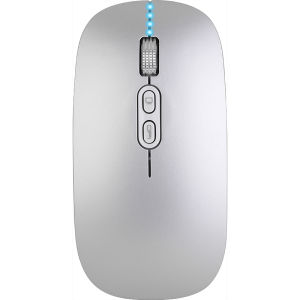
EPOOSUO | Wireless Bluetooth Type-C Interface Silent Charging Mouse for MacBook
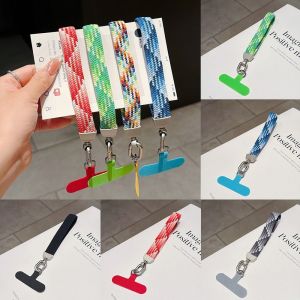
NOBLELUX Comfort Wear Mobile Phone Short Wrist Strap Elastic Braided Texture Wear Resistant Key Wallet Hanging Rope Twist Rope Craftsmanship Anti-Loss Phone Wrist Band Daily Outdoor Phone Carry
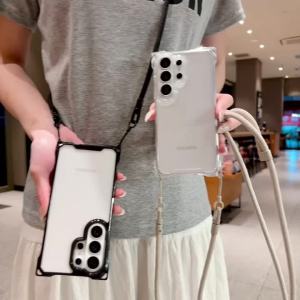
Four Corner Lanyard Case For iPhone 18 Pro Max 17 14 12 13 15 16 Plus Air Shockproof Clear Crossbody Neck Cord Strap Hard Cover
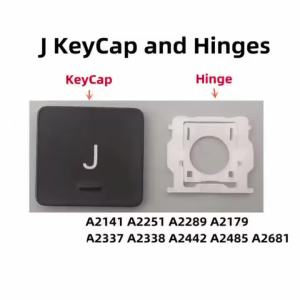
Replacement US UK (J) Key Cap and Hinges for MacBook Pro/Air A2141 A2179 A2337 A2338 A2251 A2289 A2442 A2485 A2681
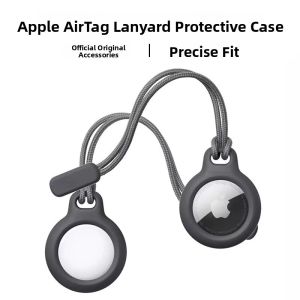
Bbzy | Tracking Anti-Loss AirTag Protection Cover
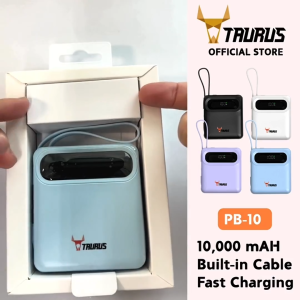
TAURUS PB10 Power Bank 10000mAh - 22.5W Portable Fast Charging Built In Type-C & Lightning Cables
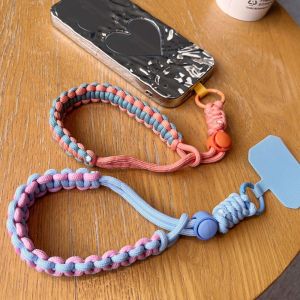
TZD62 Polyester Woven Adjustable Phone Straps Colorful Hand-woven Braided Colorful Wrist Straps Fashion Jewelry Phone Case Braided Lanyard Mobile Phone Case
(SG LOWEST) Razer Deathadder Essential Wired Gaming Mouse 6400 DPI Ergonomic Optical Sensor
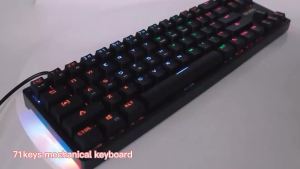
BAJEAL K71 Mechanical Keyboard with Type-C Key Line Separation Blue Switch Portable Gaming Plug-in Shaft