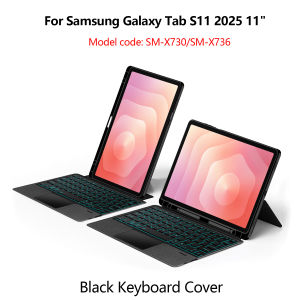
LFOIQN Keyboard Case Detachable For Samsung Galaxy Tab S11 11-Inch 2025 SM-X730 X736 11" Magic Smart Cover Multi-Touch Backlit
【The main video is for reference only.】This is an detachable keyboard case, TPU soft shell protective case, which can effectively protect your tablet. The keyboard and protective case can be separated .Keyboard with Backlight and TouchPad.Bluetooth connection, with touch pad, with backlight,Horizontal and vertical support.How To Verify Your Tablet Model1.Turn iPad tablet to the back find your specific model,Par exemple: SM-****2.Find the "Settings"--Click the "About"--Find the "Model"3.Please select the correct model number for your tablet purchase after viewing it.Compatible Model :only For Samsung Galaxy Tab S11 11 inch(SM-X730/SM-X736 )2025 .Please confirm your machine model before purchasing~Note: the tablet and pencil computer in the figure is a prop, not included .Attention PleaseEnglish versionkeyboard : There are English letters on the keyboard only.Multi-language versionkeyboard : English letters and carved language letters together ..【For example, if you choose French, the keyboard will display English and French letters. Please note that the same letters will not be engraved repeatedly】(Due to the difference in the number of keyboard keys compared to a normal office keyboard, some special character engraving positions are the same, which is a normal phenomenon)The keyboard Core defaults to English, and the characters engraved on the keyboard are only a Surface display.so in some countries, even if the input method is switched, the special symbols do not necessarily match the keyboard function layout(You can hold down the Shift combination).If you mind, please do not purchase!!.【This image is for reference only and is not the keyboard for this link】【1】Method to connect Bluetooth: Turn on the keyboard switch, press the Fn+C button for about 2-3 seconds, the blue light on the keyboard indicator will flash, and then search for your tablet's Bluetooth connection keyboard.【2】After connecting Bluetooth,Take the samsung tablet as example,open Settings--ystem--Language & input--Add New Keyboard. (For other systems, please set them in the system settings according to the tips of the iPad example.)【3】Input method switching: ctrl+spacebar.(Choose the language you need)【4】Type-C charging interface,Wireless Bluetooth connection、Adjustable bracket Stand.【5】For detailed instructions, please read the user manual. If you have any questions, you can contact "Online Services" for consultation .The resolution of the machine is different, and there may be color differences in the images, which is a normal phenomenon. The actual product received shall prevailThe back bracket needs to be manually opened~~

Prime Supply_Play Life
Review

You May Also Like
szhaiyu | Case For Samsung Galaxy Z Fold 8 Ultra Fold 7 6 5 For Magsafe Hinge Case 360° Full Protection Screen Glass With S Pen Cover
Toocki | Fast Charging Data Cable for Apple Devices 2m
![Premium 360° Rotating Aluminium Laptop Stand - Heavy Duty & High-Quality Design [SG Seller]](https://img.lazcdn.com/g/ff/kf/Sc56149016a3a42419865decf9d57bb83P.jpg_300x300q80.jpg)
Premium 360° Rotating Aluminium Laptop Stand - Heavy Duty & High-Quality Design [SG Seller]
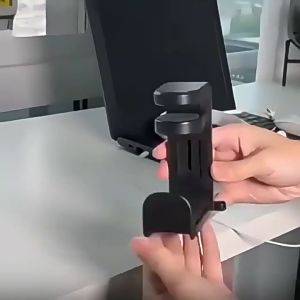
360° Rotatable Headphone Hanger No Drill Desk Mount Headset Holder Cable Organizer & Clothes Hanger
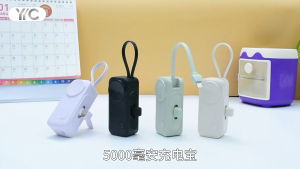
Anvers Mini Powerbank 5000mAh 22.5W Fast Charging Power Bank Portbale Charger for Apple Watch A01
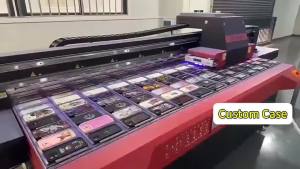
Pop Art For Samsung Galaxy S26 S25 S24 A56 A36 Dual Layer Luxury Fashion Full Lens Protective Case
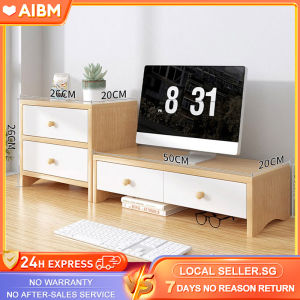
AIBM Computer Monitor Stand Keyboard Storage With Drawer Ergonomic Wooden Desktop Monitor Organizer Stand Table Receive Arrange Shelf

SK | MECHANIC LS-1 Auxiliary Light Source High CRI COB LED for Stereo Microscopes Ideal for Phone Motherboard Repair Precision Work
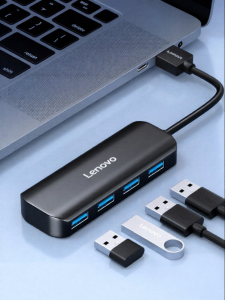
Lenovo | Multi-Port USB Type C Hub Expander
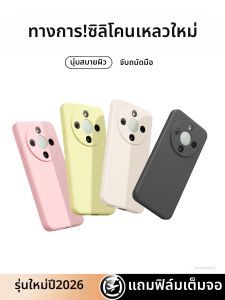
imobile | Full Coverage Shockproof Honor X70 Case Liquid Silicone

Potdemiel | Retro Simple Bold Red Doodle Double Layer Hard Shell for iPhone 17 16 15 14 Plus 13 Pro Max Anti-Drop Shockproof PC Case