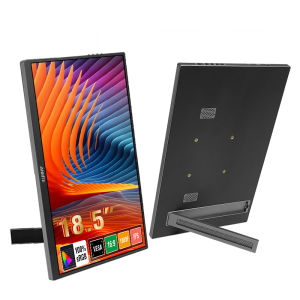
Anmite | Anmite 18.5inch Portable Monitor 120Hz RGB100% With VESA Hole & Back Bracket Laptop Extended Display ADS-IPS HDR Screen
Monitor FAQ - Common TroubleshootingQ: The screen displays "blue no signal"A: If you use amobile phone to connect, you need to check whether the phone supports USB3.1version output, whether it supports DisplayPort alternative mode (DP Alt Mode),and whether it supports MHL protocol mode. If not, it may be incompatible. Youcan use some converters for compatibility, such as: HD adapter cable. If not,it will display a blue no signal state. Please add a Mini HDMI to HDMI cablefor signal transmission. If you use HDMI connection, you need to check whetheryour graphics card is connected correctly. As long as it displays blue nosignal, it proves that there is no problem with the monitor, but there is nosignal input. If there is a discrete graphics card, you must connect thediscrete graphics card.Q: Do I need to connect the power supply when usingit?A: The laptop usesa TPYE-C connection cable and does not need to be connected to the powersupply. If the power supply is insufficient, the screen will flicker and USBpower supply is required. If you use HDMI connection, you must use USB powersupply. If the screen flickers, it may be insufficient power supply.Q: What causes the screen flickering?A: The screenflickering is caused by insufficient output or power supply of your device. Itis recommended to use a 30W or higher PD power supply.Q: Does it support vertical screen:A: The monitoritself does not have the vertical screen function, so it does not supportvertical screen. These functions can only be set on the mobile phone. Themonitor only provides display functions. Unless you set the mobile phone to computermode or set the vertical screen on the computer, the monitor itself does notsupport vertical screen.Q: Does it support touch function?A: This product isdivided into non-touch version. Please choose the corresponding model accordingto your needs to place an order to avoid purchasing the wrong model.Q: My monitor cannot be turned on.A: Please checkwhether the monitor and your device are in power-on mode. Make sure the cableis connected correctly. Connect other available devices or cables to check.If you use theUSB-C interface connection: You can use the USB-C cable to achieve power supplyand signal transmission (one line for two purposes, also known as one linepass) and get power directly from the laptop. If you use the HDMI interface connection,you must use a two-wire connection solution. The HDMI cable is only responsiblefor video signal transmission. You need an additional power supply solution.You can choose one of the following methods:A1: Powered by apower adapter connected to the socket (30W and above PD power is recommended)A2: Powered fromthe computer USB through a separate USB cable (If the computer USB power supplyis insufficient, false alarms such as insufficient brightness, flickering,black screen, etc. may occur. It is recommended to use a 30W and above PD powersupply).Q: Why is my screen flickering?A: Please check ifthe connection is loose. If there is no problem with the connection, the screenflickering is caused by insufficient output of your device or power supply. Itis recommended to use a 30W or higher PD power supply. Please connect the adapterand use it again, or try to replace new cables and devices.Q: Why does the monitor make an electric current orrustling sound?A: Please confirmthe source of the noise. If it is a connection noise, please re-plug theinterface or replace a new cable. If it is the sound of the adapter or speaker,it may be due to the quality problem of the power adapter.Q: Does this computer monitor support VESA wallmounting?A: Support VESAwall mountingQ: Is there a speaker?A: Yes, withbuilt-in speakers.Q: Does it support Apple phones?A: Basically not.However, after testing, iPhone 15 PRO and higher versions may be able to castscreens, but they do not support vertical screen and touch functions.

Prime Supply_Play Life
Review

You May Also Like
14.1 Inch Ultra Slim Laptop Intel Core i7-7500U Windows 11 Notebook Backlit Keyboard Fingerprint Unlock Portable Student Business Office Laptop 1/2TB SSD

ABEX LUMINA AX59 / i7-13620H / Slim & Lightweight 15" FHD Laptop / 32GB RAM / 1TB SSD / SG Local Brand
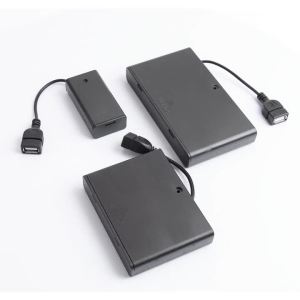
Aideepen | 2/3/4/6/8 Slot AA Battery Case 3V/4.5V/6V/9V/12V AA Battery Holder AA Box AA Battery Storage Case With USB
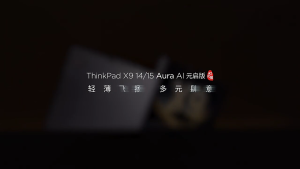
【Lenovo Local Warranty】2025 Lenovo ThinkPad X9 Aura Laptop | Intel Core Ultra 7 258/Ultra 9 288 Intel ARC Xe2 Graphics | 14"/15.3"inchs 2.8K 120Hz OLED Touch Screen | Lenovo ThinkPad Laptop | Lenovo Laptop
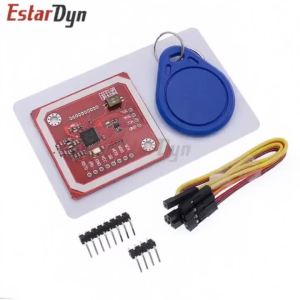
Estardyn PN532 NFC V3 Kit 13.56MHz RFID Reader Writer Module with S50 Card PCB Antenna I2C SPI HSU for Raspberry Pi DIY
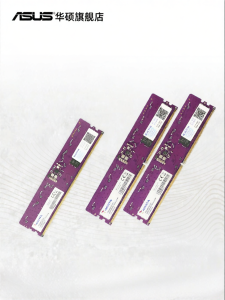
ASUS | High-speed DDR5 RAM 16/32GB
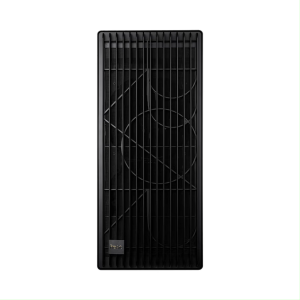
SHYUXINPC AMD Ryzen Threadripper PRO 9000 Series 9995WX/RTX5090 /RTX6000 Workstation Host Kit for Film and Television Post - Production Simulation Computing and Industrial Modeling
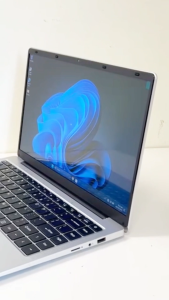
Brand New XPro Lite 14 Inch | Intel N4000 (11th Gen) | 512GB SSD | Study Laptop | Compact & Slim | High Performance Laptop | Fast Shipping | Local Seller | Singapore Seller | XPRO Shop
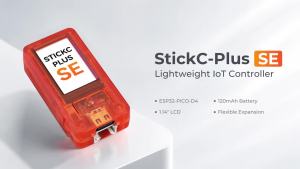
M5Stack | M5Stack StickC-Plus SE ESP32 Development Kit 1.14 Inch LCD WiFi Mini IoT Controller for IoT Wearable Smart Home DIY Project

【ASUS Local Warranty】2024 ASUS ROG Zephyrus G16 Air Gaming Laptop | AMD Ryzen AI 9 HX 370/Intel Core Ultra9 185H | 16"inchs 2.5K 240Hz OLED Screen | ROG Gaming Laptop | ASUS Laptop
![[$300 OFF] [RTX™ 5060 & Ryzen 7 AI 350] Acer Swift X | SFX14-61G-R9TN 14.5" 3K OLED Touch Display Laptop | 32GB RAM | UP TO 2TB](https://img.lazcdn.com/g/ff/kf/Sd7d5c38c9e78422189ce0f361fa41d36M.png_300x300q80.png)
[$300 OFF] [RTX™ 5060 & Ryzen 7 AI 350] Acer Swift X | SFX14-61G-R9TN 14.5" 3K OLED Touch Display Laptop | 32GB RAM | UP TO 2TB