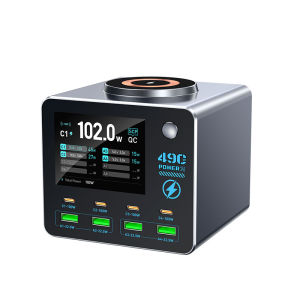
New 140W Smart Digital Charger Wireless Charger Multi-Port Charger (4C4A) for Smartphones Tablets and More
This product is a multi-port, multi-functional desktop display charger. It features 4 USB-C ports, 4 USB-A ports, and 1 wireless charging coil. With a total output power of 140W from the switching power supply, the product can quickly charge electronic devices such as laptops, tablets, smartphones, digital cameras, Bluetooth speakers, wireless headphones, and MP3 players. It is also ideal for scenarios where multiple people or devices need to be charged simultaneously, such as offices, conference rooms, cafes, homes, content creators’ studios, live streaming studios, e-commerce studios, enterprises and public institutions, security companies, and gaming studios.Smart Power Output DistributionOutput:1. PD1/PD2/PD3/PD4 ports: PPS: 3.3–21 V, 5 A; 5 V, 3 A / 9 V, 3 A / 12 V, 3 A / 15 V, 3 A / 20 V, 5 ASupported Protocols: PD 3.0/Apple/BC 1.2/AFC/FCP/SCP/QC 2.0/QC 3.0/PE+ 1.1/PE+ 2.02. A1/A2 Ports: 5V/9V/12V (22.5W Max)3. A1 + A2 Ports: 5V 1.5A + 5V 1.5ASupported Protocols: APPLE/BC1.2/AFC/FCP/SCP/QC2.0/QC3.0/PE+1.1/PE+2.04. A3/A4 Ports: 5V/9V/12V (22.5W Max)5. A3+A4 Ports: 5V 1.5A + 5V 1.5ASupported Protocols: APPLE/BC1.2/AFC/FCP/SCP/QC2.0/QC3.0/PE+1.1/PE+2.06. Wireless Charging: 15WSmart Power Distribution1. Ensures all USB-C, USB-A, and wireless charging ports can fast-charge devices normally while keeping the total output power below 140WProduct Function Operation:Waveform Interface (Enter/Exit): Press the button twice in quick succession to enter or exit the waveform interface.Waveform Interface (Switch): Press the button once to switch the display between charging ports (requires two or more devices to be connected).Waveform Interface V/A (Voltage/Current) Display Switch: Press and hold the button for 3 seconds in the waveform interface to toggle between voltage and current display.Secondary Interface (Enter/Exit): Press and hold the button for 3 seconds while on the main interface.Secondary Interface (Switch): While in the secondary interface, press the button once to switch between charging port displays (requires two or more devices to be connected).

Prime Supply_Play Life
Review

You May Also Like
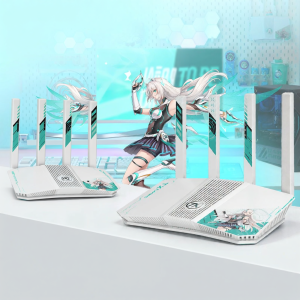
ASUS | Gaming WiFi7 Router
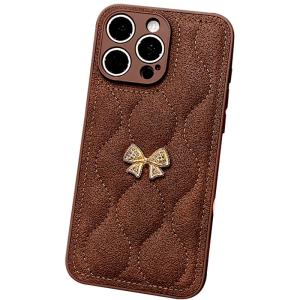
DAIMANG | Full-Coverage Stylish Womens Leather-Textured Phone Case for Apple 15 Pro and iPhone 14 Pro Max
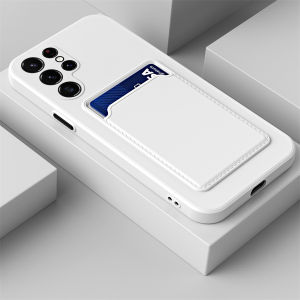
Liquid Silicone Wallet Card Holder Card Slots Shockproof Phone Case For iPhone 15 pro 15 plus 14 pro max 13 pro 12mini 11 X XS XR XS Max 7 Plus 8 Plus Se 2020 Back Cover Casing

SG Smart 10000mAh MagSafe 33W Fast Wireless & Wired Charging 3C Certified Built-in Cable Design
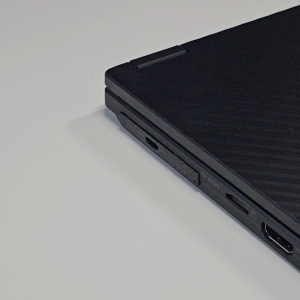
ROG Flow X13/X16 (2023) - Xg Mobile Port Cover Replacement / Dust Cover (For Type-C port usage)

CIJING | Apple Compatible Protective Phone Case
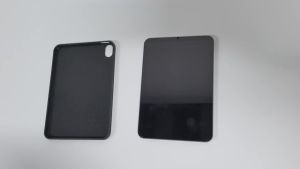
AJIUYU | Case For HONOR Pad 20 12.1" (2026) HEY4-W09 Cover PU Leather Soft Back Stand Tablet Shell For HONOR Pad 10 12.1" Protective Case
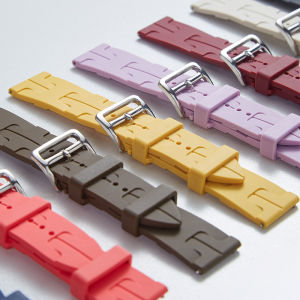
Silicone Strap For Xiaomi Watch S4 41mm Soft Sport Band For Xiaomi Watch S4 41mm Bracelet Watchband

ATTACK SHARK | ATTACK SHARK X11 Ultra 8K Gaming Mouse42000 DPI PAW395059g LightweightNordic 54L15 MCU ChipWired/BT/2.4GhzProgrammable
Samsung | Original SAMSUNG Fast Charger 25W Type C PD Adapter Cargador Galaxy S25 Edge S24 FE S23 S22 A17 A07 A16 A06 A54 Z Fold Flip 7 6

Transparent phone case for iPhone 13 pro max mini 12 11 pro max shockproof protect camera anti drop clear hard cover