


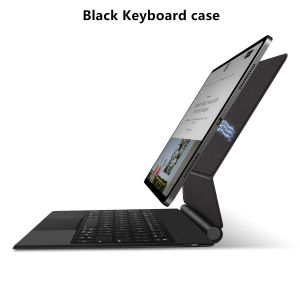
AJIUYU | Smart Pogo Pin Keyboard Case for iPad Air 13 inch M4 2026 M3 M2 iPad Pro 12 9 12.9 13" Magnetic Case Multi-Touch Keyboard Cover
【Pogo Pin Magic Keyboard】This is a Pogo pin connection for iPad, no Bluetooth pairing required, no battery needed, iPad powered, keyboard reverse charging.Product Description:1.No data cable connection or Bluetooth pairing anymore to enjoy connect-and-go convenience! With a PIN connector design, you can instantly connect the tablet to the keyboard by installing the tablet on the keyboard instead of extra Bluetooth pairing, which ensures a more stable and convenient transmission, providing a more stable and responsive typing experience.2.You don't need to charge the keyboard without a built-in battery. When the tablet and keyboard are connected, the keyboard immediately gets power from the tablet and turns on, reducing the charging frequency for both of them. When the tablet runs out of battery, you can connect the keyboard to a power source, and then the tablet will be charged by the pass-through current.Product parameters:Connection method: Magnetic Pogopin contact connectionCharging interface: Type-c (rechargeable, upgradable)Number of buttons: 64Normal/PD fast charging: 5V/2A; 9V/2A (supports overvoltage protection)Green indicator light: working statusWhite indicator light: Capslock capital lockPower on current: ≤ 85mA (including backlight)Standby current: ≤ 6mASleep current: ≤ 0.3mAShutdown current: 0Single finger tapping current: ≤ 10mATouchpad current: 15mABacklight current: 50mA low; 60mA medium; 70mA highBacklight: Colorful backlight with three levels of adjustmentMaximum supported voltage: 9VMiaokong gesture function: supportsQuick multimedia function: SupportsQuick language switching function for input method: SupportsSupported system versions: iPadOS 17.0 and aboveColor: White BlackThe four comers of the touchpad need to be pressed to useHow To Verify Your Tablet Model1.Turn iPad tablet to the back find your specific model,Par exemple: A****2.Find the "Settings"--Click the "About"--Find the "Model"3.Please select the correct model number for your tablet purchase after viewing it.Applicable Models and codes:Note:Only the corresponding machine model can be magnetically attracted!For iPad Pro 12.9 inch 3rd 4th 5th 6th & Air 13 inchFor Apple iPad Air 13 inch (M4) 2026 (A3461 A3462 A3464)For Apple iPad Air 13 inch (M3) 2025 (A3271 A3268 A3269)For Apple iPad Air 13 inch (M2) 2024 (A2898 A2899 A2900)For Apple iPad Pro 12.9 2018 3rd Generation (A1876 A2014 A1895 A1983)For Apple iPad Pro 12.9 2020 4th Generation (A2069 A2232 A2229 A2233)For Apple iPad Pro 12.9 2021 5th Generation (A2378 A2379 A2461 A2462)For Apple iPad Pro 12.9 2022 6th Generation (A2436 A2764 A2437 A2766)The above seven models of keyboard covers are universal !!! The rear camera holes are all universal square holes !!! For Apple iPad Pro 13 inch (M4) 2024 (Codes: A2925 A2926 A3007)For Apple iPad Pro 13 inch (M5) 2025 (Codes: A3362 A3360 A3361 )These two models of keyboard covers are universal. Please confirm your machine model before purchasing~ Due to multiple model options available on this link, please make sure to confirm your machine model or code before making a purchase in order to select the correct option. If you make a wrong purchase, you will be responsible for it yourself Attention PleaseEnglish versionkeyboard : There are English letters on the keyboard only.Multi-language versionkeyboard : English letters and carved language letters together (Due to material reasons, the characters carved from the white keyboard are dark gray)(Due to the difference in the number of keyboard keys compared to a normal office keyboard, some special character engraving positions are the same, which is a normal phenomenon)The keyboard Core defaults to English, and the characters engraved on the keyboard are only a Surface display.so in some countries, even if the input method is switched, the special symbols do not necessarily match the keyboard function layout(You can hold down the Shift combination).If you mind, please do not purchase!!.1.After connecting the keyboard, open iPad Settings - General - Keyboard - Keyboard - Add New Keyboard (add the language you need)2.After adding the language, switch input methods: simply click the (Globe Key) button (select the language you need)Note: Tablet and Pencil are not included in the packaging~

Prime Supply_Play Life
Review

You May Also Like
AJIUYU | Stylus Pen For Samsung Galaxy Tab S10 Lite SM-X400 SM-X406 X406B S9 S10 FE S11 for Samsung Tab S Pen with Eraser Palm Rejection
【SG Seller】CCC Certified Magnetic Power Bank 22.5W Fast Charging Wireless Power Bank with C-C Cable for iPhone 17 16 15 / Apple Watch / Airpods
Luxury Ripple Liquid Silicon For Magsafe Wireless Charge Magnetic Case For iPhone 17 16 15 14 13 Pro Max Soft Shockproof Cover
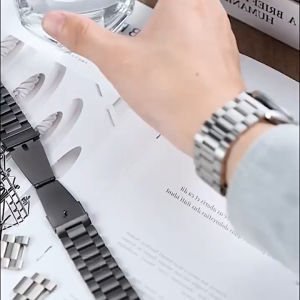
Metal Strap For Garmin Venu 4 45mm 41mm Smart Watch Stainless Steel Watchband Bracelets Wristband
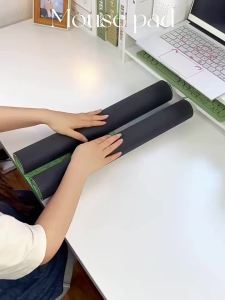
Potdemiel | Creative Rubber Mouse Pad Astronaut Pikachu Large Size Gaming Keyboard Pad Wrist Guard Wear-resistant Table Mat Anime Mouse Pad

BELLERY 360° Rotation Mini Telescopic Selfie Stick 3 in 1 Extendable Phone Stand Practical Lightweight Selfie Stick Tripod for Home

ATK GEAR | Gaming E-sports Ergonomic Lightweight Wireless Mouse
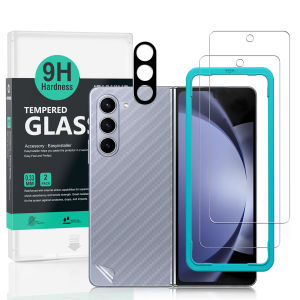
Ibywind For Samsung Galaxy Z Fold6 5G Screen Protector(Pack of 2)with 1pc Metal Lens Protector1pc Carbon Fiber Back FIlmEasy Install Kit
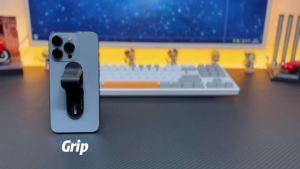
EWA MagOne 3rd Gen Compatible with MagSafe Phone Holder Removable Magnetic Ring Holder Kickstand Ring for iPhone 161514132026

NexusClick Vertical Ergonomic Mouse 2.4G Bluetooth Wireless Rechargeable Office Mice Adjustable DPI 6 Mute Buttons For Computer

NNBILI 3.5MM Jack Audio Cable Jack 3.5MM Male to Male Audio Aux Cable For Samsung Car Headphone Speaker Wire Line Aux Cord Speak
![[Local Seller] Smart Powerbank with Mobile Support Stand And Speaker 3 in 1 Multi functional Stand Phone - 10400mAh Battery](https://img.lazcdn.com/g/p/b64bcff76bcbe6d2b5d4239f8f1fdeb4.jpg_300x300q80.jpg)










