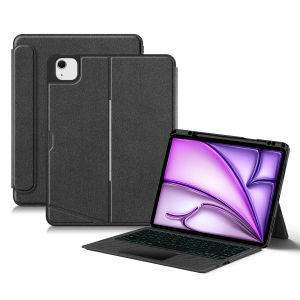
AJIUYU | Wireless Keyboard Case For iPad Pro 12.9 3rd 4th 5th 6th Generation Air 13 Inch M4 M3 M2 Case TouchPad Backlit Separable Cover
【The main video is for reference only.】This is an detachable keyboard case, TPU soft shell protective case, which can effectively protect your tablet. The keyboard and protective case can be separated .Keyboard with Backlight and TouchPad.Bluetooth connection, with touch pad, with backlight.,Horizontal and vertical support.How To Verify Your Tablet Model1.Turn iPad tablet to the back find your specific model,Par exemple: A ****2.Find the "Settings"--Click the "About"--Find the "Model"3.Please select the correct model number for your tablet purchase after viewing it.Compatible models and codes:For Apple iPad Pro 12.9 2022 6th Generation ( A2436 、A2764 、A2437 、A2766)For Apple iPad Pro 12.9 2018 3rd Generation (A1876、 A2014、 A1895、 A1983)For Apple iPad Pro 12.9 2020 4th Generation (A2069 、A2232、 A2229 、A2233)For Apple iPad Pro 12.9 2021 5th Generation (A2378 、A2379、 A2461、 A2462)For iPad Air 13 inch M2 2024 (A2898、A2899、A2900)For iPad Air 13 inch M3 2025 (A3268、 A3269 、A3271)For iPad Air 13 inch M4 2026 (A3461 、A3462 、 A3464)These 7 models of keyboard covers (universal) This keyboard cover is compatible with the 7 models mentioned above. If your machine is not the model mentioned above, it will not be compatible. Please check your machine model before purchasingPlease confirm your tablet model before purchase.If you don't understand your machine model, you can contact usNote: Tablet and stylus are not included in the packaging!!Attention PleaseEnglish versionkeyboard : There are English letters on the keyboard only.Multi-language versionkeyboard : English letters and carved language letters together .【For example, if you choose French, the keyboard will display English and French letters. Please note that the same letters will not be engraved repeatedly】(Due to the difference in the number of keyboard keys compared to a normal office keyboard, some special character engraving positions are the same, which is a normal phenomenon)The keyboard Core defaults to English, and the characters engraved on the keyboard are only a Surface display.so in some countries, even if the input method is switched, the special symbols do not necessarily match the keyboard function layout(You can hold down the Shift or option combination).If you mind, please do not purchase!!.【Language layout for reference only】【1】Bluetooth connection method: Turn on the keyboard switch, then press and hold Fn+C for about 2-3 seconds to start Bluetooth. The indicator light flashes blue. Then turn on your machine's Bluetooth and click"Wireless KeyboardConnection" to connect【2】Switch language: Open Settings - Language and Input Method - Physical Keyboard - Add Language Layout..【3】Input method switching: control+spacebar.(Select the language input method you want to switch to)【4】Type-C charging interface,Wireless Bluetooth connection、Adjustable bracket Stand.【5】For detailed instructions, please read the user manual. If you have any questions, you can contact "Online Services" for consultation .Note: Tablet and Pencil are not included in the packaging.The back bracket needs to be manually opened~~【The pictures are for reference only】

Prime Supply_Play Life
Review

You May Also Like
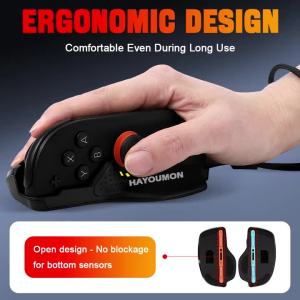
1 Pair Black Gaming Controller Mouse Stable Control for Shooter Games Game Mice Desktop Mouse Mode Holder for Switch 2 Handle
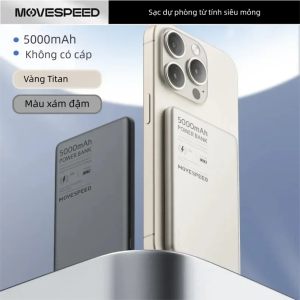
MOVESPEED | Ultra Slim Low Heat Magnetic Charger
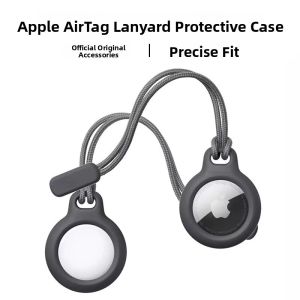
Bbzy | Tracking Anti-Loss AirTag Protection Cover

OLYCOM | Industrial Managed Gigabit Ethernet L2 Switch 8 X Gigabit Ports 4X SFP Slots DIN-Rail Mount IP40 with Vlan Qos LACP STP/RSTP
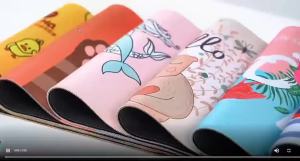
Bandai | XXL Rubber Large PC Mousepad Gamer Gaming Pokemon Pikachu New Mouse Pads Desk Keyboard Mat Computer Laptop Mat
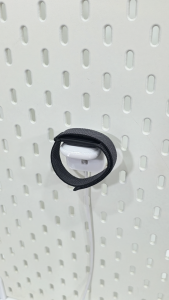
Fitbit Air / Edge | Charging Dock Holder | for IKEA SKÅDIS Pegboard | by 3DPSolver
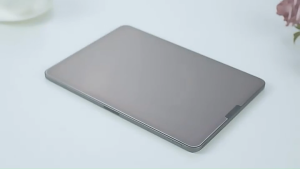
✅【SG】Paperlike Screen Protector for iPad | Matte Anti-Glare Writing Drawing Film | Paper Feel Screen Protector for iPad Air Pro Mini A16 M2 M3 M4 M5 | 0.15mm Thin Touch Sensitive Anti-Fingerprint Protective Film for Notes Sketch Study
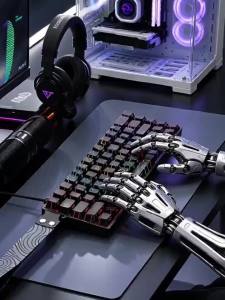
NexusClick iK68 E‑Sports Mechanical Keyboard Hot‑Swappable Switches Side‑Engraved Keycaps RGB Detachable Type‑C for Gaming Work
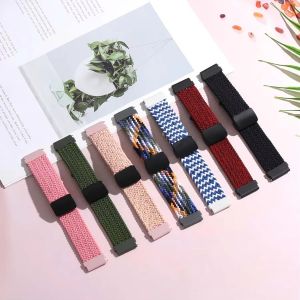
Elastics Nylon Band For KOSPET TANK M4 T4 M3 Ultra T3 Ultra M3 T3 Smart Watch Strap Magnetic Buckle Watchband Bracelet
CHUBAN | 2 In 1 360 Rotation Ring Kickstand Magnetic Case For Samsung Galaxy Z Fold 8 Ultra 7 6 5 4 3 Full Hinge Protection Phone Cover
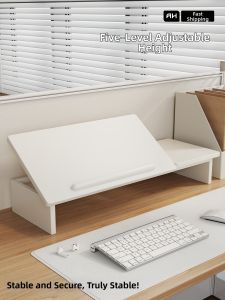
evesigar | Adjustable Elevating Computer Stand Notebook Desk Support Multiple Level Riser