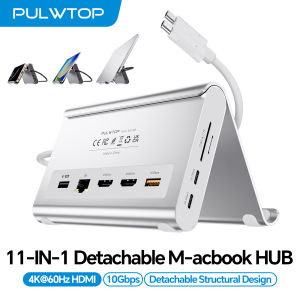
PULWTOP USB C Docking Station Dual Monitor for MacBook Pro/Air with 2X 4K 60Hz HDMI 100W PD Ethernet SD/TF 10Gbps USB A/C
Dual 4K@60Hz Display & Plug-and-PlayThis macbook docking station dual monitor delivers crystal-clear visuals via 2x HDMI ports. No drivers needed, just plug in and expand your workspace instantly. Whether editing footage or presenting to clients, this MacBook air m5 docking station ensures smooth, lag-free to transforms your MacBook into a professional workstation in seconds.Exclusive Compatibility for MacBook Pro/AirEngineered for macbook pro docking station and macbook air m5 docking station users, support Intel (2016–2020), M1–M5 Pro/Max & M4/M5 base chips. Note: M1/M2/M3 base chip only support single display; This mac docking station dual monitor is NOT for Windows, ChromeOS, or MacBook Neo .High Speed 10Gbps TransferThis macbook pro m5 docking station features 2x USB-C (10Gbps data only), 1x USB-A (10Gbps), USB 2.0, Audio, Gigabit Ethernetand and SD/TF card reader. Connect drives, monitor, keyboard, mouse, and printer simultaneously without cable swapping. The 10Gbps ports transfer 4K videos or RAW photos in seconds, while USB 2.0 ensures lag-free for keyboard / mouse.100W PD 3.0 Fast Charging & Gigabit EthernetLaptop docking station Delivers Max 100W input with 95W safe charging for your MacBook, all‑day power(65W+ power supply required (not included)), Built‑in Gigabit Ethernet provides stable wired internet (1000Mbps) for remote work, video calls, and large uploads. No more spotty Wi‑Fi – enjoy uninterrupted connectivity.2-in-1 Docking Station with Vertical StandCombines a powerful laptop stand with docking station into one compact, space-saving design. Elevate your MacBook in clamshell mode for better airflow and ergonomics. The sturdy vertical stand securely holds laptops, tablets, or phones – freeing up workspace for dual monitors and accessories. Perfect for home office & business.Clamshell Mode Setup① Open Terminal (MacBook's Application → Utilities). ② Type the following command and press Enter: sudo pmset -a disablesleep 1 ③ Enter your administrator password and press Enter again. ④ Your MacBook is now ready for dual displays with the lid closed. ✳️【 Notes】1) If the external display doesn't work, restart your MacBook. 2) To revert to default sleep behavior (disable clamshell mode), run: sudo pmset -a disablesleep 0

Prime Supply_Play Life
Review

You May Also Like

incel Pantalla for iphone 14Promax LCD Display Touch Screen Digitizer Assembly for iPhone 14Promax LCD Replacement A2651A2893
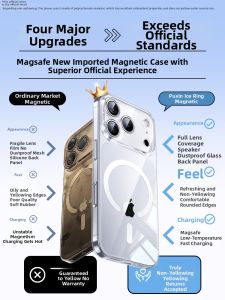
Bosie | Magsafe Cooling Clear Thin Anti-drop Full Coverage iPhone Case

JJC | JJC Soft Silicone Eyecup Eyepiece for Fujifilm GFX100RF Dust-Proof Extended Eyeshade Viewfinder Protector for Fuji GFX100RF

Samzhe | OTG Type-C to USB Adapter For Mobile Devices Computers
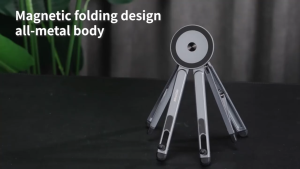
【SG STOCK】Magnetic Laptop Stand Adjustable Foldable Portable Tablet Phone Mobile Phone Stand Aluminium Holder

iFLYTEK Dottie Wireless M320 Mouse - Voice Transcription/ AI Writing and Summarization/ Multilingual
RFID Blocking Card Holder Wallet Flip Phone Case For Google Pixel 11 Pro XL 10A 10 9 9A 8 8A Leather Shockproof Protective Cover
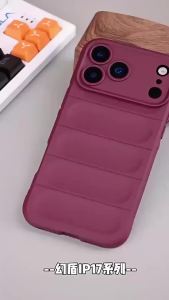
szhaiyu | Shockproof Soft Liquid Silicone Phone Case For Realme P4 14 15 16 T Pro Plus P4X P4R C73 C85 C83 Soft Skin Protective Cover
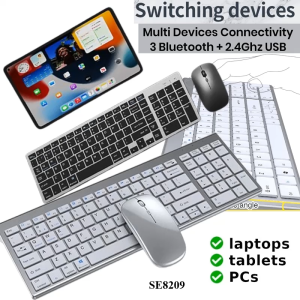
Ful size Bluetooth Wireless Keyboard Rechargeable Compact Slim 3 Modes Wireless Mouse

W&O | Gallium Nitride Retractable Charging Head 3 Ports

MUDIAN | Electric Fan Replacement Blades for Fan Blades 12/14/ 16 inch