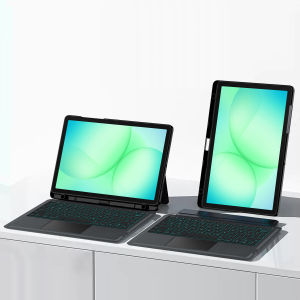
AJIUYU | Detachable Backlit Keyboard Cover For Samsung Galaxy Tab A11 Plus 11 2025 SM X310 X315 Tab A9 Plus A11+ A9+ 11" X210N X216B Case
The videos on the homepage are for reference onlyThis is an detachable keyboard case, TPU soft shell protective case, which can effectively protect your tablet. The keyboard and protective case can be separated .Keyboard with Backlight and TouchPad.Bluetooth connection, with touch pad, with backlight.,Horizontal and vertical supportNote 1:You need to upgrade your tablet to version 15.0 or higher to use the touchpad.Note 2:After Open the Power, Please Click "Fn" and "C" 【Fn+Z】Button Together to Open the Keyboard's Bluetooth. It is Very Important.How To Verify Your Tablet Model1.Turn Samsung tablet to the back find your specific model,Par exemple: SM-****2.Find the "Settings"--Click the "About"--Find the "Model"3.Please select the correct model number for your tablet purchase after viewing it.Compatible Model:For Galaxy Tab A9 Plus/A9+ 11 inch 2023 (SM-X210/SM-216B/SM-X218U/X210N)For Galaxy Tab A11 Plus/A11+ 11 inch 2025 (SM-X230/SM-X233/SM-X235/SM-X236B/X310/X315)Note: The above two models of keyboard covers are universal.Attention PleaseEnglish versionkeyboard : There are English letters on the keyboard only.Multi-language versionkeyboard : English letters and carved language letters together .【For example, if you choose French, the keyboard will display English and French letters. Please note that the same letters will not be engraved repeatedly】(Due to the difference in the number of keyboard keys compared to a normal office keyboard, some special character engraving positions are the same, which is a normal phenomenon.)(The keyboard Core defaults to English, and the characters engraved on the keyboard are only a Surface display.so in some countries, even if the input method is switched, the special symbols do not necessarily match the keyboard function layout.(You can hold down the Shift or AI combination)If you mind, please do not purchase)【1】 Method of connecting Bluetooth: Turn on the keyboard switch, press theFn+Zbutton, and then search for your Tablet Bluetooth connection keyboard.【2】Switch language: Open Settings - Language and Input Method - Physical Keyboard - Add Language Layout.[1-1]Input method switching: ctrl+spacebar.(Choose the language you need)【3】Type-C charging interface, with switch button, 【4】For detailed instructions, please read the user manual. If you have any questions, you can contact "Online Services" for consultation .The resolution of the machine is different, and there may be color differences in the images, which is a normal phenomenon. The actual product received shall prevail.Note: Tablet and Pencil are not included in the package.

Prime Supply_Play Life
Review

You May Also Like
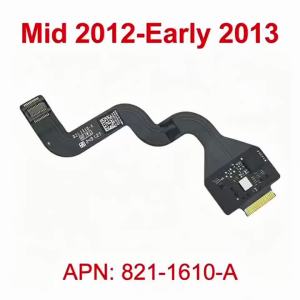
New 821-1610-A Touchpad Flex Cable For Macbook Pro Retina 15" A1398 Trackpad Cable 2012 2013 Years
Yizilin Strap Watch Band Magnetic Silicone for Apple Watch Ultra 3 2 1 Series 11 10 9 8 7 6 5 4 3 SE Luxury Business Accessories Loop Bracelet

SG Stock FY2422 FY2420 Replacement Filter for Philips AC2889 AC2887 AC2882 AC2878 AC3822 HEPA + Activated CarbonFast shipping
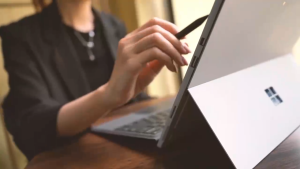
【✅SG READY STOCK】RICHMENTMALL Stylus Pen for Microsoft Surface Pro 11/10/9/8/7/6/5/4 Uogic Surface Book/Laptop/Go/Studio Stylus Pen with Palm Rejection Smooth Writing Rechargeable for Surface Pro (3 Gen and Later Versions) Surface Go (1/2/3 Gen)
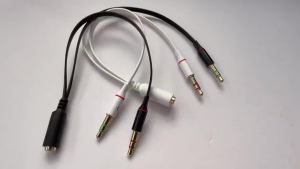
3.5mm PC Computer Audio Cable Earphone Cable Conversion Microphone Headset Converter Cable Headphone Jack Adapter Aux Splitter
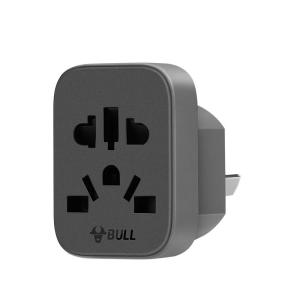
Bull | HK to Mainland Multi-Standard Travel Adapter
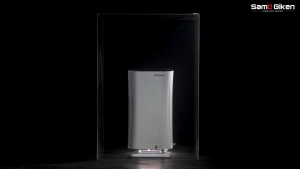
Samu Giken Hepa Filter Home Air Purifier for Model: AP807
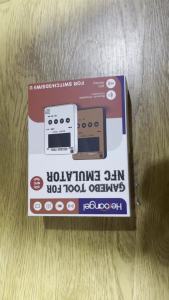
2026 New NFC Game Card Emulator Unlimited Swipe Smart Simulator Compatible for NS Switch 2 3DS Wii U Gaming Accessory
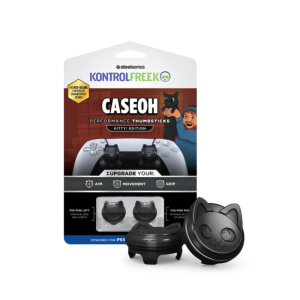
KontrolFreek CaseOh Kitty Thumbgrip - PS5
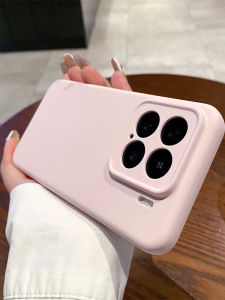
Durable Anti-drop Liquid Silicone Xiaomi Phone Case

OKKFINE Drop-proof Vodka Airpods 4 Case Individual Bracket Design Headphone Case Creativity Lightweight Earphone Case for Airpods 1/2/3/4 Pro/Pro2/3