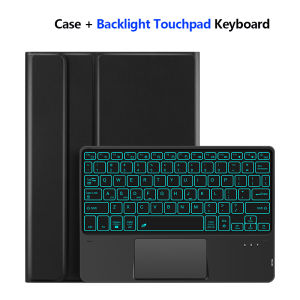
AJIUYU | Tablet Case For iPad 9.7 lnchDetachable Keyboard for iPad 7/8/9th 10.2" Pro 9.7 10.5" Air 1st 2nd Generation With Pencil Holder
AJIUYU is suitable for iPad touch keyboard protectors (You can choose to have a Backlight or not)This keyboard protector comes with a pen slot to store your Pencil, allowing you to disassemble the keyboard and use the protector separately. It can support the tablet, making it easy for you to use for work and entertainment!【1】 Method of connecting Bluetooth: Turn on the keyboard switch, press the Fn+C button, and then search for your iPad Bluetooth connection keyboard.【2】 Open the iOS system mode and press Fn+A to access the iPad system using the touchpad shortcut function.【3】 Please keep your For iPad up to date with the latest system upgrades, and the mouse function is turned on. Please open the following steps: Settings - Accessibility - Touch - Accessibility TouchPlease confirm your machine model before purchase!!How To Verify Your Tablet Model1.Turn iPad tablet to the back find your specific model,Par exemple: A ****2.Find the "Settings"--Click the "About"--Find the "Model"3.Please select the correct model number for your tablet purchase after viewing it.The camera holes on the keyboard cover have been upgraded to square holes. If you mind, please do not purchaseCompatible models and codes:For 9.7 inchFor iPad Air 1st 9.7inch (2013) A1474/A1475/A1476For iPad Air 2nd 9.7inch (2014) A1566/A1567For iPad Pro 9.7inch (2016) A1673/A1674/A1675For iPad 5th Gen 9.7inch (2017) A1822/A1823 For iPad 6th Gen 9.7inch (2018) A1893/A1954The above models are universalFor iPad 10.2 inchFor iPad 10.2 inch 2019 ( 7th Gen ) A2197 /A2198 /A2200For iPad 10.2 Inch 2020 ( 8th Gen ) A2270 /A2428/ A2429 /A2430For iPad 10.2 Inch 2021 ( 9th Gen ) A2602/A2603/A2604/A2605For iPad 10.5 inchFor iPad Air 3 10.5 inch 2019(A2152、A2153、A2154、A2123)For iPad Pro 10.5 inch 2017(A1709、A1701、A1852)The above 5 types of keyboard covers are universal ~No matter which model you choose, this keyboard cover is compatible because the models are universal .Attention PleaseEnglish versionkeyboard : There are English letters on the keyboard only.Multi-language versionkeyboard : English letters and carved language letters together ..【[For example, if you choose French, the keyboard will display English and French letters. Please note that the same letters will not be engraved repeatedly]】(Due to the difference in the number of keyboard keys compared to a normal office keyboard, some special character engraving positions are the same, which is a normal phenomenon)The keyboard Core defaults to English, and the characters engraved on the keyboard are only a Surface display.so in some countries, even if the input method is switched, the special symbols do not necessarily match the keyboard function layout(You can hold down the Shift combination).If you mind, please do not purchase!!.Note:Due to the material of the keyboard, the letters engraved on the No backlit keyboard are dark gray!!【No backlit keyboard carving physical demonstration:】【backlit keyboard carving physical demonstration:】【1】After connecting the keyboard via Bluetooth: open iPad Settings - language and input method - physical keyboard - add language layout.【2】Switch input method: Press and hold the keyboard control+spacebar .【3】Type-C charging interface .【4】For detailed instructions, please read the user manual. If you have any questions, you can contact "Online Services" for consultation .Note: Tablet and Pencil are not included in the packaging~

Prime Supply_Play Life
Review

You May Also Like
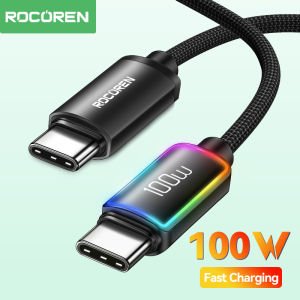
Rocoren LED Type C to USB C PD 100W Fast Charging Cable for iPhone 15 Pro Max Samsung S23 Ultra Samsung S24 UltraNintendo Switch Fast Charger Cable for Macbook Pronokia magic max 2023
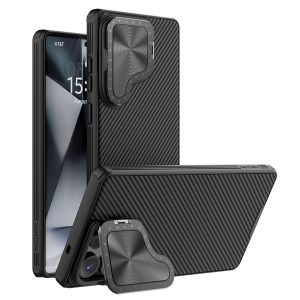
Nillkin Classic Twill Holder Cover for vivo X200 Ultra MagSafe Phone Cases Flip-Style Lens Protective Back Cover
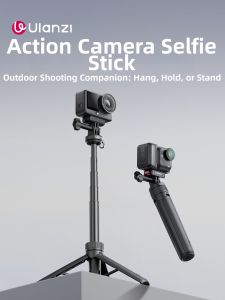
Ulanzi | Mini Selfie Stick Tripod Extension Rod for Action Cameras
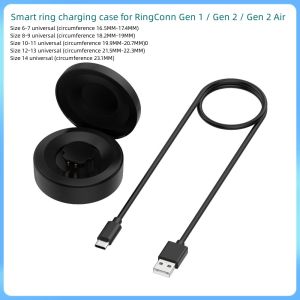
RingConn Charger Charging Dock for RingConn Gen 1 / Gen 2 / Gen 2 Air SmartRing
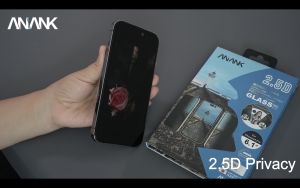
ANANK 2.5D Privacy 0.25mm ReinForced Edge With 28 Angles Always Protect Your Private from 2 Sides for iPhone 14 Pro 14 Pro Max / iPhone 14 14 Plus / iPhone 13 13 Pro 13 Pro Max
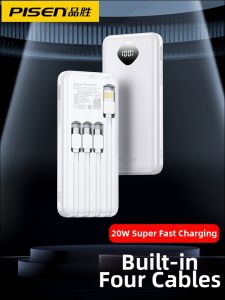
PISEN | Fast Charging Power Bank 10000mAh
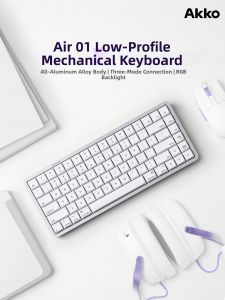
Akko | Short Key Mechanic Keyboard CNC Precision Aluminum Trimodal Connection RGB Backlight
![Ubiquiti Unifi EFG Enterprise Fortress Gateway EFG - UK [Model:EFG-UK] - 1 Year Warranty](https://img.lazcdn.com/g/ff/kf/S495992be76584082975f4f4fed9fa1cfh.png_300x300q80.png)
Ubiquiti Unifi EFG Enterprise Fortress Gateway EFG - UK [Model:EFG-UK] - 1 Year Warranty
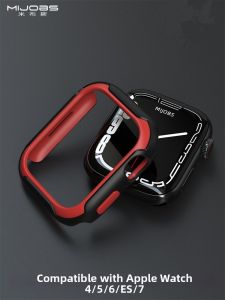
mijobs | Protective Case for Apple Watch Series 7/6/5/4/SE/S7
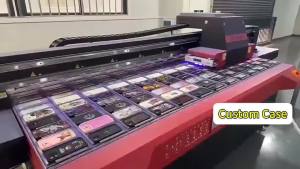
cosmic clouds stars Phone Case for iPhone 18 17 16 15 14 13 12 11 Air Pro Max Plus Double-layer Cover
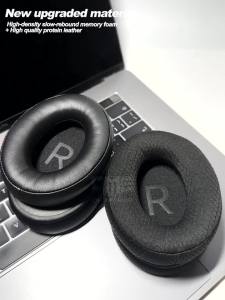
Earphone Pads for Bluedio Faith2 F2 Replacement Earpads Headphones Earmuffs Cloth Memory Covers Sponge Protein