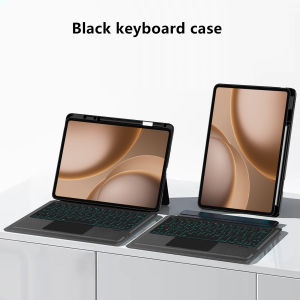
AJIUYU | TouchPad Keyboard for OnePlus Pad 3 Pro Case 13.2" 2026 OnePlus Pad 4 Cover for OnePlus Pad 3 Pro 13.2 OPPO Pad5 Pro Tablet Case
Note: The video on the main image page is for reference only.This is an detachable keyboard case, TPU soft shell protective case, which can effectively protect your tablet. The keyboard and protective case can be separated .Keyboard with Backlight and TouchPad. Bluetooth connection, with touch pad, with backlight,Horizontal and vertical support.How To Verify Your Tablet Model1.Find the "Settings"--Click the "About"--Find the "Model"2.Please select the correct model number for your tablet purchase after viewing it.Compatible Model:For OnePlus Pad 3 Pro 13.2 inch 2026 Tablet Case.For OnePlus Pad 4 13.2 inch 2026 Tablet Case.For OPPO Pad 5 Pro 13.2 inch 2026 Tablet Case.Note: The above three models of protective cases are universal.Other models cannot be used.Please confirm your machine model before purchasing~Attention PleaseEnglish versionkeyboard : There are English letters on the keyboard only.Multi-language versionkeyboard : English letters and carved language letters together .【For example, if you choose French, the keyboard will display English and French letters. Please note that the same letters will not be engraved repeatedly】(Due to the difference in the number of keyboard keys compared to a normal office keyboard, some special character engraving positions are the same, which is a normal phenomenon)The keyboard Core defaults to English, and the characters engraved on the keyboard are only a Surface display.so in some countries, even if the input method is switched, the special symbols do not necessarily match the keyboard function layout(You can hold down the Shift combination).If you mind, please do not purchase!!.【Note】Bluetooth connection method: Turn on the keyboard switch, then hold down Fn+C for about 2-3 seconds to start Bluetooth, then turn on your tablet Bluetooth device, search for"Wireless Keyboard",and click connect to connect 。Note: If you do not use the keyboard for a long time, the keyboard will enter sleep mode and Bluetooth will automatically disconnect.【1】1. After connecting Bluetooth, open your iPad - Settings - Keyboard - Add New Keyboard【1-1】Input method switching: ctrl+spacebar.(Choose the language you need)【2】Type-C charging interface, with switch button,【3】For detailed instructions, please read the user manual. If you have any questions, you can contact "Online Services" for consultation .The resolution of the machine is different, and there may be color differences in the images, which is a normal phenomenon. The actual product received shall prevail .Note: the tablet and pencil computer in the figure is a prop, not included .Product features:1,Magnetic suction separation, which can be supported horizontally and vertically2,Keyboard Support 7 colors backlight, you can adjust brightnessPackage: keyboard+protective shell.Note: Tablet and Pencil are not included in the packaging.

Prime Supply_Play Life
Review

You May Also Like
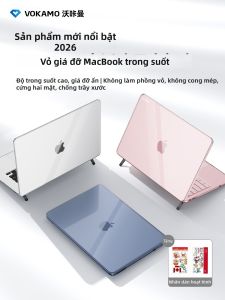
VOKAMO | Clear Stand Laptop Case
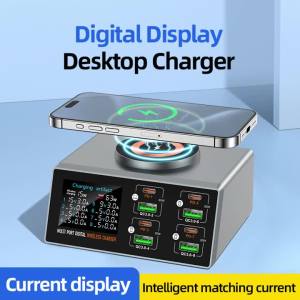
New 140W Multi-Function Charger Wireless Charger 8-Port PD+QC USB Type-C Quick Charger Home Travel Office Convenient

Ulanzi | Multifunctional Quick Release Metal Tripod Base For Camera

16/26/33cm LED Selfie Ring Light Dimmable Lamp Photography Ringlight For Phone Video Live LED Fill Lamp Photo Studio Ring Light

Portable Monitor Holder Tablet Stand Phone Holder Metal Bracket 13 14 15 16 17 Inch Universal Display Base Vesa 360 degree rotation Expandable Mount
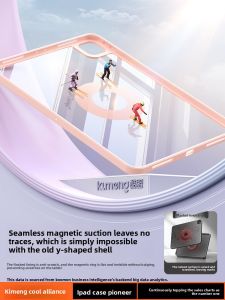
KUMENG | Bend-Resistant Shockproof Rotating Magnetic Detachable Full Body Case with Pencil Slot for iPad
![Tenba Transport Car Case LED-30w (for ARRI S30) [634-413] Camera Bag](https://img.lazcdn.com/g/ff/kf/S38506dc89e8644d79fffaac732ffce76u.png_300x300q80.png)
Tenba Transport Car Case LED-30w (for ARRI S30) [634-413] Camera Bag
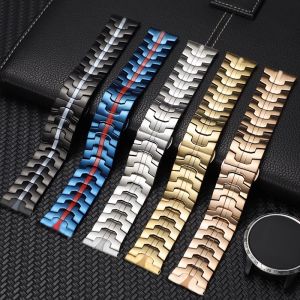
Luxury Stainless Steel Strap For Xiaomi Watch 5 Smartwatch Band Metal Wristband Bracelet

CANYU | Cute Bear Magnetic Stand Phone Case
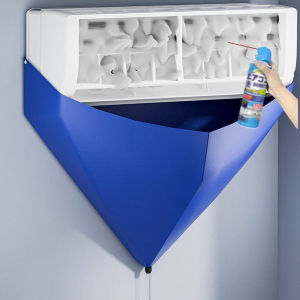
100cm Thickened Cleaner Air Coditioning Cleaning Cover Bag PVC with Water Pipe Home Split Hanging Air Conditioner Tools
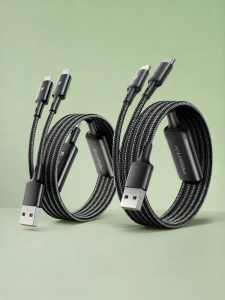
PISEN | Dual Port PD Fast Charging Cable for iPhone and Android Devices