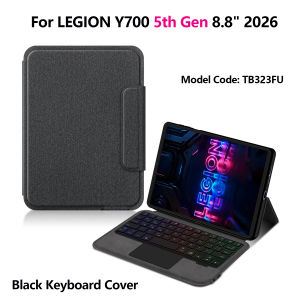
AJIUYU | Keyboard Cover For Lenovo Legion Y700 5th Generation 8.8" inch 2026 TB323FU Gaming Tablet Protective Case TouchPad Backlight
【The main video is for reference only.】This is an "all-in-one" keyboard case, TPU soft shell protective case, which can effectively protect your tablet. The keyboard and protective case cannot be separated .A keyboard and protective case in oneOne product ,dual uses,when unfolded , it is a Tablet Keyboard,and when closed,it is a protective Case,enabling it to meet the needs of more scenariosHow To Verify Your Tablet Model1.Turn tablet to the back find your specific model,Par exemple: TB****2.Find the "Settings"--Click the "About"--Find the "Model"3.Please select the correct model number for your tablet purchase after viewing it.Compatible models :For Lenovo LEGION Y700 5th Generation 2026 8.8 inch (Model:TB323FU) Please confirm your machine model before purchasing~Bluetooth connection, with touch pad, with backlight.The keyboard cannot be separated !!Attention PleaseEnglish versionkeyboard : There are English letters on the keyboard only.Multi-language versionkeyboard : English letters and carved language letters together .【For example, if you choose Spanish, the keyboard will display English and Spanish letters. Please note that the same letters will not be engraved repeatedly】(Due to the difference in the number of keyboard keys compared to a normal office keyboard, some special character engraving positions are the same, which is a normal phenomenon)(The keyboard Core defaults to English, and the characters engraved on the keyboard are only a Surface display.so in some countries, even if the input method is switched, the special symbols do not necessarily match the keyboard function layout.If you mind, please do not purchase)(The pictures are for reference only)【1】Bluetooth connection method: Turn on the keyboard switch, then press and hold Fn+C for about 2-3 seconds to start Bluetooth. The indicator light flashes blue. Then turn on your machine's Bluetooth and click"Wireless Keyboard Or BT Keyboard Connection" to connect【2】After connecting Bluetooth,Take the samsung tablet as example,open Settings--ystem--Language & input--Add New Keyboard. (For other systems, please set them in the system settings according to the tips of the iPad example.)【3】Input method switching: ctrl+spacebar.(Choose the language you need)【4】Type-C charging interface,Wireless Bluetooth connection、Adjustable bracket Stand.【5】For detailed instructions, please read the user manual. If you have any questions, you can contact "Online Services" for consultation .The resolution of the machine is different, and there may be color differences in the images, which is a normal phenomenon. The actual product received shall prevail..After receiving the keyboard, fully charge it before use (approximately 4 hours) !Note: Tablet and Pencil are not included in the packaging.The back bracket needs to be manually opened !!

Prime Supply_Play Life
Review

You May Also Like

Upgraded All Metal Extruder Hotend Hardened Steel Helical Gear Direct Drive Silicone Handle for Bambu Lab X1 X1C P1 P1P P1S

Type-C Flash Charging Cable for Redmi and Android Phones Connector with 6A Fast Charging and On Cable Display

iPhone 17 Pro / Pro Max Clear MagSafe-Compatible Case with Removable Backing | Cat Dog Rabbit Design
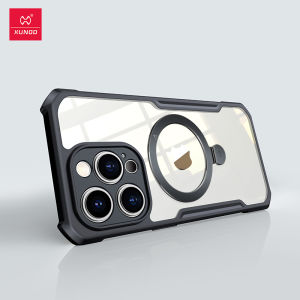
XUNDD Phone Case suitable for Apple iPhone15 Pro Max Plus Pro Case Anti Drop Anti Scratch Protective Covers soft shell with Magnetic holder Shockproof Case

15W Magnetic Wireless Charger for Iphone 14 15 Pro Max 13 12 Mini Plus Apple Watch Airpods Pro Portable Foldable Fast Charging Dock
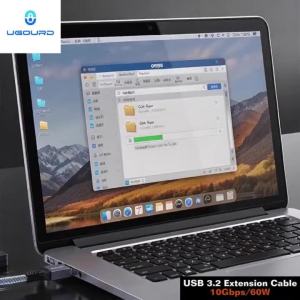
UGOURD USB 3.2/3.1 Gen2 Extension Cable 10Gbps USB-A Male to USB-A Female Extender Cord USB3 Expansion Cable For Printer 0.2m-2m

2Set Plastic Full Buttons For GBA SP A B Select Start D-Pad Power ON/OFF L R Buttons For GameBoy Advance SP GBA SP Console
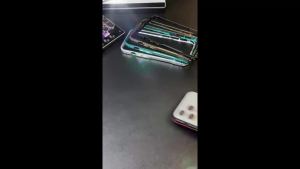
Ultra-Thin Aluminum Metal Frame Light Bumper Case For Iphone 18 Pro Max 17 Air 17Pro Alloy Protective Acccessories Bare Cover
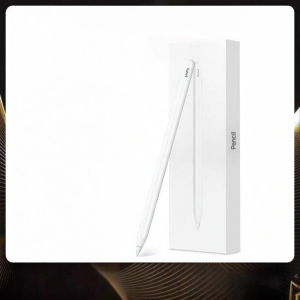
ARUDDI | Compatible Apple Pencil Capacitive Stylus for iPad Writing and Touch
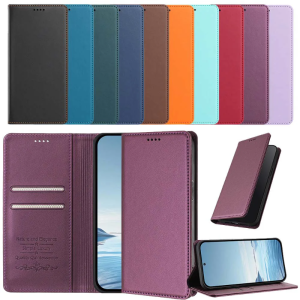
Magnetic Wallet Flip Leather Case For Samsung Galaxy S25 S26 Edge Ultra FE Pro Plus with Card Slot Stand Skin Protect Cover Case
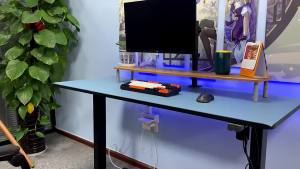
Monitor Holder Arm Monitor Stand Laptop Stand Rack Punch-Free Lifting Rotating Universal Mechanical Arm Desktop Height-Increasing Non-Hole Rack