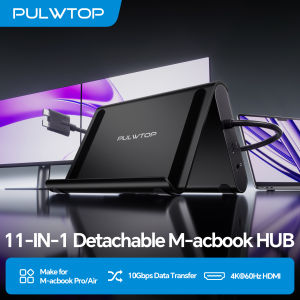
PULWTOP MacBook Docking Station Dual Monitor with 2X 4K 60Hz HDMI 100W PD RJ45 10Gbps Data SD/TF 3.5mm Audio USB 2.0
2-in-1 Stand & Dock ComboThis MacBook pro docking station functions as both a sturdy stand and a multi‑port hub – lift your laptop, tablet, or phone for better ergonomics and airflow while gaining essential ports: 2× HDMI 4K@60Hz, 2× USB‑C 10Gbps, 1× USB‑A 10Gbps, 1× USB‑A 2.0, SD/TF, 3.5mm audio, and Gigabit Ethernet. Supports 100W PD pass‑through (power adapter not included).4K Dual Monitor for MacBook Docking StationGet a true macbook pro docking station m5 experience with crisp 4K@60Hz output. This MacBook Dock supports dual monitor output up to 2× 4K@60Hz displays. Whether watching movies, attending meetings, or multitasking, it handles it all with ease.Exclusive Compatibility for MacBookThis mac docking station dual monitor is designed for MacBook Pro/Air 2016–2026 (Intel, M1–M5 Pro/Max, M4/M5 base chips).DO NOT compatible with M1/M2/M3 MacBook (base chips) for dual display. Not for MacBook Neo A18 Pro, Windows or Chrome.High-Speed Data Transfer, 100W PD & Gigabit EthernetThis macbook dock offers 2× 10Gbps USB-C ports, 1× 10Gbps USB-A port, plus 1x USB-A 2.0 port for lag-free mouse/keyboard. Charge via 100W Power Delivery (adapter required) and enjoy stable wired Gigabit Ethernet. A true macbook pro dock for power users who need speed, reliability, and all-in-one connectivity.Steps of Clamshell Mode① Go to Macbook' Applications → Utilities and open Terminal. ② Enter the command: sudo pmset -a disablesleep 1 and press Enter ③ Insert administrator password and press Enter again.-you can use dual displays while your MacBook is in clamshell mode (lid closed).✳️ Important Notes: ① If the external display still doesn't show any output after running the command, restart your MacBook. ② To revert to the default sleep behavior (which will disable clamshell mode), run the command instead: sudo pmset -a disablesleep 0

Prime Supply_Play Life
Review

You May Also Like
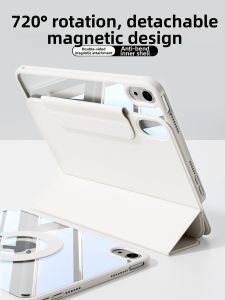
KENKE | Magnetic Rotatable Protective Case for iPad Multiple Models
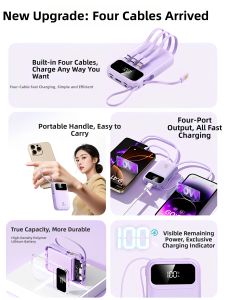
Why Kid | Airplane-Friendly Portable Fast Charging Power Bank

【Hot Sale】Artifical Pearl KeyChains Anti-lost Cell Phone Pendant DIY Handmade Keychain Keyring Bag Hanging Chain Ornaments Pendant Jewelry Accessories
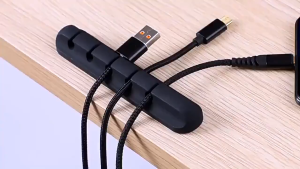
【SG SELLER】3/5/7pots GiftIdea Cable Holder Silicone Cable Organizer Flexible Cable Winder Management Clips Holder For Mouse Keyboard Earphone Headset
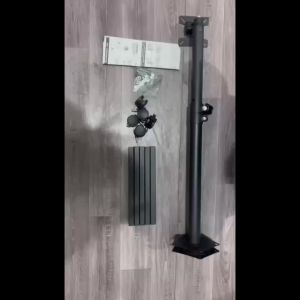
Display Mounting Arm Computer Stand Floor Portable PC Monitor Stand Mobile Monitor Computer Floor Stand Vertical Lifting Wall Mount Brackets Horizontal Frame
![[SG] Compatible with Daikin (Singapore) Replacement Daikin Aircon Remote Control BRC4C151 BRC4C152 BRC4C153 BRC4C154 BRC4C155 BRC4C156 BRC4C157 BRC4C158 BRC4C159 BRC4C160 BRC4C161 BRC7EB518 BRC7EB519 BRC7E618 BRC7E619 BRC4C651 Cassette Ceiling](https://img.lazcdn.com/g/ff/kf/S3793200a3b504feeadc458b2b14e81669.jpg_300x300q80.jpg)
[SG] Compatible with Daikin (Singapore) Replacement Daikin Aircon Remote Control BRC4C151 BRC4C152 BRC4C153 BRC4C154 BRC4C155 BRC4C156 BRC4C157 BRC4C158 BRC4C159 BRC4C160 BRC4C161 BRC7EB518 BRC7EB519 BRC7E618 BRC7E619 BRC4C651 Cassette Ceiling

Lemorele Docking Station Laptop Dock Usb C Hub Type C To Dual Hdmi Adapter Hdmi Splitter Extender 2 Monitor
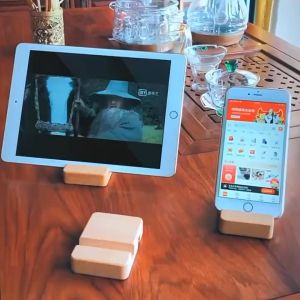
SG Seller Wooden Handphone Stand Tablet Stand / Handphone Holder /Portable Handphone Stand/ Christmas Gift
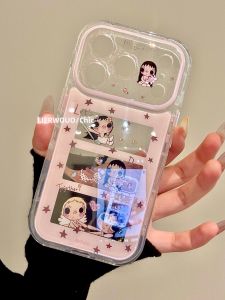
LIANGWU | Cute Cartoon Stylish Female iPhone Case
Universal Vertical Laptop Holder Storage For Notebook Tablet PC and Phone Laptop Stand (M33)
Powerbank Fast Charging 20000mAh/30000mAh PD 40W Fast Charge Powerbank LED Digital Display Qc3.0 Charger Support Power Bank