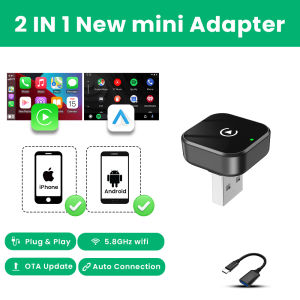
2026 2in 1 Wireless CarPlay Dongle Wireless Android Auto Adapter AI Smart Box 5Ghz WiFi Type-C/USB Plug and Play Car Accessories
⚠️Notice1.Please make sure your original car has OEM CarPlay/Android Auto, If not available, please do not purchase(display shows CarPlay/Android Auto icon)2.Models manufactured after 20173.Not compatible with BMW. Not compatible with Tesla.About mobile phones1.Carplay supports iPhone 6 and above models, with software versions of iOS 10 and above.2.Android cars support Android 11 and above models. Please note that Huawei phones are very unique. Huawei devices have their own mobile operating system EMUl. Unfortunately, Android Auto Wireless does not support EMUl.How to use wireless Carplay/Android Auto?1. Connect the USB box to the car USB2. Check the Bluetooth name "Smart Dongle-XXXX" that appears on the car3. Turn on the phone's WIFI and Bluetooth, and use the Bluetooth pairing device name.🎀Function of switching between productsIf you need to switch from wireless Carplay to wireless Android auto functionPlease use an Android phone to connect the device Bluetooth name. After the connection is successful, wait for the device to automatically reset and restart. The process takes about 30 seconds. Keep it powered on Carplay will switch to Android Auto functionSo you can use an Android phone to connect to the wireless Android Auto functionNote:1.To use wireless Android AutoYour car needs to have the Android Auto channel functionYour phone is an Android system and supports the Android Auto function2.To use wireless CarplayYour car needs to have the Carplay channel functionYour phone is an Apple phone and has an ios10 system or aboveHow to upgrade for iPhone online?Access the backend page with an iPhone1. Please use your phone to connect to the device Wifi: "Smart Dongle" and enter the password: "12345678",2. Open the Safari browser on your iPhone and enter the IP address: "192.168.1.101,3. Click "Access" or "Go" to enter the online upgrade backend. (If you cannot enter, please check whether the phone's Wifi is correctly connected to the device)Android phone upgrade methodAndroid phone access backend page1. Please use your phone to connect to the device Wifi: "Smart Dongle" Enter the password: "12345678"2. Open the mobile phone Chrome browser and enter the IP address: "192.168.1.1013. Click "Access" or "Go" to enter the online upgrade backend interface. (If you cannot enter, please check whether the phone's Wifi is correctly connected to the device)Features:✅ Wireless CarPlay, Convert factory wired CarPlay to wireless✅Wireless Android Auto, Convert wired Android Auto to wireless✅ Plug and play, Plug in our product to the USB port with data transmission, Search the Bluetooth name and allow all request.✅5GHz Wifi transmission, the most stable solution for the phone connection.✅Great Compatibility. Right nowcompatible with 98% of cars on the market with wired CarPlay and Android AutoThe following requirements must be met to use this product:✅ Your car radio is original.✅ Your car has wired Carplay or wired Android auto.✅ BMW, Tesla and other models are not compatible. If you are not sure, you can ask customer service before purchasing.1. Why is there a slight delay in the sound during use of the product?Any product connected via Bluetooth will have lags. This is a normal phenomenon. You can also improve it in the following aspects:✅Turn off redundant Bluetooth devices, because unnecessary Bluetooth signals will interfere with the product connection.✅Disconnect and reconnect Bluetooth.2. Why can't my wireless Android auto connect properly?✅ For Android system phones with lower versions of Android 9 or Android 10, if you cannot find Android auto in Google services, you can download an Android auto software.✅ Please confirm that the Bluetooth and WiFi of your phone are turned on. Android auto needs to use Bluetooth connection and WiFi to transfer data.✅ Please confirm that the original car Bluetooth has been ignored on the mobile phone. If there are other Bluetooth connections, they need to be disconnected first.✅ Please confirm that the product's Bluetooth is not occupied by other devices. If you have used other devices to connect to the product's Bluetooth, please disconnect first and try again.✅ Huawei phones and Honor phones cannot use Android auto.

Prime Supply_Play Life
Review

You May Also Like
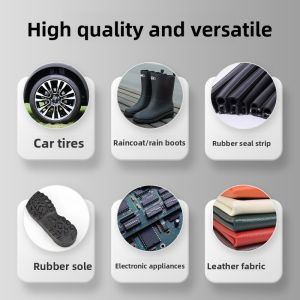
ZHUOLIDE | Rubber Tire Repair Adhesive Black Strong Adhesive
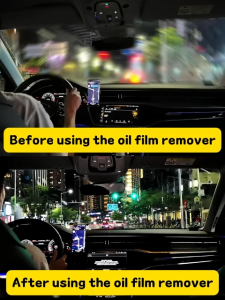
【100% restored field of view】car oil film remover car window cleaner water repellent car glass cleaner windscreen cleaner car glass cleaning brush car windshield cleaner automotive oil film glass remover 玻璃油膜去除剂 汽车油膜去除 1
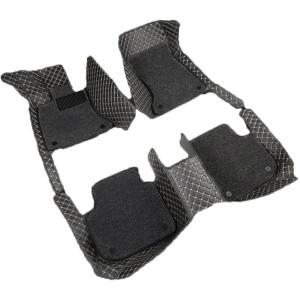
Specialized All-encompassing Car Mats for Right-drive BYD ATTO 3
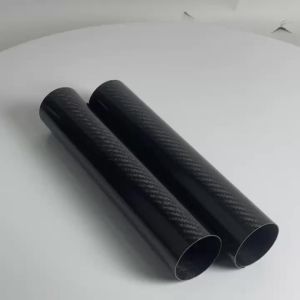
170MM 245MM Carbon Fiber Motorcycle Front Fork Shock Guard Protector For Husqvarna KTM Kawasaki Suzuki Honda Universal Enduro
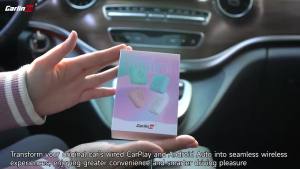
CarlinKit | Mini SE Pro CarlinKit 5.0 Wireless Adapter Wireless CarPlay Android Auto Car Box
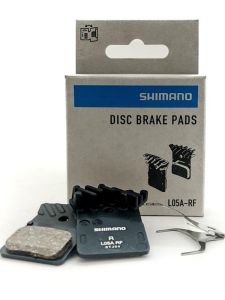
SHIMANO | Metal Road Bike Brake Pads Heat Dissipation

WEISHIJIE | Nappa Leather Soft Universal Car Seat Covers
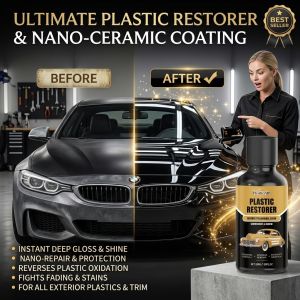
Car Scratch Repair Polish Liquid Auto Paint Care Coating Agent Gloss Restorer Vehicle Body Surface Maintenance Light Mark Cover Shine Protection Wax
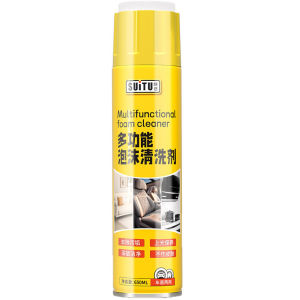
KVS | Powerful Car Interior Cleaner

4Lens Car DVR 360 Degrees Video Recorder 1080P Dash Cam 360 3/4Channel 24h Parking Monitor Car Security Accessory
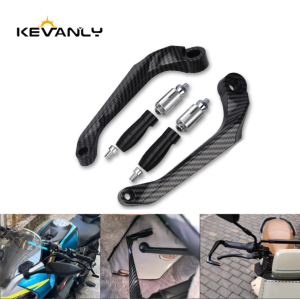
Universal 7/8" Motorcycle Brake Lever Guard Handlebar Protector Clutch Lever Guard Handguard Bow For Sport Street Bike Scooter