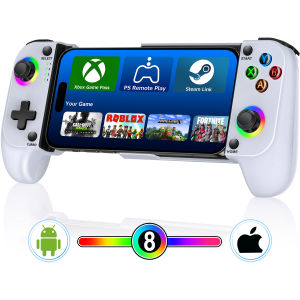
BEBONCOOL | BEBONCOOL Hall Effect Bluetooth Gamepad RGB Joystick Trigger for iPhone/Android - Anti-Drift & Low Latency for PUBG/Racing Mob
Connection steps:1. Hold on B+HOME key, LED4 flashing, turn on the Bluetooth of the phones, find the Bluetooth name "Wireless Controller" on android phones or name "DUALSHOCK 4 Wireless Controller" on Apple phones, then click "match".After completing the connection, press the "HOME" button on the controller can reconnect to the phone when the mobile Bluetooth is in the enabled state.2.If the Bluetooth name is deleted from your phone,need to hold on B+HOME key again, LED4 flashing, turn on the Bluetooth On Android phones, find the Bluetooth name "Wireless Controller" and click "match". For Apple phones, find the Bluetooth name "DUALSHOCK 4 Wireless Controller" and click "match".If you encounter any problems when starting to use, please refer to the FAQ at the end of the product details page first. If your problem is not resolved, please search for "DinoFire Official Store" to contact us, and we will solve the problem for you as soon as possible.Note: Match "Shanwan controller" app, which has collected a large number of games and gaming platforms that support controllers. The controller can be upgraded online.This controller is connected via wireless Bluetooth and is compatible with iPhone and Android mobile devices, allowing you to play any game and gaming platform that supports controllers native to your phone. For example: PS Remote Play, Xbox Cloud, Steam Link, GeForce Now, MFi Apple Arcade and other platforms, as well as Call of Duty, Roblox, Minecraft and other games.This controller is equipped with a 600mAh rechargeable lithium battery, which can be used for about 6 hours when fully charged and the light effect is fully turned on.Hall effect joystick, no drift, no wear, no dead zone control, delicate and instant response.The controller For Switch/SwitchOLED/Switch2/Android/losPhoneSolutions about usual question About Controller for Android/IOS PhoneQ: Can't find the corresponding Bluetooth name?A: It is possible that you only holded on the [HOME] key and did not holded on the [B] key. When you connect it for the first time, please hold down the 【 B 】 key with your finger, do not release it, then press the 【 HOME 】 key with your other finger, wait until LED4 starts flashing quickly, release the button, and then search for the corresponding Bluetooth name in your phone's Bluetooth settings.Q: Is the Bluetooth name not "DUALSHOCK 4 Wireless Controller" or "Wireless Controller"?A: If the Bluetooth name you search for is "Pro Controller" or "GC Pad", it is possible that you did not press the [B]+[HOME] keys. Please turn off the controller and then reconnect according to the initial connection method provided in the manual.Q: Previously connected normally, now unable to connect?A: There may be several situations:First : If you connect to phone A and then to phone B, then you want to reconnect the controller to phone A, You should reconnect it to phone A using the initial connection method.second : After connecting to your phone for the first time, the Bluetooth name of the controller has been recorded on your phone. To connect again, simply hold on the [HOME] button when your phone's Bluetooth is turned on. If you press [B]+[HOME], you need to click on the corresponding controller Bluetooth name in the Bluetooth settings.Third : Press the [HOME] button, LED4 is always on, but it is not actually connected to the phone. You can reset the controller by poking the reset button inside the small circular hole on the upper right side of the back of the controller with a fine needle, and then delete the memorized Bluetooth name on the phone and reconnect to the phone using the initial connection method.Q: Unable to control in the game, invalid buttons?A: Firstly, please confirm if the game you are playing is what the native controller supported . If the game itself does not support controller , then this controller will not work. Then check the connection status of the controller to see if LED4 is always on. If another signal light is on, it indicates that the connection mode is not corresponding, and the buttons cannot be correctly matched in the game. Please follow the initial connection instructions to reconnect the controller. In addition, some games require a certain level of progress to unlock certain button functions, or do not require certain buttons throughout the entire process. Please be aware.Tip: If any functional issues occur, you can try resetting the controller by pressing the reset button inside the small circular hole on the upper right side of the back of the controller to see if the problem can be resolved.

Prime Supply_Play Life
Review

You May Also Like
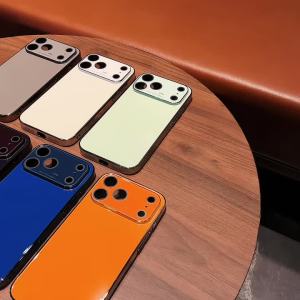
Luxury Large Window Plating Glass Phone Case For iPhone 17 16 15 14 13 12 Pro Max Plus Shockproof Lens Protection Back Cover
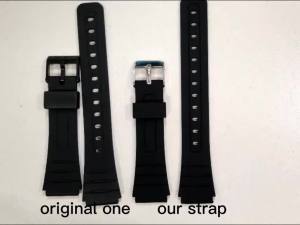
12 14 16 18 20 22mm Silicone Watch Strap for Casio W800H SGW400 F91W F84 F105/108 A158/168 AE1200/1300 Band PU Resin Bracelet
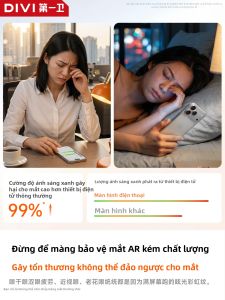
Divi | Eye Protection AR Anti-Reflection Blue Light Blocking Privacy Phone Screen Protector

Green Sketch Floral Phone Case for iPhone 18 17 16 15 14 13 12 11 Air Pro Max Plus Double-layer Cover
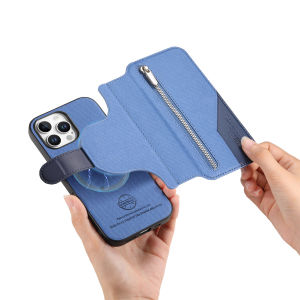
2 in1 Detachable Zipper Leather Wallet Flip Case For iPhone 16 Pro Max 15 14 13 12 11 16E 16Plus Luxury RFID Stand Book Cover
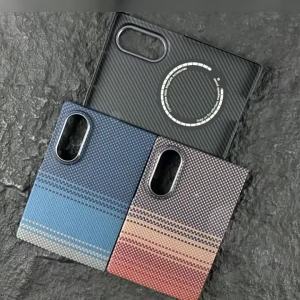
100% Genuine Kevlar aramid fiber case for Samsung Z Fold 8 wide ultra-thin Luxury Business Magnetic Magsafe Protection Cover
![[SG READY STOCK] GASTLY KeyCap | Pokémon Keycap for Mechanical Keyboard Customized Resin Hand-made Translucent Keycap](https://img.lazcdn.com/collect/social-img/3df0471ec33d419abcd9a7cec46dd545_f6d6cbc2e05f45edb97fef9f9ed518a3.png_300x300q80.png)
[SG READY STOCK] GASTLY KeyCap | Pokémon Keycap for Mechanical Keyboard Customized Resin Hand-made Translucent Keycap
![[3c/ccc certification] 2025 new power bank comes with four-wire 22.5W super fast charging mobile phone dedicated ultra-thin and compact portable](https://img.lazcdn.com/g/ff/kf/S117e31533cda4ff69635b2e86ade6f59m.png_300x300q80.png)
[3c/ccc certification] 2025 new power bank comes with four-wire 22.5W super fast charging mobile phone dedicated ultra-thin and compact portable
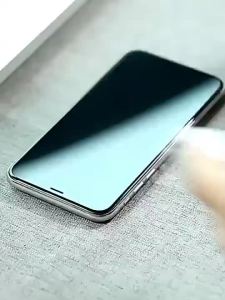
Tecno Camon 40 Pro 5G 2 in 1 Screen Protector+ Protector Full Cover Tecno Camon40Pro Camon40 Pro 5G Tempered Glass Film Protection With Camera Flim Protection
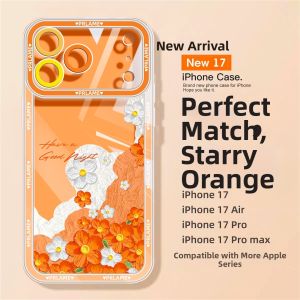
KEYOUQU | Orange iPhone 17 Pro Case with Floral Design and Full Protection
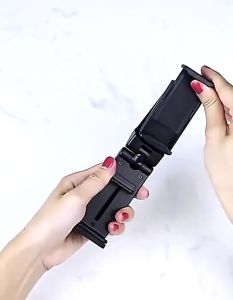
Portable Airplane Phone Holder 360 Rotation Foldable Adjustable Rotatable Stands Selfie Holding Train Seat Stand Support