


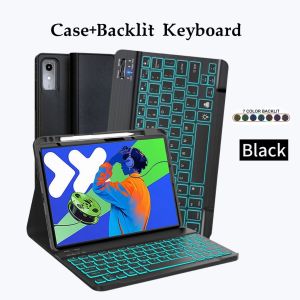
Keyboard Case for Lenovo Xiaoxin Pad Pro 12.7 Inch 2025 Magnetic Bluetooth Keyboard Cover for Lenovo Idea Tab Pro 12.7 Inch 202
The tablet case in this link is only compatible with models:Lenovo Xiaoxin Pad Pro 12.7 inch 2025Lenovo ldea Tab Pro 12.7 inch 2025How to verify tablet model1. Go to the back and find your specific model.2. Find "Settings" - Click "About" - Find "Model"3. Please purchase the correct compatible model case according to the tablet after viewing.Note:The digital tablet and stylus are not included in the package. The detailed description is for reference only. Please refer to the actual product for the color of the product.How to connect keyboard and mouse?1. Connect the mouse first, then the keyboard.2. Mouse: Push the switch to the "Bluetooth" icon and find the Bluetooth connection with the "mouse" in the device Bluetooth list.3. Keyboard: Push the switch in the upper right corner to "ON", press "Connect", and find the Bluetooth connection with "Keyboard" in the device Bluetooth list.4. Touchpad keyboard: Open the keyboard, press Fn+C, and then find the Bluetooth connection with "Keyboard" in the device Bluetooth list.FAQQ:What should I pay attention to when connecting the mouse for the first time?A:When the mouse is connected for the first time, you need to press the left button, the right button and the scroll wheel at the same time for about 3-5 seconds.Q: Is the scroll direction of the mouse USB connector and Bluetooth connection the same?A: No, they are different. When using the USB connector, the scroll wheel slides in the same direction as the computer mouse. Bluetooth connection is the opposite.Q: How to switch between different systems?A: Fn+Q=Android, Fn+W=Windows, Fn+E=IOS.Please note that please switch the system before connecting the tablet.Q:The bluetooth keyboard letters are messy?A: Please check the settings according to the prompts,a. Check whether the keyboard language set on the device is English.b. Disconnect the keyboard Bluetooth, click Ignore the connected device, reopen the Bluetooth keyboard, select system, Fn+E (IOS system).Note: Fn+Q=Android, Fn+W=Windows, Fn+E=IOSc. Press the L S Z buttons at the same time to reset the keyboardQ:How to configure the input method for different languages keyboard?A:Take the samsung tablet as example,open "Settings--"ystem"--"Language & input"--"Add New Keyboard". (For other systems, please set them in the system settings according to the tips of the iPad example.)Q:How does the mouse change teh scroll wheel sliding direction on the device?A: The mouse is connected, open "General" - "Trackpad & Mouse" - close "Natural Scrolling".

GlobalTechMart
Review

You May Also Like

Baseus 3.5A Retractable 3-in-1 USB to M+L+C Fast Charging Data Cable Multi Compatible

Hagibis 240W USB C to C Adapter with Lanyard 80Gbps 90 Degree Converter 8K Video USB4 Adapter for MacBook iPhone 16 Pro Tablet

OPPLE | 5-Hole Wall Socket with Switch White
![[OKLIFE. SG]RGB Mechanical Keyboard with Rotary Knob Typewriter Inspired 9 Backlight Modes for PC & Laptop](https://img.lazcdn.com/g/p/638c22a3f92bbcc839cea8d3a4de1e55.jpg_300x300q80.jpg)
[OKLIFE. SG]RGB Mechanical Keyboard with Rotary Knob Typewriter Inspired 9 Backlight Modes for PC & Laptop
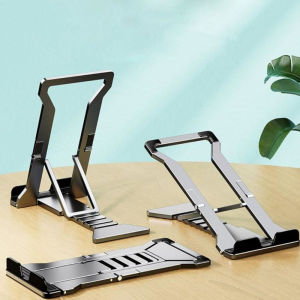
MIIQNUS Fixed Safty Phone Holder Angle Height Adjustable Support Accessories Cell Phone Holder Laptop Stand Tablet Stand Tablet PC Stands

6.74“IPS LCD For Realme Note 70 LCD RMX5313 Display Touch Screen Digitizer Assembly For Realme Note 70T LCD With Frame
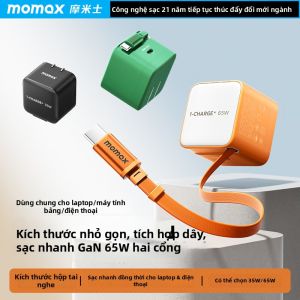
Momax | GaN 65W Fast Charging Adapter With Retractable Type-C Cable
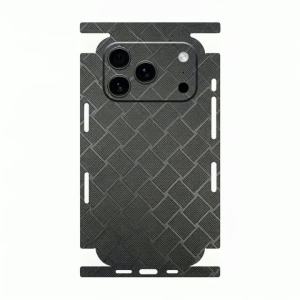
Diamond Texture Leather Back Skin for iPhone 17 16 15 14 13 Series Full Wrap Edge Rear Protective Film Sticker
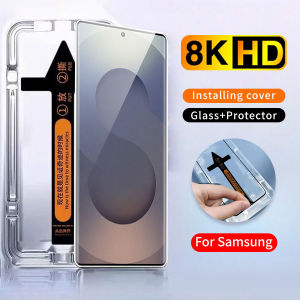
One-Click Easy Install Tempered Glass Screen Protector For HONOR Magic 8 Pro 7 6 5 4 Pro HONOR 600 Lite 400 Pro 200 90 70 50 Lite X9 X9A X9B X9C X9D X8 X8A X8B X8C X7 X7A X7C X7D X6 X6A X6B X6C X5 Play 10
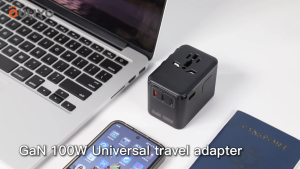
Universal Travel Adapter 67W GaN International Power Adapter with 3 USB C PD and 2 USB A QC All in One Travel Essentials for UK/EU/USA/AUS Travel Adapter Worldwide
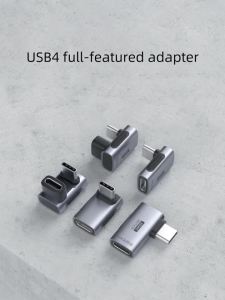
Hagibis | Hagibis 240W USB C to C Adapter 40Gbps 8K 60Hz 90 Degree Converter USB4 Adapter for Thunderbolt 4/3 MacBook iPhone 17 Pro Tablet











