


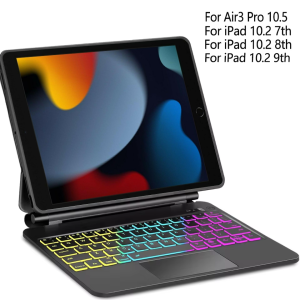
Magnetic Keyboard for iPad 9th/8th/7th Generation 10.2 inch iPad Air 3rd Gen iPad Pro 10.5 inch with Trackpad Backlit Keyboard
How to input the language you want?? Dear when you get the goods ,please open the keyboard power and bluetooth according to our manual or video or product description. If you don't know how to open keyboard bluetooth ,you can contact our service to get help. When you connect the keyboard with tablet ,please find your tablet" keyboard" setup . Then you need to setup your tablet "keyboard" and "physical keyboard" language to English and AZERTY or Spanish or Portuguese or other language at the same time . Only you setup your tablet well ,then when you click shift+space or ctrl+space or language switch key to switch the keyboard language ,you can input the characters you need correctly. Compatible Models:Detail model for Apple iPad 10.2 (2019) A2200 A2198 A2197 A2232Detail model for Apple iPad 10.2 (2020) A2428 A2429 A2430 A2270Detail model for Apple iPad 10.2 (2021) A2602 A2603 A2604 A2605Detail model for iPad Pro 10.5 (2017) A1701 A1709 Detail model for iPad Air 10.5 (2019) A2123 A2152 A2153 A2154Product Parameters:1. Bluetooth Stand: 5.0 version2. Battery: Lithium battery 420mAh3. Stand-by time: 180 days4. Working Time: 3 hours (with backlit on),100 hours (with backlit off)5. Working Voltage: 3.3 - 4.2V6. Charging current:7. Effective distance: 10 meters8. Backlit Light: 7 colors backlit9. Charge Port: Type-c10. Material: PU Leather11. Color: Black12. Indicator LCD: please open the keyboard power first. Then Press fn and C at the same time to open Bluetooth, keyboard with connect with ipad.13. Charging times: 2.5 hoursProduct features:1. Wireless connection without password, more convenient operation2. With energy saving sleep mode4. With touch pad function operation is more convenient5. Power indicator functionProduct photos:

Global Merch Park
Review

You May Also Like
Prism+ TV Remote Control Replacement | Compatible with Q-Series
ChengHaoRan 1Set XT60E-F.B Model Airplane Battery Gold-plated High Current Female Plug Mountable XT60 Connector Black
Official kate spade new york Stripe Rose Coral MagSafe Phone Case (Compatible with iPhone 18 Pro & iPhone 18 Pro Max
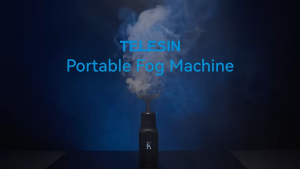
TELESIN C40 40W Portable Handheld Fog Smoke Machine Dry Ice Event for Camera Film Studio Photography

Bandai | Anime Mask Girl Mouse Pad YUki Aim Gaming Speed Mouse Mat Game Premium Mousepad Gamer E-Sports Desk Mat Computer Keyboard Mats
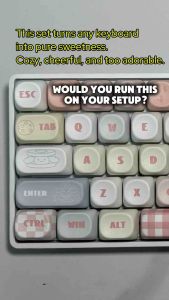
Sanrio-Inspired Keycap (MOA Profile 108-key)
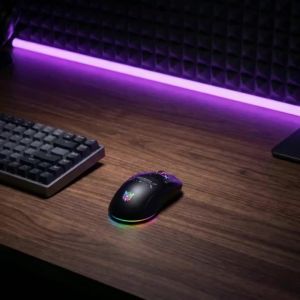
ONIKUMA | ONIKUMA CW935 Wireless Gaming Mouse Tri Mode 1000Hz Polling RGB 12800 DPI Rechargeable Type C Ergonomic for PC Esports Gamer
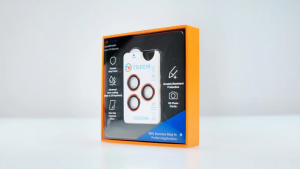
TREEM InstaShield+ Samsung S26 Ultra S26+ S26 titanium Alloy Lens Protector
Bandai | ONE PIECE Luffy Mousepad Computer Game Mouse Pad Extended Desk Pad Non-Slip Anti-Dirt Gaming Mouse Pad
Xiaomi Powerbank 3 PB2022ZM 20000mAh Upgrade 2C Version 22.5W Fast Charging New Dual USB Input Output Port Power Bank for Apple iPhone Huawei Oppo Vivo Samsung

CYGNETT Armoured Lightning to USB-C Fast-Charging Cable 30W (50cm/1m/2m/3m)











