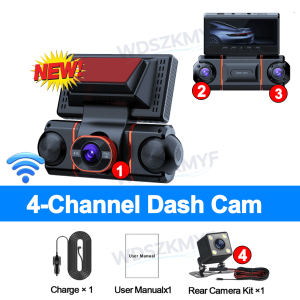
2026 New 4K Quad Lens Car Camera WIFI Dashcam 360° Coverage Car DVR 24H Parking Monitor Starlight Night Vision Car Accessory
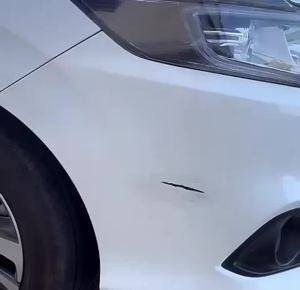
↓↓↓↓↓Installation video ↓↓↓↓↓Memory card requirements: You must use a Class 10 or U3 high-speed TF memory card; please do not use memory cards with a capacity of 256GB or more.Power requirements: For the dashcam, please ensure you connect the power adapter included in the package to the car’s cigarette lighter socket.The standard package for this product does not include a memory card; please purchase one separately.new square lens four channels 4K/1080P cameras WIFI high-end recorderOur 4-channel dashcam, equipped with a 3-inch IPS screen, synchronises four lenses to record the front and rear dashcams, as well as the left and right sides of your vehicle, simultaneously in high definition. With a crisp 4K front camera and three adjustable 1080p lenses, it captures every critical detail, eliminating all blind spots for complete peace of mind on the road.Function:-------Wi-Fi and APP ControlWiFi function: point-to-point connection with mobile phone, and view video at any time.Comes with Wifi function, you can watch, playand download videos via free APP.In addition,you can easily share recorded videos with friendsand family.-------24-hour parking monitor-hardwire (optional): waiting 24 hours a day (to ensure that the car itself has electricity). When the car is started, it is recorded normally. After the car is turned off, if it is hit or vibrated, the machine will immediately wake up to record and keep the video as evidence. Don't worry about the situation that the car is turned off and you can't record the video.-------Superior Night VisionThe recorder offer the latest built-in highly sensitive night vision image sensor, which will automatically compensates for light/dark spots and balances exposure, makes all scene details are recorded vividly.-------Infrared functionEnhance the night vision function at night to make the night video clearer.Even in low-night conditions, it capture clear videos and photos in your driving or parking moment.-------WDR, Wide Dynamic Range, and super wide dynamic make the particularly bright and dark parts in the scene can be seen clearly at the same time. (Wide dynamic range is the ratio of the brightest brightness signal value that an image can distinguish to the darkest brightness signal value that can be distinguished. )-------170-degree wide angle, super-large lens angle, wider recording range, perfectly capturing every blind spot.-------Loop recording,is a video recording technology, which can constantly overwrite the old video during the recording process, thus achieving the effect of loop recording.-------G-sensor function, the machine will automatically save the video when the accident happens as an undeletable file.About WIFI Connection:Before connecting to the DVR on the phone, it is necessary to install the WIFI connection app "Viidure APP" in advance.You can search for "Viidure" installation in the Apple App Store or Google App Market.Steps:(1) In standby mode, long press the "M" key to enter the DVR menu and enter the WIFl setting menu;(2)In the wifi menu of the DVR, check to obtain the wifi SSID name and password;(3)Open the "Viidure" APP on your phone, enter the configuration mode, turn on the wifi function of the phone, follow the prompts to find the SSID wifi signal of the DVR and enter the password to connect;(4)After successful configuration, you can connect and operate the DVR through the "Viidure" APP.About Formatting The Memory Card:When installing a memory card for the first time, be sure to format the memory card on the DVR. After formatting, the DVR can correctly match the memory card.Formatting Steps: After installing the memory card, please enter the DVR menu, find the format option, and click to format the memory card.(Important: Formatting the memory card on the computer is an incorrect operation. Please be sure to format the memory card on the DVR's menu option.)About The Reversing Assist Function:If the kit you ordered includes a rearview camera and you need to implement the reversing assist function, you need to connect the red signal wire of the rearview camera to the car's reversing light (the light will come on when reversing). If you don't need the reverse assist function, just disconnect the red signal wire and leave it unconnected.About 24-Hour Parking Monitoring:If you need the 24 hour parking monitoring function, you can order the corresponding Buck Line accessories to replace the car charger.Through Buck Line, the DVR power can be obtained directly from the car battery or car ACC, so that the DVR can maintain normal recording work even when the car is turned off.(Since different car models have different battery interfaces or ACC interfaces, it is not recommended to install it by yourself. It is recommended to find a professional to install the Buck Line.)4K Ultra Clear 360° Full Protection | 4‑Channel Recording4K Ultra Clear, 360° Full Protection.✅ Front: 4K Ultra HD video, capture road ahead sharply✅ Rear: 1080P full HD rear view recording✅ Left:1080P monitor vehicle left side✅ Right:1080P monitor vehicle right sideMulti‑angle wide‑angle coverage: 155°/170° wide viewing angle, record front, rear, left and right of your car at the same time. True 360‑degree surround monitoring, no blind spots for driving evidence.Note:1. 4K resolution is available only when the front camera is in use.2. Resolution when using the front and rear cameras: 4K + 1080p3.When all four lenses are turned on simultaneously, the image quality will be compressed to 1080P*4Super Night VisionThe recorder offer the latest built-in highly sensitive night vision image sensor, which will automatically compensates for light/dark spots and balances exposure, makes all scene details are recorded vividly.WiFi & APP ControlConnect to the Viidure APP to unlock multiple practical functions: video download, real‑time viewing, file sharing and snapshot taking.Follow the 5‑step simple operation to complete WiFi connection quickly:1. Power on the device and check the wifi information.2. Download Viidure APP and install.3. Connect phone to dash cam’s wifi hotspot.4. Add logger device on APP.5. Connection successful, start to use all smart features.Parking Assistance | Rear View Reverse AssistStart reverse mode time, reverse assist cable appears.Comes with external rear camera. When you shift into reverse gear, parking assist guide lines will display on screen. Help you judge distance conveniently for safer reversing & parking, avoid scratching your vehicle.24-Hour Parking Monitoring24H Parking ModeEnergy‑efficient buffered recording saves footage from before and after an impact.⏱ Time‑lapse Mode: All‑day monitor during parking, continuously record at 1 FPS.Protect your car when you leave it parked. Trigger recording when collision or scratch occurs, anti‑theft for parking time.⚠ Note: A hardwire kit is required for this 24H parking function.Built‑in G‑Sensor | Automatic Accident Evidence LockBUILT‑IN G‑SENSORAutomatically locks footage during sudden impacts or collisions.Automatic Accident Evidence Lock:The sensitive G‑Sensor detects sudden collisions. It instantly locks the relevant video file in a protected folder, preventing it from being overwritten by loop recording. When traffic accident happens, important video evidence will be safely saved for you.Loop Recording | Auto Overwrite Old FootageLoop RecordingAutomatically overwrite the earliest video, so you won’t miss important recordings.When memory card storage is full, the dash cam will automatically erase the earliest unlocked video segments and keep recording new files. You don’t need to manually delete videos. Continuous seamless recording ensures you never miss key driving moments. Locked accident files will NOT be overwritten.Installation Diagram1.Secure the recorder to the windshield of the vehicle , recommended near the rearview mirror area2.Hide the power cord in the window gap along the red line in the figure above 3.Insert the car charge wire into the cigarette lighter, connect the power supply, and complete the installation3.Rear camera if you need reverse camera function please connect the red wire, the red wire connects to the power supply of the reverse light behind the car.4.All car recorders need to be connected to the power supply to use, please understand the small battery safety design of the recorder. The battery of electrical appliances in the car is not allowed to be installed too large.

Prime Supply_Play Life
Review

You May Also Like
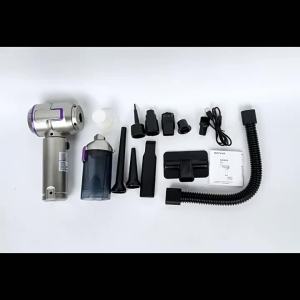
Mini Car Vacuum Cleaner Strong Scution Cordless 998000PA Powerful Wireless Car Cleaner HandHeld Portable Vacuum Cleaner for Car

Motorcycle CNC Rear Chain Belt Guard Protective Cover For Honda Cross Cub CC110 CC 110

2026 FIFA World Cup Reflective Decorative Sticker
![TRANSPEED A518 62re 62rh Auto Transmission Oil Filter Overhaul Super Master Rebuild Kit for DODGE DURANGO DAKOTA RAM GRAND CHEROKEE Car Accessories [OEM 3515996 8126042]](https://img.lazcdn.com/g/p/45528d0b85636598d39fc764f3c642a7.jpg_300x300q80.jpg)
TRANSPEED A518 62re 62rh Auto Transmission Oil Filter Overhaul Super Master Rebuild Kit for DODGE DURANGO DAKOTA RAM GRAND CHEROKEE Car Accessories [OEM 3515996 8126042]
Fit For SUZUKI GSXR125 GSX R125 2017-2024 2023 2022 Motorcycle Accessories Adjustable Brake Clutch Lever Handlebar Grips Handlebar Kit
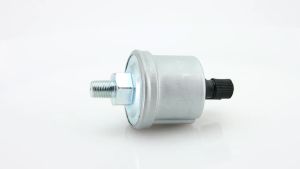
RYSJM | Universal Oil Pressure Sensor 0-5BAR 0-10BAR Sender Stainless Crew Plug Alarm Pressure Sensor For Oil Pressure Gauge
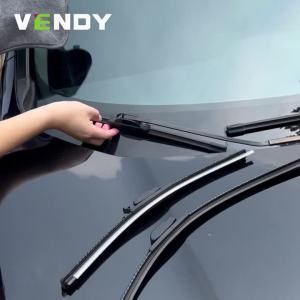
For Audi A5 2007-2023 2008 2009 2010 2011 2013 2014 2015 2016 2017 2018 2pcs Front Windshield Wiper Blades Windscreen Wipers
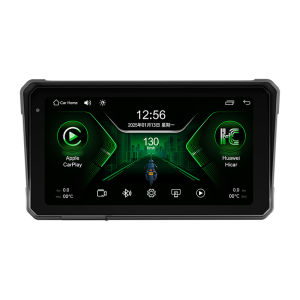
JIUYIN | Motorcycle Specific Smart Car Navigation 6 inch Screen
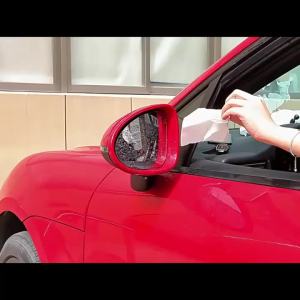
PINMOAP 1/2PCS Telescopic Car Rear View Mirror Wiper Rubber Blade for Vehicle Exterior Mirror Cleaning Tool Automotive parts
CNSPEED 2" 52mm Car 1-30 PSI Turbo Boost Gauge Meter -30-0 In.Hg Vacuum Gauge LED Digital With Adjustable Turbo Boost Controller
Universal rust remover spray rust converter spray metal rust remover suitable for car parts tires rims and door locks