


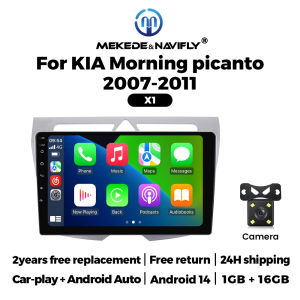
Car Play Android Auto For Kia Morning Picanto 2007-2010 Car Radio Stereo Multimedia Player Wireless Carplay GPS RDS FM Autoradio
Car Play Android Auto For Kia Morning Picanto 2007-2010 Car Radio Stereo Multimedia Player Wireless Carplay GPS RDS FM Autoradio Kia Morning Picanto 2007 - 2010Support wireless carplay Wireless Android AutoUse your phone in a smarter, safer way while you drive. Get directions, make calls, send and receive messages, and enjoy your favorite music. Siri & Google Assistant can help you do all of these things. All you have to do is ask. Support Steering Wheel ControlYou can use the vehicle's steering wheel buttons to answer and end calls, play music, switch modes and much more, so that you can focus on your driving. Screen Resolution 1024*600the ultra-clear screen dispaly effect is greatly improved,the screen display is more delicate. Support 1080P Videosupport the perfect APE music 3D acceleration allows fluent playback at any section of your usb quaility video. Support BT Funcitonbuilt in smart BT system,can support mobile phone bt pairing,hands-free doaling support steering wheel control listening,accompanying chat to ensure your driving safety. Support FM Radiosupport outomatic search and manual search,you can drag the icon of target station and replace it into channel list. Support GPS NavigationBuilt-in global positioning system,omni-directional map display,synchronous display real-time traffic onditions,rapid and accurate positioning. Support Reversing camera(Attention! Rear view camera is optional, please choose the package with camera to buy) Support ADAS DVR(Attention! ADAS DVR is optional, please choose the package with DVR to buy) Support Multiple Langeuages Support Change theme UI FAQ: 1.Please note!If the product contains CANBUS, if the steering wheel control does not work, please check whether the operations in the picture below have been performed. If you encounter any questions, please leave us a message in time.Thank you! If you have problems installing the rearview camera, please check the following picture, if you still can't solve the problem, please contact us through the message 3. How to connect wireless Carplay and Android Auto? For the first connection, need to turn on the phone's Bluetooth to peer with the car's Bluetooth. After the pairing is successful, the car radio will automatically jump to the R link or AutoLink interface At this time, the phone pop up a prompting message "use CarPlay with ZLink or AutoLink ",click confirm it, Then the CarPlay will be connected

Prime Supply_Play Life
You May Also Like

Motowolf | Waterproof Windproof Heavy Rain Motorcycle Jacket
2 Din Android OS 9 Inch For Kia Carens 2013-2018 Car Play Android Auto FM Autoradio Head Unit GPS BT Car Radio Multimedia Player

Tyre Shine Car / Motorcycle / E-bike Tyre Black Shine Spray | Ship From SG
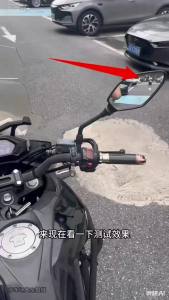
Motorcycle Blind Spot Monitoring System 77Ghz Millimeter Wave Sensor Lane Change Assist System Moto Safe Driving
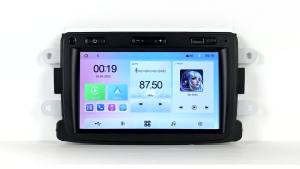
MEKEDE 7inch Linux Carplay Android AUTO for Renault Dacia DaciaLogon Duster Captur Multimedia Player 2DIN Car Radio Touch Screen

HJC | Vintage Cruising Motorcycle Half Helmet
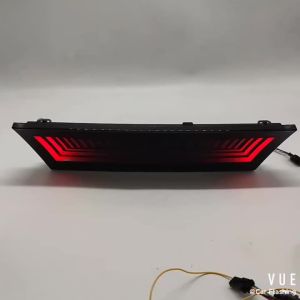
ROMADA | 1Pcs LED Bumper Light for Tesla Model Y 2020-2023 Plug And Play Rear Fog Lamp Brake Light with Dynamic Turn Signal Reflector
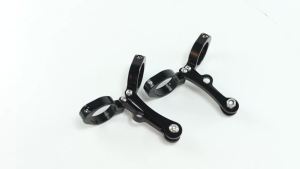
JNYD Universal 39-41mm Motorcycle Headlight Bracket Mount Clamp Fork Tube Holder For Harley Honda Suzuki Kawasaki BMW Yamaha

High Quality 5WK96675A 2894940 A034X847 NOX Oxygen Sensor For Cummins Volvo DAF XF Truck 24V Euro 5
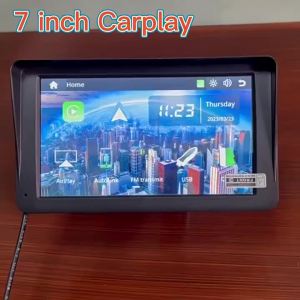
7/10.26Inch Universal Car Multimedia Player CarPlay Android Auto Mirror Link Rearview Camera Touch Screen BT AUX Car accessory
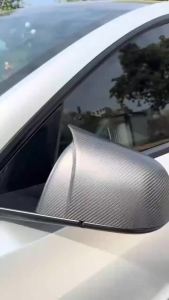
A Pair of Real Dry Carbon Fiber Bull Horn-Style Side Mirror Cover Covers for Tesla Model Y 2020-2024 Glossy/Matte Finish











