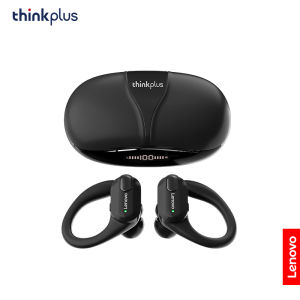
Lenovo | Lenovo XT80 Hifi Stereo Sport Earphones with Mic Bluetooth Wireless Headset LED Power Display Waterproof Outdoor Cycling Earbuds
• Wireless Bluetooth 5.3 :Enjoy seamless connectivity with the latest Bluetooth 5.3 technology for uninterrupted audio streaming.• Built-in Microphone :Take calls on-the-go with ease thanks to the built-in microphone that allows for hands-free communication.• LED Power Display :Keep track of your headphones' battery life with the convenient LED power display that shows you how much charge is left.• Volume Control :Adjust the volume of your music or calls with ease using the convenient volume control feature.Lenovo XT80 Ear Hook Sports Wirless HeadephoneWhat's in the box:2 x[Bluetooth Earphones]1 x [Charging Case]1 x [User Manual]1 x [Type-C Charging Cable]3 x earphone cups (S,M,L size)【FAQ】:Q: What should I do if the headset received unable to turn on?A: Confirm that the charging case has power left.If charging case power off, please put the earphones in charge case and charging for 1 hour and try again.Q: What should I do if Sound comes from only one earphone?A: Put both earphones back into the charging case and close the cover, then take them out again to check whether both ears have sound. If only one earphone still has sound, please restore the factory settings for both earphones.Q: How to solve the problem that the mobile phone prompts that it cannot connect?A: Delete the pairing record on the mobile phone, and then search for pairing and connect again.Q: How to solve the problem that there is no sound when listening to music or calling?A: There is a settings icon on the right side of the Bluetooth connection name on Android phones. Click to enter, turn off the mobile phone audio and media audio, and then turn them on again. If there is still no sound, please re-pair the earphones with the mobile phone.Q: How to pair two earphones.A: Step 1: Delete the Bluetooth link of the corresponding earphone on the phone, and then turn off the phone's Bluetooth function. Step 2: Put both the left and right earphones back into the charging compartment. Step 3: Wait for 10 seconds, take out both left and right earphones from the charging compartment, and wait for the earphones to match. Step 4: Wait for 10 seconds, turn on the Bluetooth function of the phone, search and connect the headphones to use.【Other Tips】:1. Before using the earbuds, please read the manual carefully and keep it for future references.2. The earbuds need to be fully charged prior to first-time use.3. lf the earbuds are left unused for over two weeks, please recharge.4. Please use the chargers made by qualified manufacturer.

Prime Supply_Play Life
Review

You May Also Like
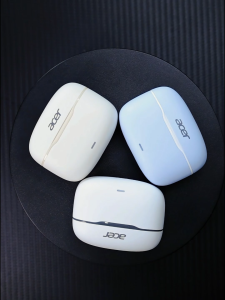
Acer OHR618 In-Ear TWS Wireless Bluetooth 5.4 Earbuds ANC Active Noise Cancelling Headphones with ENC Call & Deep Bass
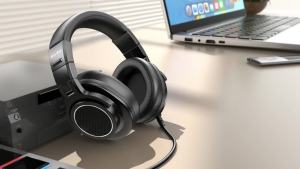
New Bee Wired Hi-Res Studio Headphone Monitor Music Professional Studio Pro 50 DJ Headphones With Microphone Over Ear Earphone
Cleer ARC 3 Sport Edition Open Ear Wireless Bluetooth Earbuds
ERAZER XT66PRO Bluetooth Earphones ASMR Headsets DIY APP AI Translator Earbuds Wireless Headphones 13 Hours Long Life Display
Ergonomic‑Designed TWS Wireless Bluetooth Earbuds Built‑in Noise Reduction Portable for Gaming Sports Scenarios
KINGTR Teaching Mini Singing Portable Connector Used Microfono Stage Performance Singing Speech High Quality Voice Amplifier Speaker Microphone Headset
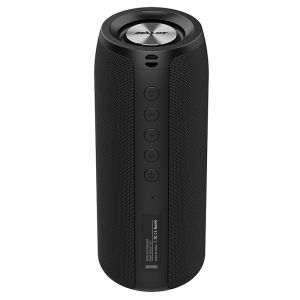
ZEALOT S51 Bluetooth Speaker Wireless Soundbar Portable TWS Heavy Bass Stereo Support Micro SD Card USB Disk Microphone
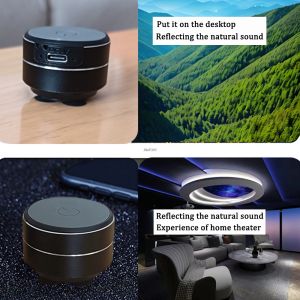
Wireless Bluetooth Vibration Speakers Mini Bone Conduction Speaker Stereo Audio Digital TWSDropshipping Portable Metal Speaker
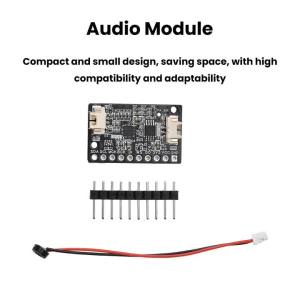
Kirilgu Digital Power Amplifier Audio Module with On-Board Microphone ES8311+NS4150B Electronic Kit J6H9P
Tribit FlyBuds C3 TWS Wireless Earbuds ANC & Clear Calls Deep Bass 35H Playtime Bluetooth 6.0 for Travel & Daily Use
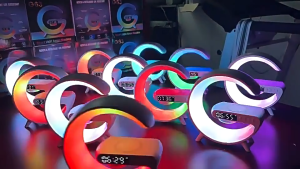
Mini Bluetooth Night light sound Multifunctional Wireless Charger Speaker with Alarm Clock and Color Lights Fast Charging Speaker