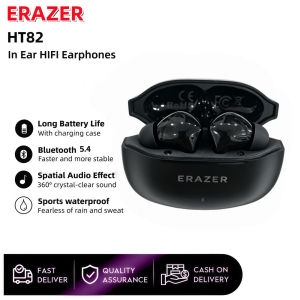
erazer | ERAZER HT82 Earphones Bluetooth Wireless Earbuds HiFi Stereo Sound Headphones ENC Clear Calls Online Meetings Business Headsets
--------Specifications--------Brand:ERAZERModel: HT82Color:Black,WhiteBluetooth version:V5.4Connection range :10mCharging interface:Type-CCharging time:About 1.5 hoursHeadphone battery capacity:40mAhCharging compartment battery capacity:250mAhMode of operation:Induction touchCompatibility:Android,Ios,Windows--------Features--------·High-quality drive units, Restore more music details. HlFl stereo sound.·Dual mode game music.·Ergonomic Design,Secure Fit for All-Day Use.·ENC high-definition voice call.·Fast charging and long battery life.--------packing list--------2 x[Bluetooth Earphones]1 x [Charging Case]1 x [User Manual]1 x [Type-C Charging Cable]3 x earphone cups (S,M,L size)【FAQ】:Q: What should I do if the headset received unable to turn on?A: Confirm that the charging case has power left.If charging case power off, please put the earphones in charge case and charging for 1 hour and try again.Q: What should I do if Sound comes from only one earphone?A: Put both earphones back into the charging case and close the cover, then take them out again to check whether both ears have sound. If only one earphone still has sound, please restore the factory settings for both earphones.Q: How to solve the problem that the mobile phone prompts that it cannot connect?A: Delete the pairing record on the mobile phone, and then search for pairing and connect again.Q: How to solve the problem that there is no sound when listening to music or calling?A: There is a settings icon on the right side of the Bluetooth connection name on Android phones. Click to enter, turn off the mobile phone audio and media audio, and then turn them on again. If there is still no sound, please re-pair the earphones with the mobile phone.Q: How to pair two earphones.A: Step 1: Delete the Bluetooth link of the corresponding earphone on the phone, and then turn off the phone's Bluetooth function. Step 2: Put both the left and right earphones back into the charging compartment. Step 3: Wait for 10 seconds, take out both left and right earphones from the charging compartment, and wait for the earphones to match. Step 4: Wait for 10 seconds, turn on the Bluetooth function of the phone, search and connect the headphones to use.【Other Tips】:1. Before using the earbuds, please read the manual carefully and keep it for future references.2. The earbuds need to be fully charged prior to first-time use.3. lf the earbuds are left unused for over two weeks, please recharge.4. Please use the chargers made by qualified manufacturer.

Prime Supply_Play Life
Review

You May Also Like
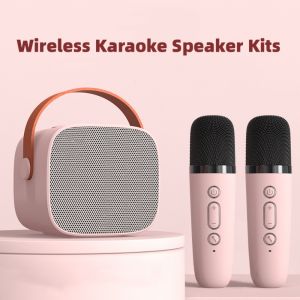
Mini Karaoke Machine for Kids and Adults Portable Speaker With 1-2 Wireless Microphone for Home KTV Birthday Party Holiday Gifts
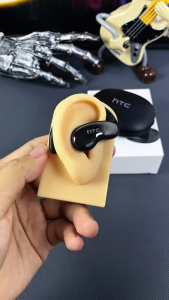
NE19 Bluetooth Earphones OWS Sports Wireless Headphones Powerful Bass AI Translator Earbud Waterproof Ear Hook Louder Stereo
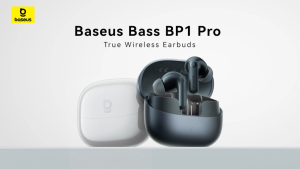
【Deep Noise Reduction】Baseus Bass BP1 Pro In-Ear True Wireless Earbuds with -50dB Adaptive Hybrid ANC & 55-Hour Long Battery Life & 6-Mic AI Clear Calls & IP55 Splash-Resistant

ERYE | Noise-Cancelling High-Quality Long-Battery Bluetooth Earbuds
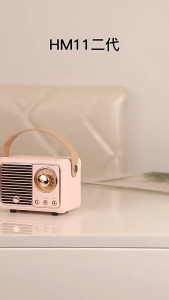
SG READY STOCK Retro Bluetooth speaker Wireless Classical Subwoofer RadioMini portable player
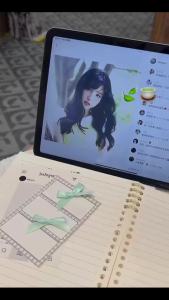
Lenovo | Choice Lenovo LP5 PRO Wireless Bluetooth Earphones In Ear Style Music Headset HiFi Stereo HD Call Low Latency Earbuds with Mic
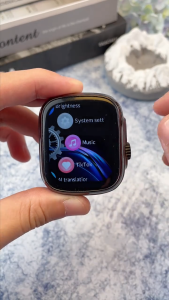
NE72 AI Translation Earphone Bluetooth 6.0 Speaker Noise Reduction Headphone Multifunction LED Screen HiFi Sound Quality For IOS/Android/PC

HANG | Couple-use Clip-on Semi-in-ear Bluetooth Earphones
QKZ | QKZ AK3 FiLe Wired Headphones In-ear Stereo Wired Headphones Headphones Mobile Phone Wired Headphones Earplugs
LIAOYIN | Wireless Sport Bluetooth Earbuds
Lenovo | Original Lenovo XT88 TWS Wireless Earphones Bluetooth 5.3 Dual MIC Stereo Noise Reduction Bass HIFI Touch Control Earbuds