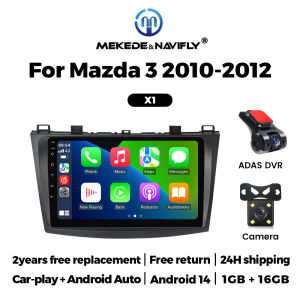
Android 14 9 inch Car Radio For Mazda 3 II For Mazda3 BL 2010-2012 Wireless Carplay Android Auto Multimedia Player Head Unit GPS
Android 14 9 inch Car Radio For Mazda 3 II For Mazda3 BL 2010-2012 Wireless Carplay Android Auto Multimedia Player Head Unit GPSSupport multiple 10+ main menu switching, the latest main menu will make driving easier and cars cooler.Both X1 and X2 models support wireless and wired CarPlay and Android Auto functions.FM radio, need to connect to the original car radio antenna. Support automatic search and manual search.Support steering wheel controls, control music or use the hands-free calling function to ensure safety and focus on the road ahead.The resolution is 1024*600, the ultra-clear screen display effect is greatly improved, and the screen display is more delicate.1080P video decoder, True Color 24 HD- Display.Support perfect APE music 3D acceleration allows fluent playback at any section of your USB/SD quality video.Built-in smart Bluetooth system, supports mobile phone Bluetooth pairing.GPS Navigation,Built-in global positioning system, omni-directional map display,synchronous display real-time traffic conditions, rapid and accurate positioning.The reversing image and rear view image quality are clearer than ordinary cameras. (Note: If the rear view camera is not included, please click on the package that includes the camera to purchase)ADAS DVR, anti-collision warning driving recorder, front vehicle distance prediction, front vehicle anti-collision warning, lane departure warning, make driving safer. (Note: DVR is not included, please click to purchase)Multiple languages: English, German, French, Spanish, Italian, Portuguese, Russian, Dutch, Polish, Japanese, Simplified Chinese, Traditional Chinese, Arabic, Korean, Vietnamese, Ukrainian, Brazilian Portuguese, Greek, Android system language, etc.1. How to connect the rear view camera?1) Red cable 2 connects to backlight "+"2) Black cable connects to "GND"3) Reverse detection cable 4 (brown) connects to red cable 3 extending from the video output cable, please connect as shown below.How to set up the steering wheel control?A. If you buy a unit with a CanBus Box:Before starting the setup, please confirm that the CAN Bus box and the 8-pin serial cable are connected to the multimedia.B. Then please refer to the pictures to set up your model.2. if your buy the unit haven't the canbus box, setting the steering wheelcontrol please refer photo go do it.

Prime Supply_Play Life
You May Also Like

SHIZIWANGRI | 5Colors Cycling Mask With Activated Carbon Layer 5 Air Valves Anti-Pollution Washable Sports Mask for Outdoor Training
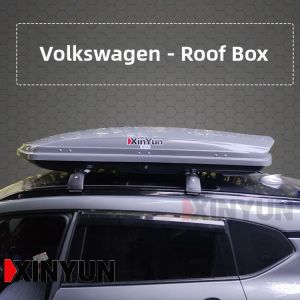
XINYUN | Lockable Quick-Release Roof Cargo Box
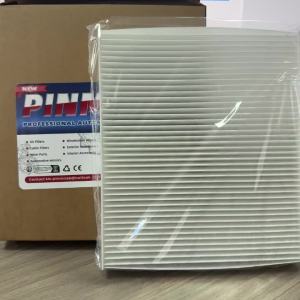
PINMOAP Car Air Conditioning Filter Is Suitable For Infiniti Nissan Ram Volkswagen Cabin Filter 27277-AR025 7B0819644 68042866AA
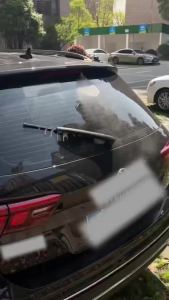
1/2PCS Rear Windscreen Wiper Blade Wiper Arm Kit For BMW X3(F25) 2010-2017 Windscreen Windshield Wipers Brushes

HELLOLEIBOO | Handheld Car Wash Foam Sprayer
Autel for BMW Razor 4 Buttons IKEYBW004AL BW004AL Autel Universal Smart Remote Key for KM100 IM508 IM608 KM100E

New 3 Buttons Smart Remote Key Fob 433MHz ID46 / ID48 Chip for Volkswagen Magotan Passat CC 2005-2014 3C0959752BG 3C0959752BA
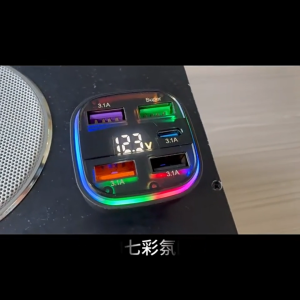
MeeGoo 5 Ports Car Charger Fast Charging USB Type-C With Digital Display Voltage Monitoring And Smart Charge Protection
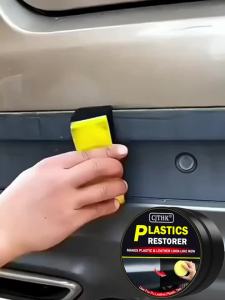
Car Plastic Restorer Back To Black Gloss Car Plastic Polishing Paste Refurbish Aged Faded Trim And Repair Coating Renovator
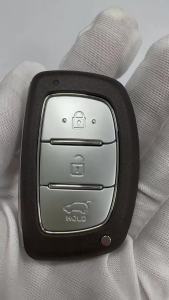
YOCASTY 95440-D3000 Smart Remote Car Key For Hyundai Tucson 2016 2017 2018 ID47 433MHz

For BMW F25 X3 F26 X4 F15 X5 F16 X6 2014-2018 2019 2020 M Style Black Rearview Mirror Cover X3 M Look