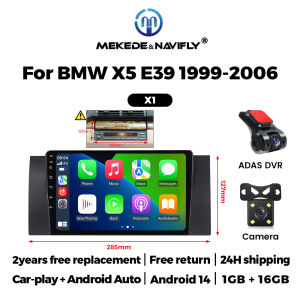
MEKEDE&Navifly 9 Inch Touch Screen Wireless Carplay Android Auto For BMW 5 E39 E53 X5 1995-2006 GPS Navigaiton WIFI BT Car Radio
This unit will fit the following car modelForBMW 5 Series E39 1996 to 2001 with Old 17- Pin connectorForBMW 5 Series E39 2002 to 2003 with New 40-Pin connectorForBMW X5 E53 2000 to 2001 with Old 17-Pin connectorForBMW X5 E53 2002 to 2007 with New 40- Pin connectorForBMW M5 1 996 to 2003 with Old 17-Pin or New 40- Pin connector(if your car is other years, please send the original car frame picture to us for confirmation)If there is DSP (Digital Sound Processing) button in your factory radioor your car has digital sound system such as "Harman Kardon" or "Bose"you will need to modify speaker wires, This unit will work with car speakers directly.and your DSP or digital sound system will NOT work.2.If your car is shown in the picture below, or if the original car CD is in the trunk, an additional 6-meter cable needs to be purchased. The 6-meter cable needs to be purchased by contacting the merchantSupport BT FunctionBuilt in intelligent BT system, supports mobile BT pairing, hands-free dialing, supports steering wheel buttons for street listening, chat with others, ensuring your driving safetysupport Steering Wheel ControlControl music or use hands-free calling function to ensure road safety ahead. The unit's steering wheel control (SWC) works with digital SWC.How to set steering wheel controls?1. if you buy the unit with canbus box:Before starting the setup, please confirm the canbus box and 8pin serialcable are connected to the multimedia.Then please refer to the picture to set your car model.2. lf your buy the unit haven't the canbus box, setting the steering wheelcontrol please refer photo go do it. FM RadioIt supports both automatic and manual search, and you can drag the icon of the target channel and replace it in the channel columnGPS NAVIGATIONBuilt-in global positioning system, omni- directional map display, synchronous display real-time traffic conditions, rapid and accurate positioning1.How to connect the rear view camera?1) Red cable ② is connected to the back light ”+”2) Black cable is connected to the “GND”3) The reverse detection cable O(Brown color) is connected to the red cable ③ which extending from thr vedio output cable, please follow the picture below to connect.Support ADAS DVR(Optional)Collision Avoidance Alarm Car RecorderDistance prediction, collision warning and lane departure warning for safer driving.

Prime Supply_Play Life
Review

You May Also Like

MEKEDE Android 15 Autoradio Head Unit 2 Din Car Radio Stereo Navigation Carplay For Hyundai i20 2008-2012 Car multimedia player

Car Vacuum LEDlamp Cleaner Powerful Mini 98000PA Cordless Portable Vacuum Cleaner for Home Appliance Handheld Blower Car Cleaner
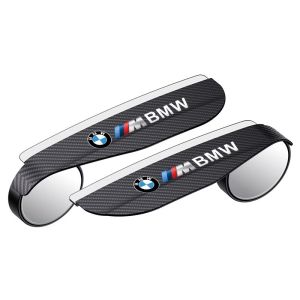
YORLELIE | Blind Spot & Reversing Aid Rearview Mirror
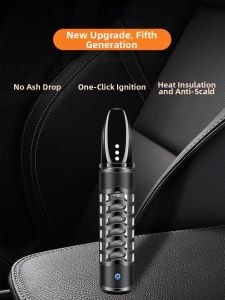
CHENGSHI CHEPIN | Ash-Resistant Portable Multi-functional Smoke Tip
Car Plastic Restorer Back To Black Gloss Auto Interior Leather & Panel Renewal Wax Coating Agent Auto Polish And Repair Coating
4D Rotating Tweeter Ambient Light HiFi Speaker For Tesla Model 3 Model Y RGB LED Dynamic Atmosphere Light Car Interior
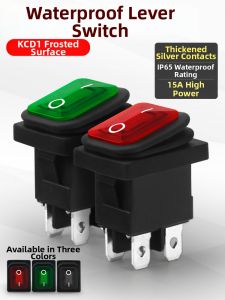
XunHe | Waterproof Oil-proof High Current 6A Rocker Switch
Professional Welding Wire Durable Solder Wire Ready Stock Welding Wire For Metal Repair/Appliance
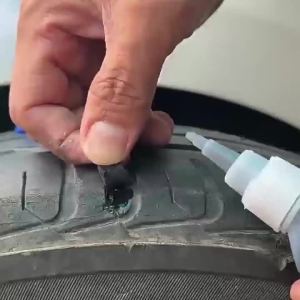
LOOLIFL | Black Super Glue 480 Fast-Drying Black Cyanoacrylate Suitable for Leather Rubber Tires and Plastic High-Strength Liquid Glue Crack Repair Adhesive for Repairing Mobile Phones and Tablets.
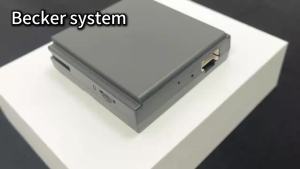
ANYFAR | Wireless Carplay Android Auto For Mercedes Benz A B C E CLA GLA GLK ML NTG4.5 System Becker Interface Module Navigation
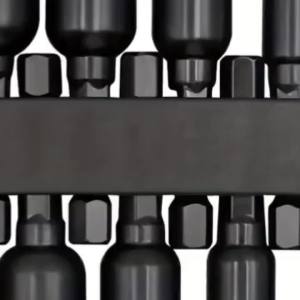
NiuXiang | 9Pcs Metric Nut Driver Bit Set 1/4" Hex Shank Socket Driver Set for Impact Driver & Electric Screwdriver