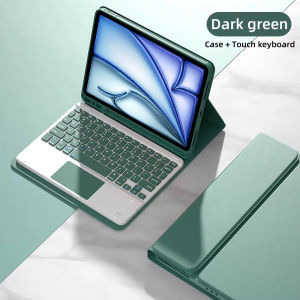
Keyboard Case For iPad Air 11 M2 2024/M3 2025Keyboard Cover For iPad Air 4 5 10.9 Air 6th Generation 11 Inch A2902 A2903 A2904
Check the correct model number in the back of iPad before making orders.Applicable Models:Only Compatible For iPad Air 4/5/6/7/8For iPad Air 11 M2(2024):A2902/A2903/A2904For iPad Air 11 M3(2025):A3266/A3267/A3270For iPad Air 11 M4(2026):A3459/A3460/A3463For iPad Air 4 (2020):A2072/A2316/A2324/A2325For iPad Air 5 (2022):A2588/A2589/A2591Attention Please:Note 1:We Have the English, Russian, Spanish, German, French, Japanese, Korean, Thai, Hebrew, Arabic, Portuguese, Italian, Turkish Keyboard, if You need these language Keyboard, Please remark it when making orders.Note 2:The Keyboard default English input ,if you want to input other languages,you need to add keyboard first.Take the iPad as an example, open "General"--"Keyboard"--"Keyboards"--"Add New Keyboard".(For other systems, please set them in the system settings according to the tips of the iPad example.)Note 3:Touch pen not for sale,not include in the parcel, (we don't accept such a dispute)Detachable Wireless Bluetooth Keyboard with TouchpadThe Bluetooth keyboard is easy to attach and remove from the magnetic cover. With the U S Chipset helping you to type stable and fast.Built-in Apple Pencil holder & adapter slot easily to carry your for iPad pencil with your device.Pen or iPad NOT included .Touch pen not include in the parcel(we don't accept such a dispute) Auto Sleep & Wake & Heat dissipationPrecise cutouts allow full access to all features (buttons speakers cameras). Moreover the case is honeycomb grid pattern design which is better for thermal dissipation.Support multi-system compatibilityFn + Q Fn + W Fn + E quick switchUltra-thin design and convenient travel, new office experience ,switch office /entertainment needs anything ,anywhere.Multi-function Shortcut Keys Let you operate iPad more convenientlyBasic key combinationSwitch apple system: FN+EChinese and English input method switching: FN+SpaceShow physical keyboard: FN+ControlSwitch software: Conmmand+TabCase switching: Capslock (If the iPad cannot be set first: Set one +general + keyboard + physical keyboard + turn off the caps lock keyto switch the Latin keyboard)Note: If you need to use various countries (Korean, Japanese,etc.), please set the system toadd a keyboard (IPAD Settings-General-Keyboard-Add Keyboard)Keyboard is easy to use, please charge it when Power indicator flashing Red. Charge indicator will be red when charging and will Turn Off after full charged(not turn green).Attention:Touchpad only available while your ipad system is above ios13 (ipad air 1 can not use touchpad).You can use touchpad directly while your tablet is andriod or window system.Rechargeable Bluetooth Keyboard and MouseDUAL MODE BLUETOOTH MOUSE(BT 4.0 + 2.4GHz): dual mode wireless mouse realizes free switches between two devices with one mouse only by only one click.【Please turn on the "Assistive Touch" on iPad: Setting-Accessibility- Assistive Touch for an iPad usage.】How to connect BluetoothStep 1: Turn on bluetoothStep 2: Press and hold the three keys at the same time to connect successfully.Charge for one hourLife time exceeds 30 daysLong battery life,fast charging and power saving1 hour charge, use 30 days(Based on 2 hours of daily use)Fast Bluetooth ConnectionKeyboard Bluetooth connects to ipad,4 steps to open a new era of office.1.Push the button to on power light is on2.press the connect button ,the bluetooth light is on3.ipad select keyboard bluetooth4.After the first connection,the next time you start using the keyboard, it will automatically connectMulti-function Shortcut KeysLet you operate iPad more convenientlyBasic key combinationSwitch apple system: FN+EChinese and English input method switching: FN+SpaceShow physical keyboard: FN+ControlSwitch software: Conmmand+TabCase switching: Capslock (If the iPad cannot be set first: Set one +general + keyboard + physical keyboard + turn off the caps lock key to switch the Latin keyboard)Note: If you need to use various countries (Korean, Japanese,etc.), please set the system to add a keyboard (IPAD Settings-General-Keyboard-Add Keyboard)

Prime Supply_Play Life
Review

You May Also Like

28cm USB Switch Cable Adapter With ON/OFF Switch Cable Extension Toggle For LED Light USB Fan Power Switch Durable Supply Line
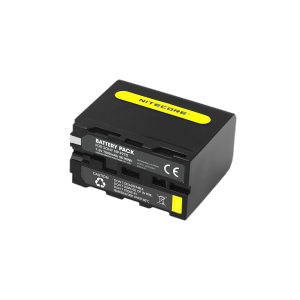
Nitecore NP-F970 (7800mAh) Battery Pack for Sony

for Sharp Air purifier filter FZ-F30HFE FU-A28TA FP-J30TA FP-F30TA FP-GM30B-B KC-F30TA-W FZ-Y28FTA FP-JM30B-B Negative ions Air purifier Replacement HEPA Antibacterial Activated caFast shipping

NISHENG | Single Shoulder Camera Bag For Storage

imobile | Suitable for vivoX300 mobile phone case

Ulanzi Falcam F38 Camera Shoulder Strap V2 Quick Release Mount Plate
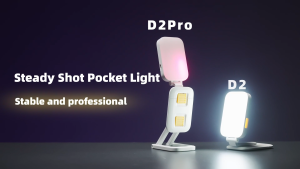
MeeGoo Phone Holder Portable with RGB light live stream Holder For TikTok live
NEW 120HZ DD Soft OLED LCD Display For iPhone 14 Plus LCD Display For iPhone 14 Plus Display LCD Screen Touch Digitizer Assembly
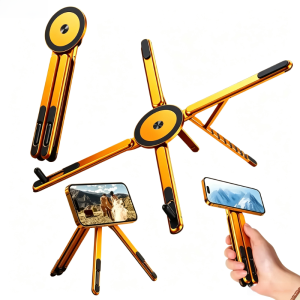
Hot selling 2026 Magnetic Stand for MagSafe Foldable Phone Holder for Car Desk Travel for iPhone 17 16 15 Pro Max iPad Laptop Macbook
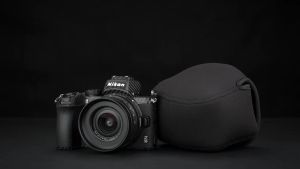
JJC Mirrorless Camera Bag Case Neoprene Camera Pouch Protection Cover for Nikon Zfc Z50 Fujifilm X-S10 with 16-50mm 15-45mm Lens2026
MageGee 75% Mechanical Gaming Keyboard with Knob Control Blue Backlit Wired Gaming Keyboard Red/Yellow Switch for PC Windows2026