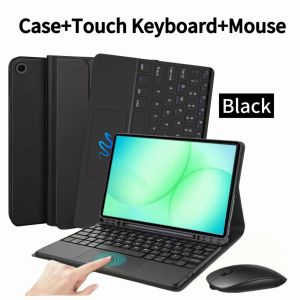
Case for Samsung Galaxy Tab A11 Plus 11-inch for Samsung Galaxy Tab A9+ 11-inch Bluetooth Keyboard Cover with Dual Mode Mouse
Please confirm your machine model before purchasing~For Samsung Galaxy Tab A11 Plus 11-inch (SM-X310/X315/X236)Samsung Galaxy Tab A9 Plus 11-inch (SM-X210/X216/X218) Tablet.Please noteEnglish keyboard:There are only English letters on the keyboard.Multilingual version keyboard:English letters and engraved language letters together.Please confirm each combination of the product before purchasing. Note the first basic image of each color version, which will most accurately reflect the color combination of the product.Please confirm the keyboard language before purchasing, we will deliver the goods to you according to the color combination you have selectedProduct includes: protective case1, keyboard1, mouse1, charging cable2, manual*1Note:The digital tablet and stylus are not included in the package. The detailed description is for reference only. Please refer to the actual product for the color of the product.How to connect keyboard & Mouse?1,Connect the mouse first, then connect the keyboard.2,Mouse:Push the switch to the "Bluetooth" icon, find the Bluetooth connection with "Mouse" in the device Bluetooth list.3,Normal Keyboard:Push the switch in the upper right corner to "ON", press "Connect", and find the Bluetooth connection with "Keyboard" in the device Bluetooth list.4,Touchpad Keyboard:turn on keyboard ,press Fn+C to,then find the Bluetooth connection with "Keyboard" in the device Bluetooth list.Non-touch keyboard Bluetooth connection stepsFAQQ:What should I pay attention to when connecting the mouse for the first time?A:When the mouse is connected for the first time, you need to press the left button, the right button and the scroll wheel at the same time for about 3-5 seconds.Q: Is the scroll direction of the mouse USB connector and Bluetooth connection the same?A: No, they are different. When using the USB connector, the scroll wheel slides in the same direction as the computer mouse. Bluetooth connection is the opposite.Q: How to switch between different systems?A: Fn+Q=Android, Fn+W=Windows, Fn+E=IOS.Please note that please switch the system before connecting the tablet.Q:The bluetooth keyboard letters are messy?A: Please check the settings according to the prompts,a. Check whether the keyboard language set on the device is English.b. Disconnect the keyboard Bluetooth, click Ignore the connected device, reopen the Bluetooth keyboard, select system, Fn+E (IOS system).Note: Fn+Q=Android, Fn+W=Windows, Fn+E=IOSc. Press the L S Z buttons at the same time to reset the keyboardQ:How to configure the input method for different languages keyboard?A:Take the samsung tablet as example,open "Settings--"ystem"--"Language & input"--"Add New Keyboard". (For other systems, please set them in the system settings according to the tips of the iPad example.)Q:How does the mouse change teh scroll wheel sliding direction on the device?A: The mouse is connected, open "General" - "Trackpad & Mouse" - close "Natural Scrolling".

GlobalTechMart
Review

You May Also Like

Samzhe | SAMZHE Fiber Optic Stripper Miller Clamp High Precision Three Port Cable Stripping Nano Clamp FTTH Fiber Optic Splicing Tool

16 in 1 Magnetic Game Card Storage Case for GBA SP 8 in 1 Cartridge Holder Organizer Box for GBA GB GBC GBP
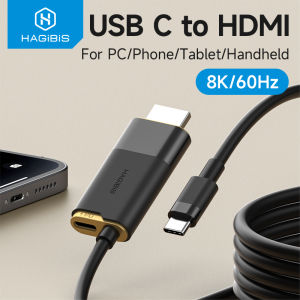
Hagibis Portable TV Dock for Switch/OLED/Switch2 USB C to HDMI Cable Adapter 8K60Hz HDR 100W PD for Laptops SteamDeck ROG Ally
FGCLSY 2in1 Metal Tripod Selfie Stick Lengthen Holder Telescopic Rod for DJI Osmo Pocket 3 Camera Gimbal Accessories
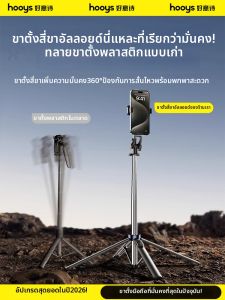
HOOYS | Travel Portable Selfie Stick Tri-pod 360 Rotation

szhaiyu | Liquid Silicone Phone Case for Samsung Galaxy Z Flip 8 7 6 5 Flip8 FE for MagSafe Soft Hinge Protector Magnetic Cover
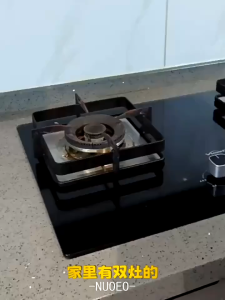
Gas Stove Cover and Pot Rack Electromagnetic Stove Top Bracket Kitchen Appliance Storage Stand

Peak Design Travel Backpack 20L

Radiation Chip For Mobile Phone EMF Harmonizer & Heat Reducer Chip Round Shape Gold
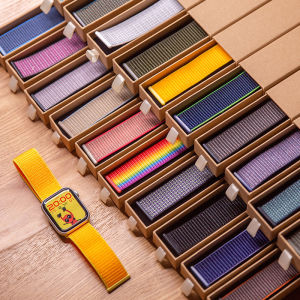
Nylon Strap for Watch Ultra 2/1 49mm Women Men 38mm 40mm 41mm 42mm 44mm 45mm 46mm lWatch Series 12 11 10 9 8 7 6 5 4 3 2 1 SE Sport Band
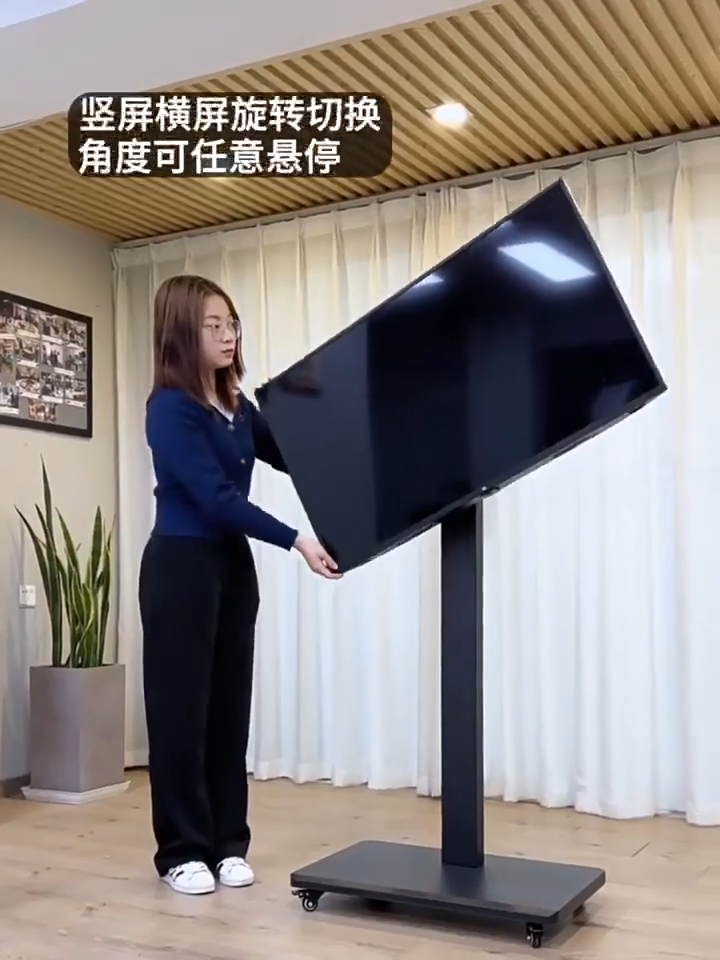
26"-43" inch 40KG Mobile TV Stand Vertical TV Trolley Stand Adjustable All-in-one TV Floor Cart