


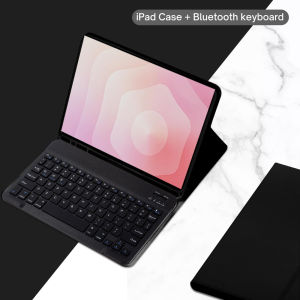
Keyboard Case for Samsung Galaxy Tab S11 11-inch 2025 (SM-X730/SM-X736B) Detachable Bluetooth Keyboard
The tablet case in this link is only compatible with models:Samsung Galaxy Tab S11 11 lnch (Model:SM-X730/SM-736B)How to verify tablet model1. Go to the back and find your specific model.2. Find "Settings" - Click "About" - Find "Model"3. Please purchase the correct compatible model case according to the tablet after viewing.Please noteThe digital tablet and stylus are not included in the package. The detailed description is for reference only. Please refer to the actual product for the color of the product.How to connect keyboard and mouse?1. Connect the mouse first, then the keyboard.2. Mouse: Push the switch to the "Bluetooth" icon and find the Bluetooth connection with the "mouse" in the device Bluetooth list.3. Keyboard: Push the switch in the upper right corner to "ON", press "Connect", and find the Bluetooth connection with "Keyboard" in the device Bluetooth list.4. Touchpad keyboard: Open the keyboard, press Fn+C, and then find the Bluetooth connection with "Keyboard" in the device Bluetooth list.FAQQ:What should I pay attention to when connecting the mouse for the first time?A:When the mouse is connected for the first time, you need to press the left button, the right button and the scroll wheel at the same time for about 3-5 seconds.Q: Is the scroll direction of the mouse USB connector and Bluetooth connection the same?A: No, they are different. When using the USB connector, the scroll wheel slides in the same direction as the computer mouse. Bluetooth connection is the opposite.Q: How to switch between different systems?A: Fn+Q=Android, Fn+W=Windows, Fn+E=IOS.Please note that please switch the system before connecting the tablet.Q:The bluetooth keyboard letters are messy?A: Please check the settings according to the prompts,a. Check whether the keyboard language set on the device is English.b. Disconnect the keyboard Bluetooth, click Ignore the connected device, reopen the Bluetooth keyboard, select system, Fn+E (IOS system).Note: Fn+Q=Android, Fn+W=Windows, Fn+E=IOSc. Press the L S Z buttons at the same time to reset the keyboardQ:How to configure the input method for different languages keyboard?A:Take the samsung tablet as example,open "Settings--"ystem"--"Language & input"--"Add New Keyboard". (For other systems, please set them in the system settings according to the tips of the iPad example.)Q:How does the mouse change teh scroll wheel sliding direction on the device?A: The mouse is connected, open "General" - "Trackpad & Mouse" - close "Natural Scrolling".

GlobalTechMart
Review

You May Also Like

AIRION 4G LTE WiFi Router | No Contract SIM Card Router | Plug & Play Home Internet | RJ45 LAN | Type-C Power
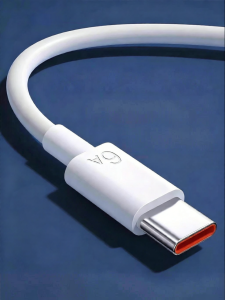
QIAOYANMEI | Fast Charging 120W Type-C Data Cable
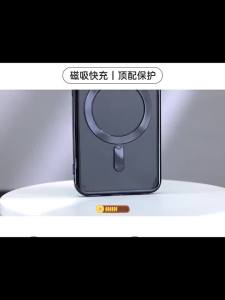
Magnetic Plating Cover Clear Case For Samsung Galaxy S23 Fe S24 Plus S25 Ultra Apple Magsafe Silicone Cases Lens Protect Glass

ORICO | Magnetic 360-Degree Rotating Foldable Multi-Function Aluminum Desk Stand

3PCS Easy Installation HD Tempered Glass For Samsung S25 S24 S26 Ultra S23 S22 S21 S25 FE Plus Screen Protectors Dust Free Film

Logitech | Logitech Signature M750 Office Wireless Mouse Reliable Multi‑device Switching Mice For Work And Casual Gaming

EB-BG781ABY Battery Compatible with Samsung Galaxy S20 FE 5G Battery SM-G781W Samsung S20FE Battery A52 4G Battery A52 5G Battery A52 Battery A52S Battery

20000mAh Portable Power Bank Mirror with Make Up Mirror Digital Display LED Digital Display Powerbank External Battery Pack Power Bank For Mobile Phones
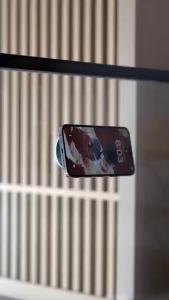
Vacuum Suction Cup Double-Sided Folding Rotating For Magsafe Magnetic Stand Multi-Functional Lazy Mobile Phone Holder Bracket
Replacement Main Brush Side Brush Hepa Filter Mop Cloth Dust Bag For Xiaomi 5 Pro / OV21GL Robot Vacuum Cleaner Accessories Parts Spare
For Switch 2 /Switch Lite/Switch Oled Games Console PET Soft Films For Switch Screen Protector Anti Scratch Hydrogel Film











