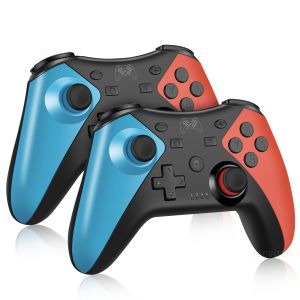
Tectinter | Support Bluetooth Gamepad Wireless Controller for Nintendo Switch/Switch 2/Switch Oled/Switch Lite/Android Phone PC Joystick
AdvertisementWireless Bluetooth ControllerThis Bluetooth gamepad is compatible with multi-platform games. Support for Android smart phones/iOS/TV boxes/PS3/laptops/PC. It has the advantage of being able to download the support handle game directly, and it can be connected directly to the phone with ROOTDescription:NOTEWhen you connect to the Switch 2 console, the “Search for Controllers” page may display no controller connected, even though the controller is actually connected. But in fact, You can click "Contrellers" on the main menu of the Switch host, will see that the controller was successfully connected, as shown the below picture.Multiple connectionConnect PC1) PC 360 mode: Connect the controller to the computer using a USB cable, and when paired, LED1, LED2, LED3, and LED4 flash quickly. After successful connection, LED1, LED2, LED3, and LED4 remain on, achieving PC XINPUT function.2) PC mode: When successfully connecting to PC 360 mode, press and hold the "-" and "+" keys for 5 seconds to switch to PC mode. LED2 and LED3 flash quickly, and after successful conversion, LED2 and LED3 remain on, achieving PC DINPUT function.Connect SwitchLong press “X+HOME”for 3 seconds to enter Bluetooth search mode. The LED light will start flashing,and the controller will enter pairing mode,after 5 seconds,the controller will pair with the console. After successful connection, LED1 remain on.Connect cellphone1)Android mode:Long press “A+HOME”for 3 seconds to enter Bluetooth search mode. The Bluetooth name is "Gamepad". When pairing, LED2 and LED3 flash quickly. After successful connection, LED2 and LED3 remain on.2)IOS mode:Long press “Y+HOME” for 3 seconds to enter Bluetooth search mode. The Bluetooth name is "DUALSHOCK 4 wireless controller". When pairing, LED1 and LED4 flash quickly. After successful connection, LED1 and LED4 remain on.NoteWired Connection Instructions1.Switch modeThe gamepad can be used as a wired gamepad when it is connected to the Switch console via USB cable, and the corresponding channel indicator of the gamepad shows the charging status and flashes slowly. Unplug the USB cable, the gamepad becomes Bluetooth mode and the console automatically back to connect.2 .PC-360, PC modeFirst need to download PC 360 driver to Windows computer, after installation, use the USB cable to connect the gamepad to the computer, connected successfully gamepad the corresponding channel indicator light. Press one and ten keys at the same time to convert to PC mode, LED2 and LED3 lights are always onSupport Bluetooth Wireless Controller For SwitchWireless Switch Controller works compatible Switch, for Switch Pro, for Switch lite ,for PC, Android Devices.This controller includes all of the features you can find in the original controllers, and works just like the original at a great price. Take your game sessions up a notch with more comfortable handheld playing.High Quality Rechargerable BatteryIt built with High Quality Rechargerable Battery to offer a long time playing.3 hours of charging, up to 8 hours of use.Built-in Dual Vibration MotorsThe controller has dual vibration motor function, allowing you to have a better gaming experience.It's suitable for racing games and shooting games.Built-in Turbo and 6 Axis-gyroscope FunctionAdjustable 3 kinds of turbo speed function in this switch wireless controller. 5 shoots, 115 shoots and 30 shoots. Select any one according to your gaming experience.High Sensitivity ButtonHigh-quality pressure-sensitive arrow keys, 360° joystick without dead zone, high sensitivity and accurate action buttons, give you the fastest gaming experience.Product List1 X Gamepad1 X Charging Cable1x Instruction

Prime Supply_Play Life
You May Also Like
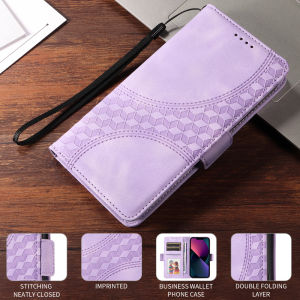
Case for VIVO Y04 Y29S Y29 Y19S Y28 Y28S Y03 Y03t Y18 Y38 Y18e Y17S Y27 Y27S Y02 Y02a Y02t Y36 Y35 Y16 Y02S Y22 Y22S 4G 5G Flower Fashion Embossed Wallet Leather Card Slots Folio Shatterproof Phone Case Sling Phone Cover
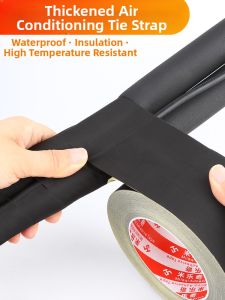
Mileqi | Sun Protection Insulation Binding Tape
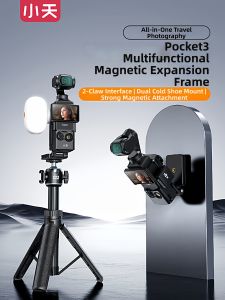
xiaotian | Multi-functional Portable Magnetic Mount Cold Shoe Expansion Bracket for Sports Camera
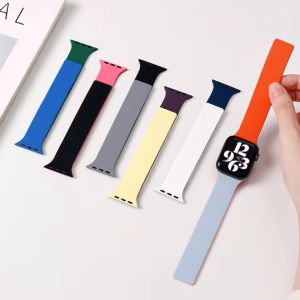
Dual-Color Silicone Band For Apple Watch Series 11 10 9 8 7 band 42mm 46mm 45mm 41mm 44mm 40mm Bracelet Magnetic Strap iwatch Ultra 3 2 49mm Wristband
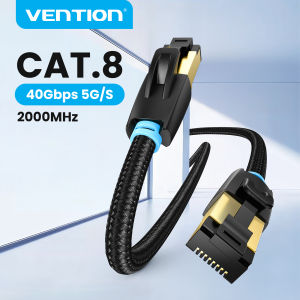
Vention | Vention Cat8 Ethernet Cable SFTP 40Gbps 2000MHz Cat 8 RJ45 Network Lan Patch Cord for Router Modem Internet RJ 45 Ethernet Cable
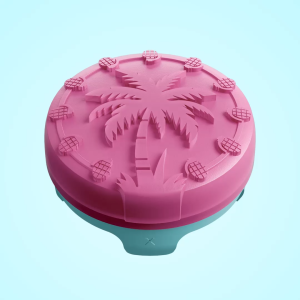
KontrolFreek Heist Blister Pack Thumbgrip (PS5)
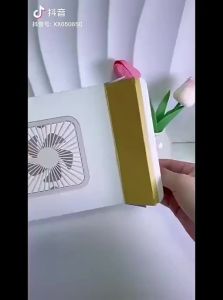
「China Plug」LINGYUE | Portable Quiet High-Power Mini Desk Fan USB Charging
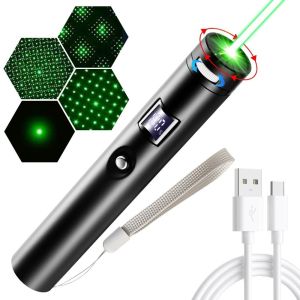
K0Y9VB4G USB Rechargeable Green Pointer Portable Digital Display Demonstration Pen High-quality Bright Animation Mini Flashlight Teaching Demonstration
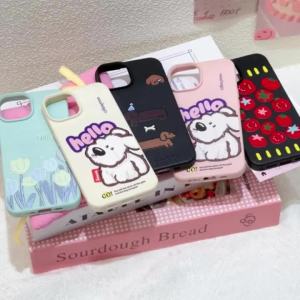
Plush Gloves Phone Case For Samsung A57 5G S26 Ultra A56 5G S25 Ultra A37 A55 A17 A07 A26 S24 FE A05s A35 Silicone Capinha Caha
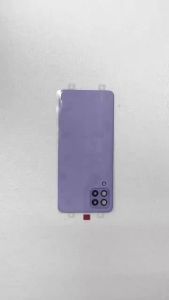
High Quality Back Cover For Samsung Galaxy A40 Battery Cover Rear Door Housing Case Replacement Part For Galaxy A40 Parts

TOKQI | TOKQI M02 Gimbal 3-Axis Stabilizer Anti Shake Zoom Key Foldable Handheld Gimbal with Tripod for iPhone Android Cellphone Vlog