


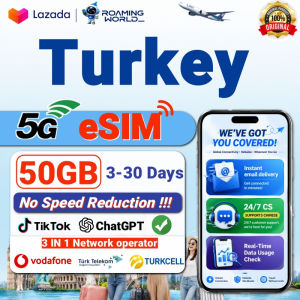
Turkey Travel eSIM High Speed Data QR Code Activation Ideal for Tourists & Business across Istanbul Cappadocia Antalya
eSIM Setup Guide ✅Pre-requisite: Connect to stable Wi-Fi before installation. Install eSIM prior to arrival; turn on Data Roaming after landing. 📱 iOS (iPhone) Go to Settings > Cellular > Add eSIM Tap Use QR Code and scan your eSIM QR code Follow prompts to download the eSIM profile Upon arrival, select this eSIM line and enable Data Roaming Done 📱 Android Go to Settings > Network & Internet > SIMs > Add eSIM(Samsung: Settings > Connections > SIM manager > Add eSIM) Scan the provided eSIM QR code Finish profile download At your destination, turn on Data Roaming for this eSIM Done 💡 Short Note ✔️ Ensure your phone is unlocked and eSIM-compatible ✔️ QR code can only be activated once ✔️ If QR scanning fails, use manual SM-DP+ & activation code

Roaming World eSIM
Review

You May Also Like

China eSIM 1-30 Days Unlimited/Data Plans | Instant QR Code Delivery | Travel eSIM

Taiwan eSIM Ultimate 3-30Days Daily 2GB/4GB/6GB/Unlimited Data | Instant 24h Email Delivery | Turbo Data Speed Taiwan SIM Card
Thailand eSIM | 1-30 Days | 5G High Speed Travel Data | Instant Email Delivery | Hotspot Supported | No Roaming Fee
![[Takagi Ramen] Abundance Snacker Box](https://img.lazcdn.com/g/ff/kf/S8b51b6f882164acba66f9e5d93b4bb85d.png_300x300q80.png)
[Takagi Ramen] Abundance Snacker Box

Australia eSIM Pro+ 1-30Days 500MB-20GB 5G/4G Data | Instant 24h Email Delivery | High Speed Travel Data SIM Card

Europe eSIM Pro 1-30 Days | Unlimited/Daily Data 5G High Speed Travel Data | Instant Delivery | EU SIM Card

Universal Studio Singapore | USS Ticket | Attraction Tickets
Ecuador eSIM | High Speed Data | Supports Hotspot | 7-30Days | 1-20GB | Email Delivery

Italy eSIM Ultra 5G 1-30Days Unlimited Data Instant Email Delivery High Speed Travel Data Italy SIM Card
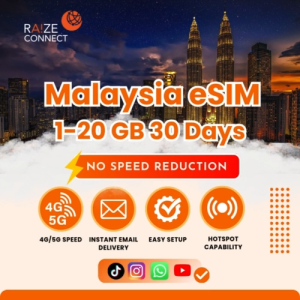
Malaysia eSIM | 100MB-20GB High Speed | 7-30 Days Data Plan | Raize Connect
Thailand eSIM | 7-30 Days | 5G High Speed Travel Data | Instant Email Delivery | Hotspot Supported | No Roaming Fee










