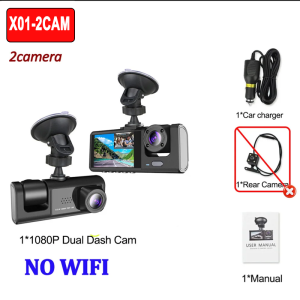
HOT 1080P Car Dvr 3/2Lens Dash Cam for Cars Camera for Vehicle Recorder Video Front and Rear Camera Night Vision Dashcam
Product Specifications:3 Channels: [Front+Interior+Rear]Screen size: 2 inchesFile format::AVIVoltage 1 Current: 5V/1AVideo resolution: 1080P; 720P; 720pContinuour Loop Video: Seamless Loop RecordingAutomatic power on/off: support automatic ignition and shutdownTime Synchronization: SupportSupport memory card: TF Card (maximum support 64 GB)Frequency: 50HZ / 60HZSupported languages: Chinese, English, French, German, Russian, Polish,Japanese, Portuguese, Spanish,Korean,etcNew HD 3 Lens WIFI Dash CameraOnly Front Camera: 1080PFront + Rear Camera:1080P+1080P;Front & Inside Camera:1080P+720P;Front & Inside & Rear Camera:1080P+720P+720PStarlight Night VisionWith the help of F2.0 wide aperture and the decent low-lightperformance of the lens, the car camera is able to capturedetails like license plates at night.Reversing ImageWhen the car in reverse gear, the car DVR will automatically switch to the rear camera imaging view with parking line, ensures safety for parking.Loop RecordingEvery detail would be automatically record and not miss one second, unlocked data would be overwritten automatically when TF card is run out of storage.G-SensorBuilt-in 3Axis G-Sensor,dash cam automatically detects a sudden collision and lock the footage to ensure important footage is kept Protection.24h Parking MonitorWhen Someone Near Your Car Or Vehicle Starts To Move,Automatically Turn On And Start Recording When Detects Any Impact Or Collision,The Device AutomaticallyAutomatically Recording For Few Seconds,Make Sure 24hr Parking Guard.Attention: It Should BeConnected By A Dvr Exclusive Power Cable.To protect your privacy, the TF card needs to be formatted for the first time. There are two solutions:1. Insert the TF card correctly into the dash cam, open the camera settings, find the storage card format, confirm that the formatting is complete, and then restart the camera to use.2.Connect to the mobile application, search for settings in the mobile application, format the memory card, confirm formatting is complete, and then restart the camera to use it. Sincere wishes to you and your family.

GlobalTechMart
Review

You May Also Like
Keyboard Case & Mouse for Samsung Galaxy Tab A9+/Plus SM-X210/X216B/X218 11inch Tablet Keyboard Cover Built in S Pen Holder
Electric Tricycle Footpad
CHANGJIE | Sun Protection Insulation Sunshade for Car Windshield

KEVANLY | Solar Powered Car Neon Light Cool DEMON EYE Led Ambient Light Wireless Suction Cup USB Rechargeable Atmosphere Breathing Lamp

Car Front Bumper Fog Lamps For Nissan March 2021 2022 Daylights DRL Auto Halogen Foglights with Frame Covers Wires Relay 2PCS

Engine anti wear protector noise and vibration reduction protector engine daily maintenance agent strong burning control anti wear agent发动机抗磨保护剂

JDM Legends OBU Cover with EZ-Slot | R34 GT-R AE86 RX-7 FD3S Evo IX | ERP 2.0 CashCard Cover | Laser Engraved

Modular Helmet Motorcycle Sun Protection Helmet Electric Motorcycle Helmet Motorcycle Touring Half-Full-Face Helmet for All Seasons A Modular Helmet Motorcycle Sun Protection Helmet
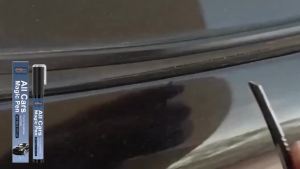
RAYHONG | Car Scratch Remover Pen Universal Clear Touch Up Paint Pen Quick Fix Deep Light Scratch Restoration Magic Auto Paint Repair Tool
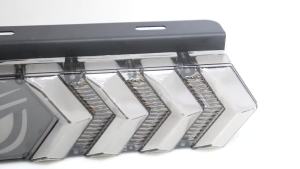
KEVANLY | Devils Eye Tail Lights RGB Seven Colours Running Lights Truck Turn Signal Lights Pickup Truck LED Brake Blinking Warning Lights

KEYDIY KD B Series P/N: B25 for Hyundai for Kia Style Universal Remote Key for KD900 KD-X2 Mini KD KD-MAX