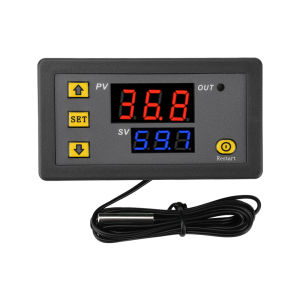
Aideepen | W3230 LED Digital Temperature Controller Thermostat Temperature Control Switch Sensor Red Blue Display Meter DC 12V 24V AC110-22
Description:High-brightness LED display ensures clear readability day or night.Sensors feature 2P terminals for easy interchangeability when switching probes.ABS housing combines elegant aesthetics with high mechanical strength and excellent electrical performance.Ultra-wide temperature control range of -50°C to 120°C, suitable for diverse applications. 0.1°C control accuracy meets precise regulation requirements.Input/output wiring design facilitates seamless integration into industrial control systems.Product Specifications:Power Supply: DC 12V/DC 24V/AC 110V~220VTemperature Control Range: -55°C to 120°CTemperature Control Accuracy: 0.1℃Hysteresis Accuracy: 0.1℃Refresh Rate: 0.32sOutput: 1 Relay ChannelOperating Environment: -10~60℃, Humidity: 20%-85%Probe Type: NTC10K/B3950Dimensions: 79mm43mm26mmInstructions:Indicator Light Status:Flashing indicates cooling or heating startup delay. Steady light indicates relay closed. No light indicates relay open. During delay timing, the light flashes while the relay remains open.Digital Display: ① The PV display is a red LED showing the actual measured temperature. It displays corresponding error codes during malfunctions: “LLL” indicates an open sensor circuit, ‘HHH’ indicates forced relay disengagement (when measured temperature exceeds the product's maximum range), and “---” indicates high-temperature alarm activation after exceeding the set maximum value.SV Display Tube: The SV display tube is a blue digital tube showing the relay activation/deactivation temperature value. Pressing the “SET” button once causes this tube to flash. Use the up arrow “ ” and down arrow “ ” to increment or decrement the value.Main Menu Settings: Press and hold the “SET” button for 3 seconds to enter the main menu settings. Continue pressing ‘SET’ to cycle through P0-P8 modes. Use the up arrow “→” and down arrow “←” to configure the corresponding mode. Press and hold “SET” for 3 seconds, or no button action within 8 seconds, to automatically confirm and return.Power Switch:Press and hold “Restart” for 1.5 seconds to turn off the display and relay. Press and hold “Restart” again for 1.5 seconds to turn the display back on.Shipping List:W3230 Temperature Controller X1

Prime Supply_Play Life
Review

You May Also Like

MOLORE | Folding Quiet Trolley

Kohler | Durable Stainless Steel Double Basin Kitchen Sink
Fire-rated Main Door & Gate | Schlage Digital Rim Lock | Smart Door Lock | Installation Provided | Customizable Design
![[Bundle of 2] Energizer Lithium Coin CR2032 3in1 Child Shield Batteries 2s 2032 (5004LC BR2032 DL2032 ECR2032 ST-T15 2032](https://img.lazcdn.com/g/ff/kf/S746fbd7cfd1f4ac5b38ff8497e473e9eg.png_300x300q80.png)
[Bundle of 2] Energizer Lithium Coin CR2032 3in1 Child Shield Batteries 2s 2032 (5004LC BR2032 DL2032 ECR2032 ST-T15 2032
Heat Tape for Heat Press20mm/10mm33m High Temperature TapeHeat Resistant TapeHeat Transfer Tape for Sublimation
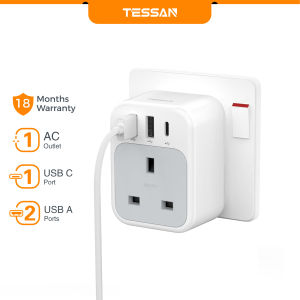
TESSAN Multi Plug Extension Plug USB Charger Extension Socket MultiPlug Adapter Portable Power Strip
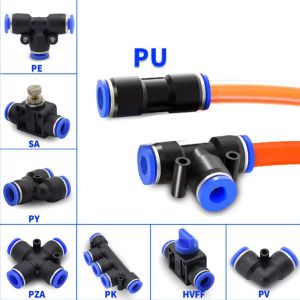
TIMES LORD Pu/Pv/Pk/Pe/Py/Pm/Sa Durable Pneumatic Auxiliary Accessory Tube Material Push In Quick Fittings Pipe Connector Hose Pneumatic Connector
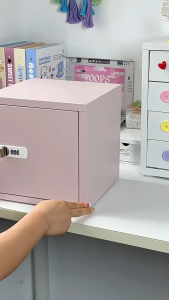
Anti-theft Password Cabinet Small Password Box with Digital Security Lock Metal Storage Cabinet

youqin | Strong Weight-Bearing Marks-Free Drill-Free Wall Hook

SHENYUAN | Handcrafted Double To Single Large Stainless Steel Kitchen Sink
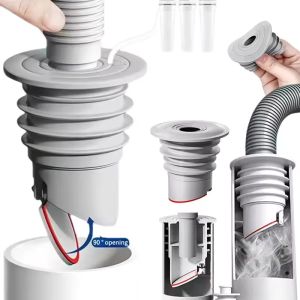
Kitchen Drain Pipe Sealing Plug TPR 7 Layer Silicone Odor Proof Insect Proof for Sink Washing Machine Pipe