


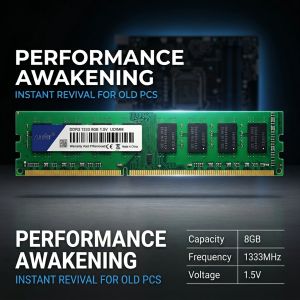
8GB DDR3 1333MHz Desktop Memory AiteFeir 1.5V DIMM RAM Stick Plug and Play for Old PC Computer
AiteFeir DDR3 8GB 1333MHz Desktop MemoryUpgrade your desktop computer with the AiteFeir DDR3 8GB 1333MHz UDIMM memory module. Designed for compatible DDR3 desktop PCs, this RAM helps improve system response, multitasking performance, and daily computing stability.It is suitable for desktop PC upgrades, office computers, home computers, repair use, and older DDR3 systems.Main Features8GB CapacityProvides practical memory expansion for compatible desktop computers, helping your system run smoother during daily use.DDR3 1333MHz FrequencySupports stable data transmission for office work, web browsing, study, and general desktop use.1.5V Standard VoltageDesigned for standard DDR3 desktop memory platforms with 1.5V working voltage.UDIMM 240-Pin DesignStandard desktop memory module for compatible DDR3 UDIMM motherboard slots.Selected Memory ChipsBuilt with selected chips for stable operation and reliable performance.8-Layer PCB LayoutPrecise PCB design helps reduce signal interference and improve stability.Gold-Plated ContactsGold-plated contacts offer better conductivity, anti-oxidation performance, and durable connection.Plug and Play InstallationEasy to install. Power off the computer, align the notch, press the RAM into the slot, and lock it in place.Product SpecificationsBrand: AiteFeirMemory Type: DDR3Capacity: 8GBFrequency: 1333MHzVoltage: 1.5VModule Type: UDIMMPins: 240-PinApplication: Desktop PCPCB Design: 8-Layer PCBContact Process: Gold-PlatedSize: Approx. 13 × 3 cmPackage Includes: 1 × DDR3 Desktop Memory ModuleCompatibility NoticeThis is a DDR3 UDIMM desktop memory module. It is not suitable for laptops and is not compatible with DDR2 or DDR4 slots.Before ordering, please confirm:Memory type: DDR3Slot type: Desktop UDIMMVoltage: 1.5VFrequency support: 1333MHzMotherboard support for 8GB single moduleActual performance may vary depending on motherboard, CPU, BIOS, and operating system.Installation GuideTurn off the computer and disconnect the power cable.Open the computer case and locate the DDR3 memory slot.Align the RAM notch with the motherboard slot.Press both ends firmly until the side clips lock.Restart the computer and check whether the memory is recognized.Buyer ReminderPlease compare your original RAM before purchase. Check the memory type, slot type, voltage, frequency, and motherboard support to avoid compatibility issues.

Global Merch Park
Review

You May Also Like
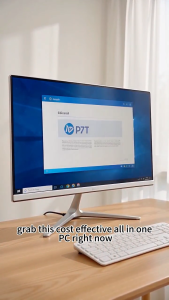
Intel Core i5 All-in-One PC | 19" Ultra-Slim Monitor – Pre-installed Excel & Word | Fast for Office

HP OmniStudio All-in-One Desktop 24-cv0015d PC | AMD Ryzen 5 | AMD Radeon Graphics | 16 GB RAM | 512 GB SSD | Windows11

【Local Warehouse】DOVVA 14/15.6" Single/Dual Screen Extender Portable Monitor Triple For 14-16" Laptops
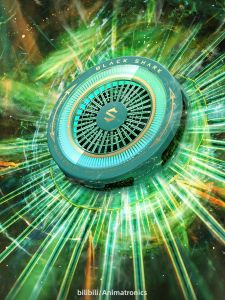
Black Shark | 6Max Magnetic Cooling Stand Tablet Cooler Low Noise High Efficiency

Intel CORE i7-14700KF / i7-14700K 14th Gen (3 Years Warranty)
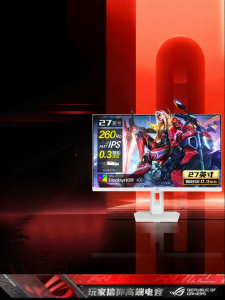
ASUS | Gaming White Monitor 2K 27-inch IPS
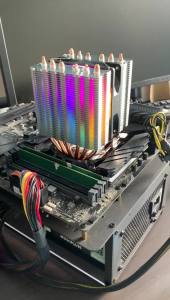
X99 RGB CPU Cooler 6 Heat Pipes PC Procesor Radiator for Intel LGA 1700 1200 1150 1151 1155 2011 X79 1366 AM5 AM4 AM3 Ventilador
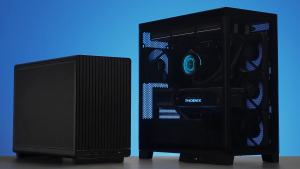
LIAN LI DAN A3-mATX BLACK/WHITE/WOOD CASING
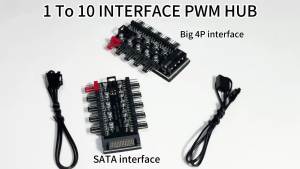
1 to 10 Port 4Pin PWM Fan Hub SATA / 4D Power Supply Intelligent Temperature Control Splitter For PC Case Cooling Fans
Acer PM161WT M Ultra Slim Portable Monitor| 16" WUXGA IPS |Type-C & HDMI with Active Stylus

AOC | HD 144Hz Gaming Monitor 27 inches











