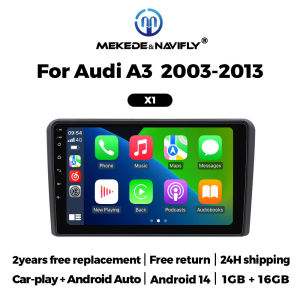
9inch Android Touch Screen Car Radio Autoradio for Audi A3 8P 2003 -2013 Wireless Carplay Android Auto Stereo GPS Navigation RDS
How to set canbus for steering wheel control and original car information: Note: After the car navigation is installed, if only two loudspeakers make sound, you should cut the wire as shown in the following picture and connect it according to the way shown in the picture. >>9inch Android Touch Screen Car Radio Autoradio for Audi A3 8P 2003 -2013 Wireless Carplay Android Auto Stereo GPS Navigation RDS>> Why choose MEKEDE&NAVIFLY?1.Top 12 Brands,popular among customers. our goal is to keep working hard to make innovative hardware & software of the Car Multimedia player radio to give you that personalized experience. We provide updates for Firmware, Software, UI, GPS Navigation maps for FREE.2.All products have been passed strict quality test before shipment, make sure high quality.3.If the product has a problem within 365 DAYS after receipt confirmation, support for free return and refund within 15 days, or we will replace the new machine directly for you, but please contact us first to communicate4.Our products have a 1-year warranty period. If we have new software, we will update it at any time to bring you a better experience. If you give 5-star praise, and share the installation photos, after feedback to us Warranty can be extended to 2 yearsPurchase FAQ:1.This product supports steering wheel control buttons2.Support additional camera, support multiple phase mechanism(the original camera is not supported by default)3.Support additional ADAS DVR,it is optional.4. All machines include RCA cable, support subwoofer connection.Includes 2 usb cable and GPS antenna.5.All models built in Wireless Carplay And Android Auto6.This model includes default frame and canbus cable,if your car need additional frame or cable,please contact with us to buy.Built-in wireless Car-play +Android AutoCar dvd player comes with car-play function, no neet purchase additional accessories.Wireless Car-play Connection steps:1.Connect BT 2.Click on “R Lin-k” and wait for connectionNote: car-play can also be connected via UsB cableWireless Android Auto Connection steps:1.Connect BT 2.Click on "Android Auto APP"and wait for connectionNote: car-play can also be connected via UsB cableAndroid Multimedia Vehicle Intelligent ScreenSupport BT FunctionBuilt-in smart BT system, can support mobile phone BT pairing,hands-free doaling support steering wheel button street listening.accompanying chat to ensure your driving safety.Steering wheel controlTake control of the music or use hands-free calling function forsafety to and concerntrate on the road ahead. This head unitssteering which control(SWC) works with a digital SWC.FM RadioIt supports outomatic search and manual search, you can drag theicon of target station and replace it into channel list.GPS NavigationBuilt-in global positioning system, omni-directional map display,synchronous display real-time traffic conditions, rapid andaccurate positioning.Resolution 1024*600The ultra-clear screen display effect is greatly improved, the screendisplay is more delicate.1080P Video1080P video decoder, True Color 24 HD- Display. Support perfect APEmusic 3D acceleration allows fluent playback at any section of yourUsB sD quality video.ADAS DVRAnti-collision warning driving recorderFront vehicle distance prediction, front vehicle anti-collisionwarning and lane departure warning make driving safer.Reversing videoThe picture quality of rear-view video is clearer than that ofordinaty camera.Multiple LangeuagesEnglish, German, French, Spanish, ltalian, Portugese, Rusian, Dutch.Polish, Japanese, Simplified and Traditional Chinese, Arabic, etc.Main menuThe latest main menu will make driving easier and the car coolerService FAQ:1.How to connect the rear view camera?1) Red cable ② is connected to the back light "+"2) Black cable ① is connected to the “GND”3) The reverse detection cable ④(Brown color) is connected to the red cable ③ whichextending from thr vedio output cable, please follow the picture below to connect.2.How to set steering wheel controls? if you buy the unit with canbus box:Before starting the setup, please confirm the canbus box and 8pin serialcable are connected to the multimedia.Then please refer to the picture to set your car model.if your buy the unit haven't the canbus box, setting the steering wheelcontrol .please refer photo go do it.

Prime Supply_Play Life
Review

You May Also Like

XHORSE | XHORSE VVDI Super Chips XT27A XT27A66 Transponder Supports ID46/47/4D/45/46/47/63/4E 64/4C/8C/8A/43/T3
Kebidumei | USB Outlet Dual QC3.0 PD USB A & USB C Ports Car Charger Socket Panel with Voltage Display for 12V/24V Auto Boat Marine RV

AGT Inverted Coilover | Height Adjustable Suspension | SG Car Coilover Set with Installation
FONKEN Round Folding Car Dashboard GPS Navigation Bracket Mount For Mobile Phones Auto Rotatable Holder Stand
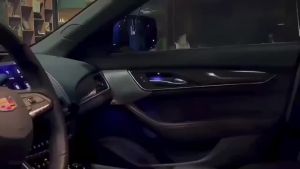
10/14/18/22 in 1 Dual Zone Hidden Acrylic RGB 64/213 Color Symphony Streamer Auto Interior Car Ambient Light Kit APP Control 12V
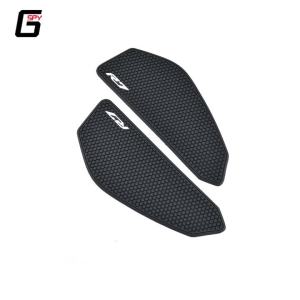
2025 New YZF R7 YZFR7 YZF-R7 2021 2022 2023 2024 Motorcycle Tank Pads Fuel Tank Stickers Protector Knee Non-slip Pad For YAMAHA

10 25 50 100pcs Car Fasteners Rivets Clips 6mm /8mm Bumper Door Panel Fender Liner Clips Plastic Trim Panel Retainer For Toyota

Glass Patch Results Glass Repair Fluid Recovery Strong Anti-cracking Costs Easy to Use
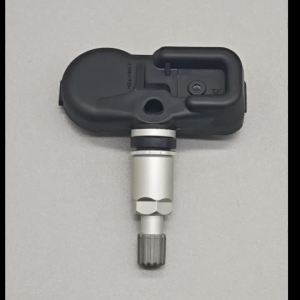
PMV-C811 40700-1LA0E TPMS 315MHZ For 2011-2017 Infiniti EX FX QX70 2015-2018 Nissan 370Z Quest Tire Pressure Monitor Sensor 4PCS
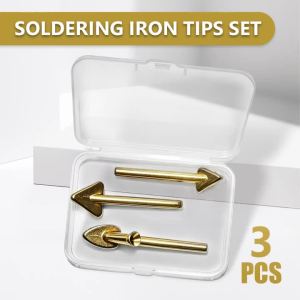
3PCS Soldering Iron Tips Set Replaceable Car Bumper Repair Kit Accessory High Durability Fast Heat Transfer for Welding Machine
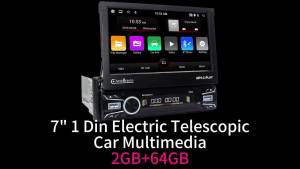
1 Din 7" Telescopic Screen Car Stereo Android for Seat Arosa 2001-2004 CarPlay GPS Multimedia Radio HeadUnit Autoradio