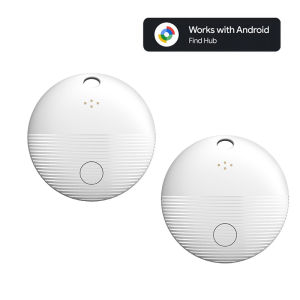
Smart Tag for Android Finder Google Find My Airtag Finder Gps Tracker for Children Navigation Motorcycle Google Search
Specification Product Size: ≈32×32×7.9mmItem Tracker: PC+ABSWorking Voltage: 2.6V~3.6VWorking Temperature: -20℃~60℃Power Consumption: Maximum 9.5mAh In Advanced Mode, Average 22ua In Pairing ModeBattery: CR2032 Non Rechargeable Button Battery(Replaceable)Feature • Google Certified Product • Integrated with Google Find My Device • Global positioning coverage • Privacy Protection • IP67 Waterproof Rating • Long-lasting Replaceable BatteryDescription 1. Reliable Protection, Anytime. The Android Smart Anti-Loss Device seamlessly connects with your phone. Just open the app to instantly locate any lost items. With the new, com pact design, it's there to protect, so you can live worry-free. 2. Rediscover Important Moment. Forgot your wallet or lost your keys? The new Android Smart Anti-Loss Device gives you peace of mind! Easily track your items with your Android device and safeguard your essentials anytime. 3. Track Everything, Anywhere! Say goodbye to losing things. The new Android Smart Anti-Loss Device helps you track all your valuables, even when they're out of sight. With worldwide tracking, it's perfect for travel.Note Please use it with Google Find My APP Device. Please confirm that your phone can download the Google Find My Device APP before placing an order. Thank you. This tracker basically works like AirTags. It needs to update the location effectively when there are other Android phones nearby, and the phone must also register or use Google Find My Device to report the last tracker location to you.FAQ & AFAQ: Why can't my Android phone connect to Tag ?A: This is usually because the user missed the automatic pop-up window of Tag, you can try to restore the factory settings. The steps are as followsHow to reset: Please refer to the paper manual for the reset operation (P.S.: If you can't connect even after reset and no automatic pop-up window appears, please refer to the Troubleshooting Guide. https://www.rexzol.com/support/google/troubleshooting) Step: Manual Connection Steps(Please refer to the video below)If the automatic popup doesn't appear, follow these steps to connect manually:1. Open phone settings2. Go to Google3. Select All services4. Go to Devices5. Turn on Scan for nearby devices6. View Available devices nearbyQuality AssuranceIf you still have other questions after receiving the item, Please don't worry!please communicate with the merchant, share product photos and videos, and get an immediate refund for verified quality defects.

GlobalTechMart
Review

You May Also Like

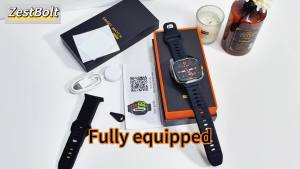
Smart Watch Men Women Bluetooth Step Counting Sports Bracelet Fitness Tracker Heart Rate Blood Pressure Sleep Smart Bracelet New
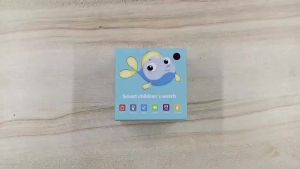
Kids Smart Watch 2026 New Sim Card Smartwatch For Children Sos Call Phone Camera Voice Chat Photo Boy Girl Gift Color Screen Q19
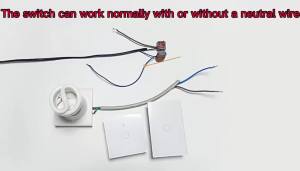
EU WiFi Smart Light Switches No Neutral Wire Touch Switch RF433 Work With Tuya Smart Life App Control Support Alexa Google Home

2026 New Military Smart Watch Men IP67 3ATM Outdoor Sports Fitness Tracker Health Monitoring 1.44Inch BT Call Smartwatch Ht22
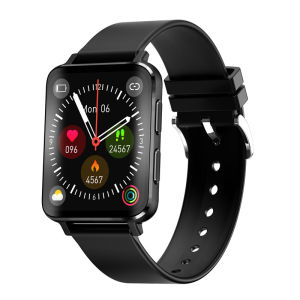
NORTH EDGE G9 health GLU measurement watch HR BP GLU SPO2 Curved Glass Screen Bluetooth Call Watch Calculator Watch Mens and Womens Watch IP67 Waterproof Compatible with IOS and Android
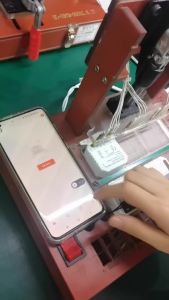
WiFi ZigBee Garage Door Opener Controller Switch Tuya Smart Gate Opener Module Smart Life App Works with Alexa Google Home
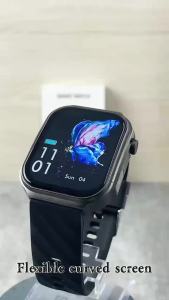
LIGE | LIGE New 2.20" HD Screen Smart Watch Flashlight Thermometer Health Monitor Smartwatch BT Call Sports Smartwatch For Android ios

PANGXIEXIANSHENG | Child & Elder GPS Tracking Device
UBARO | Smart WiFi Light Switch 1/2/3/4 Gang US 118*75mm Tempered Glass Touch Panel Tuya APP Remote Voice Control Alexa Google Home Time
433MHz RF WiFi Smart Switch Tuya Wireless Light Switch Work with Tuya Smart Life APP Voice Control Works with Alexa Google Home
【GLOBAL】AQARA Motion and Light Sensor P2 (Matter Support) - 2 Years Warranty