CarlinKit | 5 in 1 CarlinKit Wired to Wireless CarPlay Android TV Box HDMI Out Car Play Android Auto Adapter Video Streaming Box for OEM Car
Advantages of CarlinKit Tbox Lite S1. Compared with TBOX LITE, TBOX LITE S has a significantly improved performance and avoids lag.2. The dual WIFI design allows the device to connect to CP/AA while connecting to other WIFI networks at the same time.3. The chip has built-in GMS and supports official download and update of applications such as Netfilx.4. LITE S has added a mini HDMI interface, which allows two screens to display the same interface.CarlinKit Tbox Lite Android TV Box Wireless CarPlay Android Auto 3 in 1An android device that will allow us to access smartphone and mainsteam apps. Turn a simple multimedia equipment into android system. It also a good wireless CarPlay or wireless android auto adapter to connect your iPhone or android phone wirelessly.Warm Tips:Use condition of car: Your car must have factory wired CarPlay or Android Auto installed already.What Can You Get From This Android TV Box?Even though the memory of the device is 4GB+32GB (or 2GB+16GB), it's already enough if you are more into wireless connection with your mobile phone, that's really an economy combination of Wireless CarPlay/AA and Android ai box. You can get below features by the device.Dual-way Connection Switch At WillThis android device works for both OEM CarPlay car or OEM Android Auto car. It convert your original system to android system. There is a small hole to switch mode between android Auto and CarPlay, check the color of the light,green means CarPlay mode while the blue means Android Auto mode.Pre-installed Apps for Online VideoThe android box has been pre-installed the mainstream video apps, but you can also install other apps in play store instead, just to turn on the hotspot of your mobile phone and connect.Your CarPlay And Android Auto Wireless NowMake the most of the convenience of wireless CarPlay and Android Auto.To use CarPlay, your iPhone must be iOS 10+ or android phone must be android 11+.How to connect wireless CarPlay or AndroidAuto?1.Check the current operating mode---green light means CarPlay mode and blue light means Android Auto mode.2. Click Autokit APP on CarlinKit android page.3.Turn on wifi and bluetooth on your phone, then search the device name on your bluetooth list of your phone then pair it.4. Wait for few seconds then wireless CarPlay or Android Auto there.Download Applications from Google Play StoreTBox LITE S has GMS, so it can download and update apps in the Google Market normally (except for Disney+, which still cannot be updated).Continue The Original Car Control MethodsIt maintains the original factory functions and commands of the Multimedia Center. No need change your driving habits and make your travel safer.Product Specifications:Model:Tbox Lite SSystem:Android 9Product Size: 77x49.5x12.8mmMemory:4GB(RAM)+32GB(ROM), 2GB(RAM)+16GB(ROM), 2GB(RAM)+32GB(ROM)CPU: Allwinner A133 Quad-Core ARM Cortex A53Bluetooth frequency: 5.0 BluetoothWiFi frequency: 2.4G+5G, Dual WiFiCompatible car: Car with OEM wired CarPlay or wired Android AutoLanguage: Multiple languages around the world, such as: Arabic, Chinese, English, French etc.CarlinKit Other Android Ai Box ComparisionAbout UsCarlinkit Direct Store is a factory store directly authorized by CarlinKit instead of a dealer, It is committed to sell 100% original authentic products.Fast DeliveryOnce payment completed, parcel will be shipped out within 24-48hours.So please confirm the every detail of your order as soon as possible. Once shipped out, order cannot be cancelled.Return & Refund15 days no reason return and refund. This warranty don't fit for damage caused by accident, misuse, or modification.365 days wanrrantyWithin 365 days of confirming receipt, any quality problem which refer to non-human damages, which cannot be fixed after trying all our solutions, free repairing or replacement. Return at buyer's cost, shipping new one at seller's cost.About FeedbackIf you are satisfied with our items or service, please leave all 5 stars feedback to help others understand the item well.Any questions, please contact us first, we will help you solve it as soon as possible.Appreciate your kind feedback and support.Further business contactEmail:aesupport@carlinkit.comCarlinKit official firmware website https://www.carlinkit.com/Please update your device after contacting our customer service if it's necessary

Prime Supply_Play Life
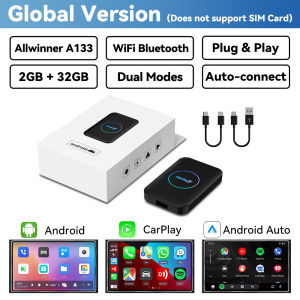
Review

You May Also Like
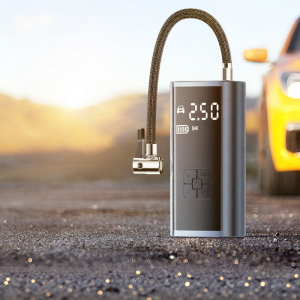
HELLOLEIBOO | Portable Wireless Car Inflator Electric Air Pump

O Margo | Soundproof Acoustic Panels
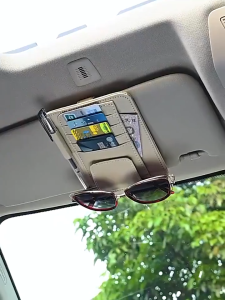
【SKIT SG】Car Sun Visor Organizer PU Leather Multi Function Pocket Organizer Card Storage Glasses Pen Holder Auto Interior Accessories Car Card Holder Universal Car Sun Visor Organizer PU Leather Card Storage Glasses Pen Holder Paper Ticket Storage Bag
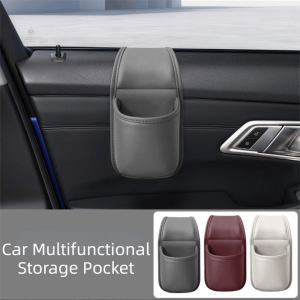
SOPHIAN PU Leather Car Cup Holder Waterproof Multifunctional Car Storage Box Universal Space Saving Beverage Holder Driver Seat
JFGRACING | 7/822mm CNC Motorcycle Accelerator Handlebar Throttle Twist Grip Twister Universal For Pit Dirt Bike Motorcycle Parts Aluminum
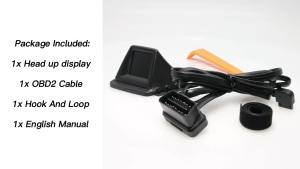
RYSJM | New Multi-function HUD P8 OBD2+GPS On-Board Computer Car RPM Tachometer Turbo Oil Pressure Water Temp GPS Speedometer

PISSA | Anti-slip Car Dashboard Mat
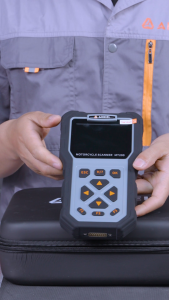
ANCEL MT200 Motorcycle Diagnostic Scanner OBD2 Full System Tool with 12+ Service Reset Fit For Honda YAMAHA Kawasaki Suzuki BMW KTM HERO Motorbike Code Reader Battery / Fuel Injector Detection

A0005003040 For Mercedes Benz GLC-class C-class S-class E-class Air Condition Water Exchange Control Valve A0005061300
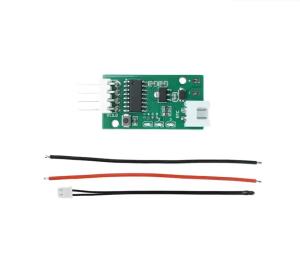
5/12V 4-Wire PWM Fan Temperature Controller PC CPU Cooler Fan Temperature Control Speed Regulation Auto Speed Control PWM 25 kHz

TAODUN | Waterproof Windproof Fog-proof Splash-proof Face Shield